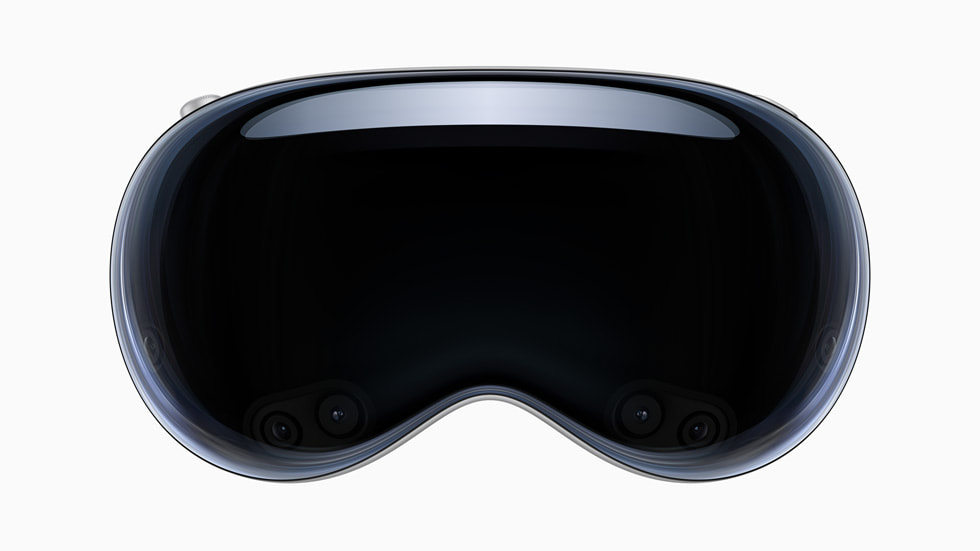
Apple Vision Pro’s original pitch: a big canvas and a bigger question
Apple’s original Vision Pro wanted to put a whole computing canvas around you. A floating workspace is an intriguing introduction; the $3,499 US starting price is where it clears its throat and asks for serious attention. Yes, the ambition is appealing. No, the budget is not pretending it missed that part.
Archive note — revised October 23, 2026: This revisits Apple’s June 2023 announcement and the original launch specification. It is not a hands-on review of a later Vision Pro model or today’s app catalogue.
What Apple announced
Apple’s original announcement described visionOS, eye-and-hand interaction, 23 million pixels across two displays and an M2/R1 dual-chip design. Apps and entertainment would sit around the user rather than inside a conventional screen. Plenty of room for a digital workspace, then; its everyday usefulness still has to earn the room.
Now let the demo do an ordinary job. Check readable text, comfortable fit, input that stays manageable and apps worth wearing the hardware for. A huge virtual workspace is appealing. I would still like to know whether the tiny daily tasks feel easier once the floating windows have finished making their entrance.
The practical limits belong in the story
Apple’s original battery estimate was up to two hours of use, with longer use connected to power. Fit and the external battery belong in the decision alongside the cinematic screen. The workspace might float gracefully; the hardware still needs to get along with your actual head and routine.
Then give the big canvas a specific purpose. Is it for entertainment, a particular creative workflow or extra workspace? Each could be useful, but “the future” needs a more detailed job description before taking over this much of the budget. Ambition is charming. A clear answer to “what will I do with it?” is more persuasive.
DeviceCritique’s take
The original Vision Pro announcement deserved both curiosity and careful questions. Start with the tasks you want to complete and a proper demonstration. I can appreciate an ambitious gadget without letting it skip the fit check. If it wants to spend that much time on someone’s face, a comfortable introduction is the least it can offer.
Keep reading: Apple brings finer selection controls to Pixelmator Pro on iPad. Find more wearables and XR coverage.

You May Also Like
iPhone 15 Pro heat reports: the software fix and sensible checks
iPhone 16 and Apple Intelligence: buy the features, not the promise