Windows 11 tests phone controls and an internet speed test in Quick Settings
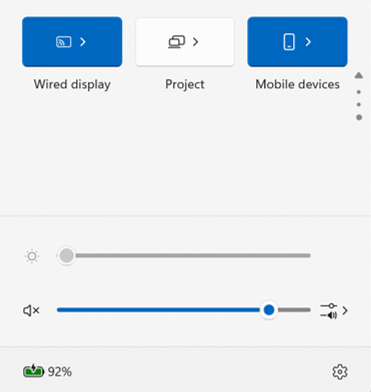
Windows 11 is testing two buttons with an unusually relatable job description: find the phone that has vanished into the sofa, and investigate why the internet has become emotionally unavailable. In its October 23 Insider announcement, Microsoft introduced phone controls and an internet speed test inside Quick Settings. Both are Experimental-channel previews, not a promise that every Windows PC gets them today.
A small control panel for the missing phone
The Mobile devices panel can show controls for a connected, supported Android phone: Do Not Disturb, ringer mode and playing a sound to locate it nearby. Microsoft says capabilities depend on the phone and configuration, with iPhone support initially focused more narrowly on status. Please do not invite your iPhone to the party and promise it the entire Android menu.
The build 26340.9767 release notes say to open Quick Settings and look for Mobile devices; Windows can guide connection if the phone has not been set up. For someone moving between messages, a meeting and a laptop, that could save an unnecessary trip into a separate app.
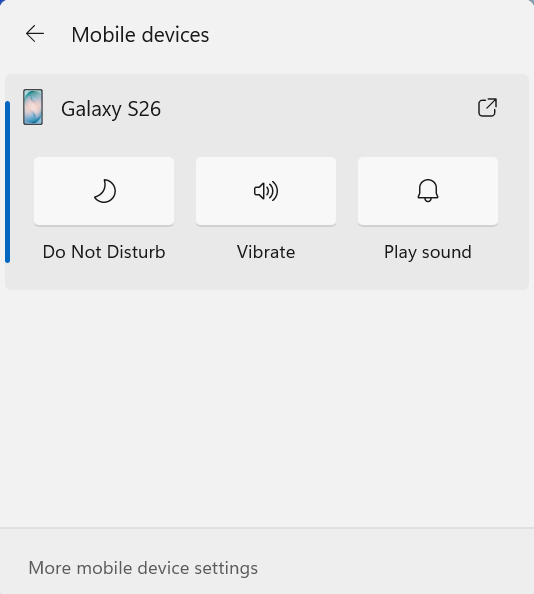
The charm is in the interruption it might remove. If the phone starts buzzing during a call, silencing it from the screen you are already looking at is a reasonable little kindness. The find-phone sound is also a delightfully practical ambition for software: less grand future-of-computing speech, more “darling, you are underneath the blanket.”
The second addition is for the other household mystery.
A speed test without the browser detour
Microsoft is also bringing the test and its results into Quick Settings. The preview can show download speed, upload speed and ping, with entry points from the Speed test control, network flyouts or the taskbar network icon’s menu. It tests the active connection, so the result describes that particular moment and setup.
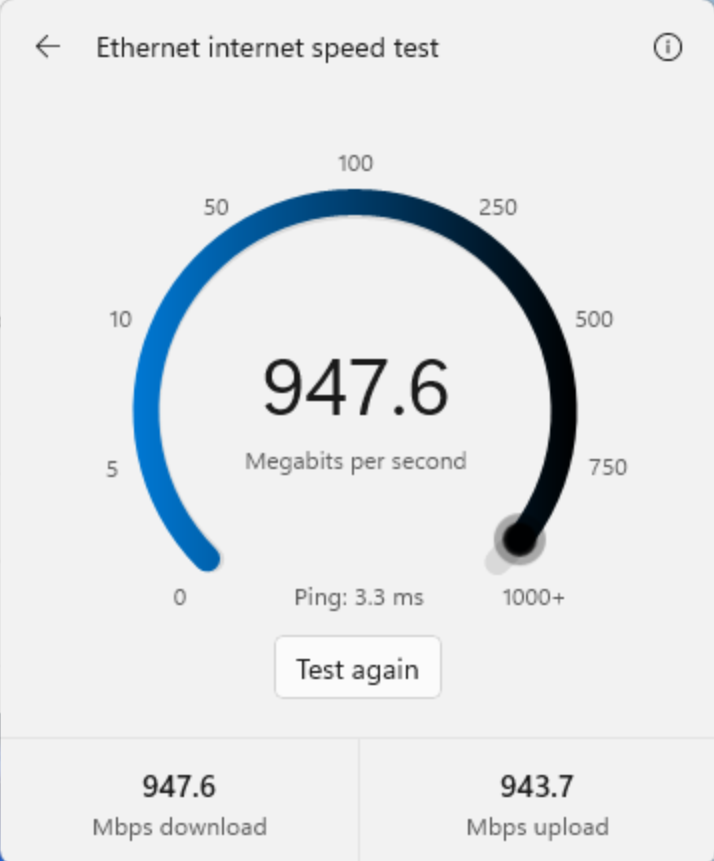
That could make it easier to gather a useful clue while something is misbehaving. Write down what was happening, whether the PC was on Wi-Fi or Ethernet, and whether other devices were busy. A screenshot taken during the actual problem is more helpful than discovering everything is magically fine the instant you seek help. Technology does enjoy an audience.
A result is still a clue, not a complete diagnosis. It cannot, on its own, explain every stuttering video call, slow website or unhappy game. Look for a pattern before announcing that the router has betrayed the household. Perhaps it has. We would like evidence before the dramatic speech.
A little patience beats an experimental surprise on deadline day.
Useful ideas, still in preview
Microsoft’s Insider guidance asks people to consider the stability they need and the issues they can tolerate when choosing a channel. These features are rolling out gradually, and the release notes warn that experiments can change or never reach general release. There is no confirmed general-release date for these additions in the announcement.
If this is the machine you need for work or study, waiting is a perfectly sensible choice. Our computing coverage follows Windows developments, while the Surface Pro report looks at a different part of the PC decision. We like the direction here: modest controls that make an ordinary day slightly easier. The sofa can keep its loose change. It should return the phone.
Hero image: Microsoft. Official image source.


You May Also Like
MSI Prestige N16 Flip puts RTX Spark in a pen-ready convertible
PowerToys 0.102 gives your mouse button a break and your pointer an exit