
DAW Reviews, Tutorials & MIDI Compatibility Guide
THE CREATIVE DUO FINDER
Less setup drama.
More little masterpieces.
Read our DAW verdicts, pick your controller, and find its software friends. Keep the manual within reach—some relationships need a small introduction.
Find my DAW Check my controller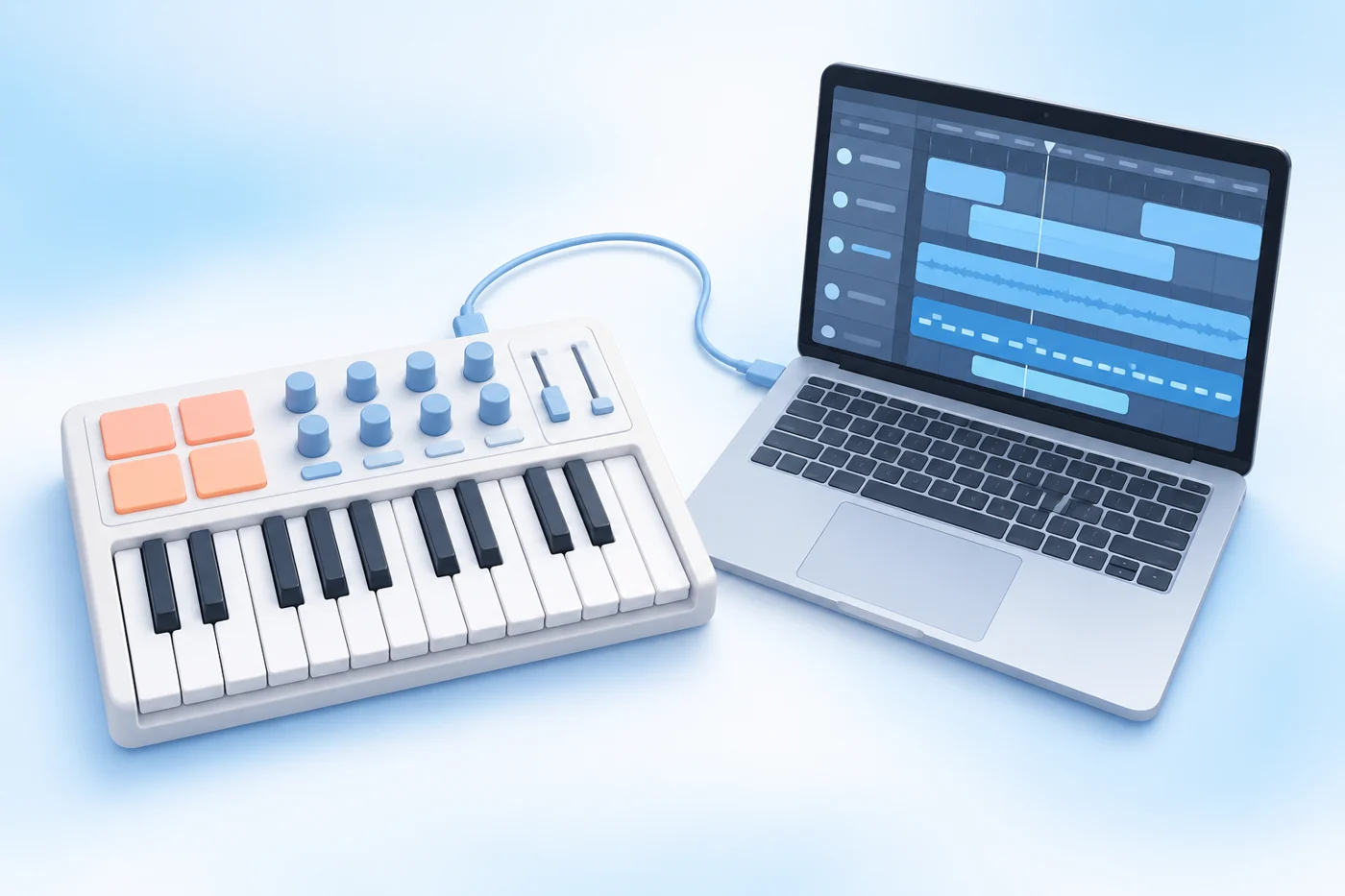
14 DAW reviews · 9 editions in the controller matrix · 54 researched pairings · checked 25 Oct 2026. Official documentation, not hands-on testing. Desktop software only. Find official DAW tutorials ↓
THE DEVICECRITIQUE VERDICT
Find a DAW you’ll actually finish songs in.
14 researched reviews. Clear strengths, real trade-offs, and a little help finding your creative rhythm. A pretty timeline is lovely; finishing the chorus is lovelier.
How we reviewed these DAWs
These are researched editorial assessments, based on current manufacturer documentation, edition comparisons, release notes and licence terms, checked 25 October 2026. We assess workflow fit, recording and composition tools, platform support, plug-in hosting, controller routes and value. We have not installed or physically tested each DAW, measured performance or compared audio quality. Recommendations are our interpretation of those documented features, not manufacturer endorsements.
Reviews may discuss a product family or fuller edition. The controller matrix below covers nine specific editions and six controllers; five additional DAWs are reviewed without a pairing verdict. Prices retain their quoted currencies and are not tax-inclusive Canadian totals. Free editions, timed trials, subscriptions and paid downloads are distinguished.
FROM CHOOSING TO CREATING
Learn your DAW.
47 official tutorials and guides across 14 DAWs. Find a starting lesson, make something small, then tackle the clever bits.
Videos, written walkthroughs and manuals are labelled. A useful foundation lesson does not have to match every new patch.
No matching DAW reviews. Try another platform, workflow or search.
Ableton Live
Live 12 family; the setup builder lists Intro, while some discussed creative tools require Standard or Suite · Windows / macOS
Best fit: Electronic producers who want to improvise with clips, then turn the best bits into a finished arrangement
Live is our strongest starting point for a clip-first creative workflow: it lets an idea stay playful before asking it to become a complete song. Intro is a useful doorway, but its 16-track limit makes edition choice a real decision rather than a tiny checkout detail.
The good stuff
- Session View for trying clips and performance ideas
- Arrangement View, audio warping and take comping in every current edition
- Broad controller ecosystem and VST2/VST3 support, plus AU on Mac
The catch
- Intro has 16 audio/MIDI tracks; Standard and Suite remove that ceiling
- Max for Live is included with Suite or sold separately for Standard; it is not supported in Intro. No native Linux version.
Price & licence: Official shop: US$99 Intro, US$349 Standard, US$749 Suite. Prices and account offers can change; Suite rent-to-own is a separate purchase route.
Learn Ableton Live 4 resources
Live 12 manual and official video library. Videos span releases and editions; Learn View is the current in-app learning interface.
Start with Live's guided lessons ↗
Find Learn View and follow guided modules inside Live, with contextual help beside your project.
Live 12 manual; the lessons themselves open inside Live.
Build your first Live workflow ↗
Pick short lessons on recording, MIDI editing and moving between Session and Arrangement views.
Includes Live 12 features and foundational videos; devices and sounds vary by edition.
Give your controller a job ↗
Map knobs, buttons and keys to Live controls, then check how dedicated control surfaces differ.
Live 12 reference; your controller's script and port settings still matter.
Save properly, then export ↗
Keep project samples together and work through audio-export options before sharing your track.
Live 12 reference; use its Exporting Audio and Video section for the final bounce.
Official learning links · checked 25 October 2026. Tutorials and manuals can show different versions or paid-edition features. Check the lesson against your installed version.
Read our Ableton Live review
Live 12.4 family; release notes list 12.4.7 dated 22 October 2026 · researched 2026-10-25.
In-depth assessment · 1,288 words · about 6 minutes to read
Ableton Live · 01 / 06
The workflow: a sketchbook that can become a performance
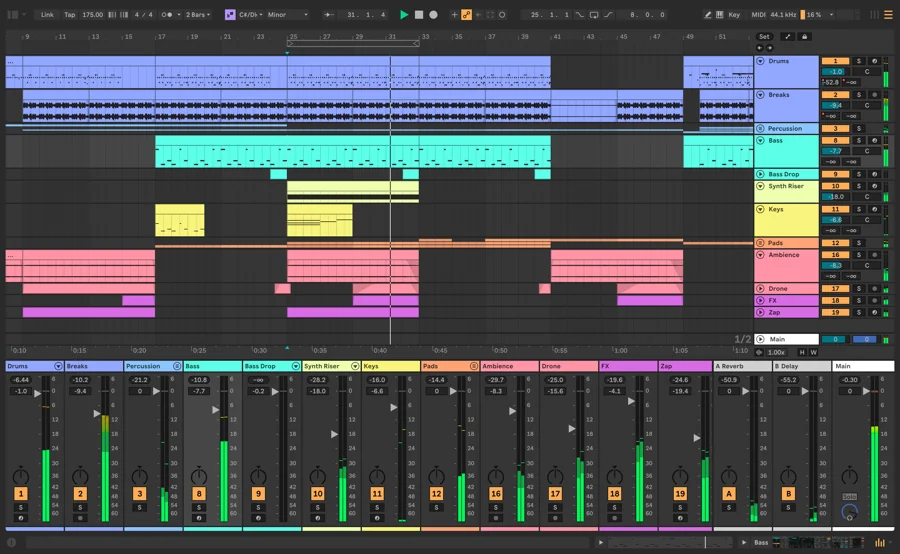
Live’s central attraction is the relationship between Session View and Arrangement View. Session gives you independent clips and scenes to try in different combinations; Arrangement puts the music on a conventional timeline. A practical route is to sketch a verse groove, a busier chorus and a breakdown as clips, then record or arrange those decisions into a song. You can keep the exploratory stage loose without requiring the final piece to remain a collection of loops. That distinction is why Live makes our shortlist for electronic composition and performance.
The editorial reservation is that an accommodating sketchbook can become a very comfortable waiting room. Auditioning another bass variation is easier than deciding what happens after the second chorus. During the trial, deliberately move from clips to a beginning, middle and ending. Also build at the scale you actually need: Intro’s 16-track ceiling can accommodate a compact production, but separately recorded drum stems, layered vocals and alternate instruments can consume it quickly. Live’s workflow remains appealing even when Intro’s particular limits do not fit your project.
Sources for this section
Ableton Live · 02 / 06
Recording and editing: more than launching loops
Live can record microphones and instruments as well as MIDI performances. In Arrangement, repeated passes create take lanes from which you can assemble a composite performance; the manual covers both audio and MIDI take lanes. That makes a vocal or keyboard part with several promising attempts manageable inside the same project. Our assessment is that this removes a major reason a clip-oriented producer might otherwise leave for another editor. It does not establish that Live is quicker than a competing comping system—try the selection and auditioning process yourself.
Warping is a separate strength: it changes how recorded audio follows tempo, with different modes for different material and creative intentions. It is useful for aligning a loop, reshaping a sample or adapting an idea to a new pace. It still needs listening; a stretched phrase can behave differently from a drum hit. Learn when to leave an audio recording unwarped as well as when to manipulate it. Current commands include Bounce Track in Place, which replaces the track’s contents, and Bounce to New Track, which keeps the source in a deactivated track. Older tutorials may call the in-place route Freeze and Flatten; retain an editable copy before committing.
Sources for this section
Ableton Live · 03 / 06
MIDI, expression and the route to a finished mix
For MIDI composition, Live combines note editing with velocity, probability, scales and per-note expression workflows. MPE-capable input can carry individual-note pitch, slide and pressure, provided the receiving instrument supports the required behaviour. Capture MIDI can retrieve an improvisation from an armed or monitored MIDI track even when Record was not running. That is a useful safety net for the phrase that arrived while you were allegedly just checking the keyboard. Check edition gates for additional MIDI generation and transformation tools instead of assuming every demonstration represents Intro.
The mixing stage uses familiar track levels, groups, effects chains and return tracks, accessible from both main views. Shared returns let several parts feed one reverb rather than maintaining unrelated copies everywhere; groups help you process a collection of tracks together. Intro’s two returns are another meaningful boundary beside its track count, while Standard and Suite provide more. These are practical routing choices, not proof that one edition sounds better. Try balancing a vocal against the instrumental, automating one transition and exporting a version you would actually send to another person.
Ableton Live · 04 / 06
Plug-ins and controllers: check the actual route
Live’s documented third-party formats are 64-bit VST2 and VST3, with Audio Units additionally available on Mac. AAX and a CLAP-only download are not interchangeable with those builds. The computer, OS, processor architecture and plug-in version all belong in the compatibility check. When sharing a Mac project with a Windows collaborator, agreeing on compatible VST builds or supplying rendered audio is more useful than discovering that an AU instrument did not make the trip. Preserve an editable copy before committing a sound to audio.
Controller support can range from ordinary MIDI notes to a script that follows devices, launches clips and operates transport controls. The difference matters particularly in Live, because its clip workflow is a large part of the appeal. Check the exact model and generation in the pairing checker, then follow the manufacturer’s named ports and script instructions. A keyboard having pads does not prove those pads automatically become a useful clip grid. For performance, rehearse the complete set, interface and controller configuration; a manufacturer’s compatibility entry is not a guarantee against every stage-day surprise.
Sources for this section
Ableton Live · 05 / 06
Which edition earns its price?
The public shop checked for this guide lists Intro at US$99, Standard at US$349 and Suite at US$749, before any applicable tax or account-specific offer. Intro makes sense when the core workflow and its limits genuinely cover the project. Standard is the more relevant comparison if you already own instruments and effects and mainly need to remove production limits. Suite becomes easier to justify when its included collection and Max for Live replace purchases you would otherwise make. More devices are not automatically more useful devices for your music.
Max for Live deserves its own decision: it is included with Suite, can be purchased separately for Standard, and is unsupported in Intro and Lite. Ableton also offers a separate Suite rent-to-own route; examine its payment and access conditions rather than treating it as the price of Intro spread out. The 30-day trial exposes Suite’s possibilities, which is helpful and slightly dangerous for edition shopping. List the devices and features used in the trial project, then check that list against the edition you intend to keep.
Ableton Live · 06 / 06
Who should choose Live—and who should look elsewhere?
Choose Live when you want improvisation, sample manipulation and arrangement to feel like connected stages, especially with an appropriate hands-on controller. It is also a credible recording host for a producer who wants those tools in the same place. We would be more cautious when Intro’s limits are already visibly too small, when your favourite required plug-in has no supported build, or when Linux is the operating system you plan to keep. Buying a different laptop solely to accommodate a DAW is a much larger purchase decision.
Bitwig is the obvious alternative to inspect if the clip-and-arranger combination appeals but Linux, deeper modulation or a modular sound-building environment is central to the brief; compare the right Bitwig edition. REAPER is worth comparing if the work is predominantly recording, detailed editing and flexible routing, and you would rather build a disciplined template than a performance-oriented clip setup. Neither alternative wins every task. The useful audition is one complete small project, including the unglamorous export and reopening stages, not a contest over who has the prettiest empty session.
Sources for this section
BUY THE RIGHT EDITION
Which version makes sense?
Intro
Compact productions and learning Live’s core workflow
Check: 16 audio/MIDI tracks, two returns and no Max for Live; do not confuse it with bundled Lite.
Standard
Producers who need expanded features and already have a useful plug-in collection
Check: Max for Live is a separate purchase; Suite’s full library is not included.
Suite
Users who will use the included instruments/effects or Max for Live environment
Check: Judge the larger cost against tools you need; the trial showcases this edition.
THE OTHER CONTENDERS
What to compare it with
Compare for clip-based composition with Linux support and a stronger emphasis on modulation; the full Grid requires full Studio.
Compare for recording, editing and routing when a performance clip grid is not the main priority.
YOUR OWN MINI AUDITION
Try a real project before committing
Use an edition that includes the features below. Limited free editions and demos may omit some tasks; check the edition advice before committing.
- Build three contrasting sections in Session, then turn them into a complete Arrangement.
- Record three vocal or instrument passes and assemble a short comp from take lanes.
- Set up your exact controller script, record a parameter movement and check the required plug-in builds.
- Export the mix and useful audio parts, then reopen the project and audit every tool against your intended edition.
Our verdict: Live earns its place when turning playable fragments into an arrangement is how you want to make music. Choose the edition around track limits and actual tool use, and insist on finishing one trial project before deciding.
Full reference list
- Ableton: what is Live? ↗
- Ableton Live edition comparison ↗
- Ableton official Live shop ↗
- Live12 release notes ↗
- Ableton official trial ↗
- Ableton supported plug-in formats ↗
- Buying Max for Live ↗
- Live comping and take lanes ↗
- Live audio warping ↗
- Committing audio in current Live versions ↗
- Recording and Capture MIDI ↗
- MPE in Live ↗
- Live mixer, groups and returns ↗
- Live MIDI and control-surface mapping ↗
- Bitwig alternative workflow ↗
- REAPER alternative workflow ↗
Editorial assessment from documented features, requirements and licensing; no hands-on testing, measured performance or sound-quality score.
FL Studio
FL Studio 2026 family, with Producer Edition as the guide’s recording-capable purchase baseline · Windows / macOS
Best fit: Beat makers and melody programmers who like building patterns before arranging a song
FL Studio is an especially sensible shortlist for people who think in drum patterns and piano-roll melodies. Producer is the practical baseline when vocals or instruments must be recorded. Its update policy is appealing, but neither the trial nor a Cloud plan should be mistaken for ownership of every instrument.
The good stuff
- Pattern, piano-roll and Playlist workflows for building beats into songs
- Producer and higher include audio recording and editing tools
- Lifetime Free Updates for your purchased edition; VST/CLAP hosting and AU on Mac
The catch
- Fruity omits audio recording; instruments and effects vary by edition
- The trial cannot reopen saved projects, and FL Cloud subscriptions are separate from the DAW licence
Price & licence: Paid Fruity, Producer, Signature and All Plugins editions. A current CAD quote was not verified; check the official regional shop. Lifetime Free Updates apply to the purchased edition. FL Cloud is optional and separate.
Learn FL Studio 3 resources
Current official beginner lessons and online manual. The lessons teach the modern workflow rather than documenting every 2026 patch.
From your first beat to a whole track ↗
Work through Channel Rack beats, Piano Roll melodies, arrangement, effects and your first export.
Some lessons use FL Cloud or edition-dependent tools; audio recording needs a suitable edition.
Set up a MIDI controller ↗
Enable the correct input, choose a controller type or script, and make sense of MIDI ports.
Current online manual; basic note input does not guarantee every knob or transport control is mapped.
Export a mix without losing the project ↗
Choose an export format, range and effect tails; keep the editable FLP project saved separately.
Current Export Project reference; available options depend on the chosen format.
Official learning links · checked 25 October 2026. Tutorials and manuals can show different versions or paid-edition features. Check the lesson against your installed version.
Read our FL Studio review
FL Studio 2026 / 26.1.7 series · researched 2026-10-25.
In-depth assessment · 1,316 words · about 6 minutes to read
FL Studio · 01 / 06
The workflow: patterns, piano roll, then the whole song
FL Studio’s clearest attraction is building musical ideas as patterns. A drum part can start in the Channel Rack, a melody can develop in the piano roll, and those elements become Pattern Clips in the Playlist alongside audio and automation. This is appealing when composition begins with small rhythmic or melodic decisions. It does not confine the program to one genre; it describes the way the workspace organises your attention. The question is whether this pattern-to-arrangement relationship helps you make deliberate sections rather than merely producing more excellent loops.
One structural detail deserves attention during an audition: Playlist lanes, instrument Channels and Mixer tracks are related but are not inherently the same object. FL can associate them through Instrument and Audio Track modes, yet the underlying flexibility remains. That can be liberating for arranging and routing, or require an adjustment if you expect one timeline lane always to mean one instrument with one mixer channel. Learn those relationships early. Otherwise naming a lane ‘Lead Vocal’ can become an act of optimism rather than a reliable explanation of where its sound goes.
Sources for this section
FL Studio · 02 / 06
Recording vocals and instruments: follow the signal path
Producer Edition or higher is the relevant purchase baseline for external audio recording. You can record into Playlist Audio Clips or capture and edit in Edison, with the input arriving through a Mixer track. Audio Track mode can link a Playlist lane to that input so subsequent recordings remain organised, including additional takes. That is a workable recording route, but it is worth rehearsing with your own interface. Confirm the selected input, monitoring behaviour and recording destination before recording a performance you cannot conveniently repeat.
The recording pickup point matters too. The manual distinguishes the external input from later points in the mixer chain, and recommends understanding the route before printing processing into a recording. For editing, Producer includes Edison and Newtime; Signature adds Newtone, so pitch-editing demonstrations can involve a higher edition. Do not assume all those windows belong to the same licence. Our assessment is that FL is particularly convenient when recorded parts join an existing beat-making project. For repeated multitrack recording sessions, test take organisation and editing as seriously as you test its attractive piano roll.
Sources for this section
FL Studio · 03 / 06
MIDI detail, automation and exporting something useful
The piano roll is a substantive reason to audition FL: you can draw or record notes, alter timing and velocity, and develop a part without needing a hardware keyboard. The manual documents many editing tools rather than a single fixed way to enter a melody. That suits a producer who enjoys shaping each note and rhythm. We would resist turning the manufacturer’s ‘best piano roll’ language into an objective award, though. Try rewriting one busy phrase and one sparse phrase; comfort with both is more informative than the number of commands in a menu.
Automation can be recorded or arranged to develop a part over time, while Mixer routing determines how instruments, audio clips, sends and effects reach the output. Keep track of both musical structure and signal flow. FL can export a finished mix and individual mixer outputs through Split mixer tracks, but those files follow mixer routing rather than simply reproducing every visible Playlist lane. Check the exported parts in an empty project. If a send effect or shared bus is involved, agree what the collaborator needs; fourteen vaguely named WAV files are still a puzzle, merely one with larger attachments.
Sources for this section
FL Studio · 04 / 06
Plug-ins, hardware and collaboration
The current FL overview documents VST and CLAP hosting on Windows and Mac, with Audio Units also supported on Mac. Use a format, bitness and processor build compatible with the current host and your OS. Included native FL instruments are a separate entitlement from a version that runs inside another manufacturer’s DAW. Buying an edition because you like a particular synth does not automatically make that synth portable everywhere. Likewise, a Mac AU instance will not become a Windows instrument when you send the project across operating systems.
MIDI note input, knob mapping and dedicated controller scripts are separate levels of integration. Check the exact model and its current setup instructions, especially if you want transport, mixer or instrument control rather than simply playing notes. FL’s current download requirements identify Windows on Intel/AMD and do not support Windows ARM; Mac builds cover the documented Intel/Apple-silicon route. Audio hardware is its own check: on Windows, Image-Line recommends the interface manufacturer’s suitable ASIO driver for recording. A keyboard’s USB connection cannot substitute for the input and monitoring path of a recording interface.
FL Studio · 05 / 06
Edition value and what ‘Lifetime Free Updates’ covers
Fruity, Producer, Signature and All Plugins are different purchases. The update policy covers the edition you own; it does not promise every higher-tier instrument or an unrelated subscription. Producer is the sensible starting comparison when recording is required. Move to Signature because its specific extras solve a task, such as needing Newtone, rather than because the name sounds like the official grown-up option. All Plugins is relevant when the additional native collection has real value to you. We have not invented a Canadian quote for a regional checkout we could not verify.
FL Cloud is optional and needs its own cost decision. The current pricing page also describes Rent-to-Own Plus: after twelve payments the FL Studio licence is owned, while the Cloud component continues until cancelled; regional availability and exact terms need checking. This is a different commitment from a straightforward one-time licence. The trial can save and export, but cannot reopen its saved projects until the appropriate licence is purchased. Audit trial-only devices before deciding an edition will reproduce the entire session. The enjoyable part of testing a synth should not become an accidental purchase requirement.
FL Studio · 06 / 06
The producer who should shortlist FL
Choose FL when programming drums, editing melodies and developing patterns are central to how you think. It becomes a particularly coherent option when you then record a vocal or instrument into that same production. We would be cautious if you dislike the separation between pattern, Playlist and Mixer organisation, or if the intended computer is unsupported. None of those preferences makes a person less musical. The host should support your attention, not require you to spend every session proving you are clever enough to enjoy its structure.
Compare Ableton Live if you want a clip-performance workflow that connects composition with launching musical sections on a suitable controller. Compare LUNA Free if the immediate requirement is straightforward audio/MIDI recording and you want to evaluate a permanent free host before paying. FL’s update policy can be a meaningful value advantage, but only after its workflow has earned the purchase. The best trial project is a small finished song with automation, a recorded part and exported files—not twenty minutes of admiring one enormous piano-roll pattern and quietly declaring the album nearly done.
Sources for this section
BUY THE RIGHT EDITION
Which version makes sense?
Fruity
A pattern-focused setup that does not need external audio recording
Check: Check all required audio and plug-in features; it is not the recording baseline in this guide.
Producer
Beat production plus recording vocals or instruments
Check: Includes Edison/Newtime, but not every Signature or All Plugins extra.
Signature / All Plugins
Users who need the particular additional instruments or editors
Check: Compare exact entitlements; native FL tools and FL Cloud services are separate licensing questions.
THE OTHER CONTENDERS
What to compare it with
Compare if clip launching and a performance-oriented Session/Arrangement workflow matter more than FL’s pattern organisation.
Compare if audio recording is the immediate task and a permanent free host is a useful first step.
YOUR OWN MINI AUDITION
Try a real project before committing
Use an edition that includes the features below. Limited free editions and demos may omit some tasks; check the edition advice before committing.
- Create drum and melody patterns, then turn them into a complete Playlist arrangement with named lanes and mixer routes.
- Record a voice or instrument into an Audio Track and check monitoring, take placement and the recording pickup point.
- Automate a transition and export both a mix and the mixer outputs a collaborator would need.
- List every trial-only instrument and editor, then check the exact edition and any Cloud or rent-to-own commitment before purchase.
Our verdict: FL is a convincing choice for pattern-based composition that grows into a full production. Its value rests on both the workflow and the purchased edition’s update policy; learn the Playlist/Mixer relationships and verify recording and plug-in entitlements before buying.
Full reference list
- Image-Line: FL Studio overview and FAQ ↗
- FL Studio editions and licences ↗
- Official FL Studio download and trial terms ↗
- What is new in FL Studio 2026 ↗
- Image-Line: trial collaboration and saved projects ↗
- FL Playlist and Track Modes ↗
- FL piano-roll sequencing ↗
- FL external audio recording routes ↗
- FL audio-recording edition requirement ↗
- FL recording automation ↗
- FL mix and split-track export ↗
- Ableton Live alternative workflow ↗
- LUNA Free alternative scope ↗
Editorial assessment from documented features, requirements and licensing; no hands-on testing, measured performance or sound-quality score.
Logic Pro for Mac
Current Logic Pro for Mac; iPad is a separate app/licensing context · macOS
Best fit: Apple-silicon Mac songwriters who want recording, instruments and mixing in one purchase
For a compatible Mac, Logic is a compelling all-in-one choice: its recording tools and bundled creative collection can reduce the urge to buy a second shopping basket of plug-ins. The catch is concrete: current Logic requires Apple silicon and recent macOS, and third-party plug-ins must use Audio Units.
The good stuff
- Included instruments, samplers, effects and songwriting tools
- Audio/MIDI recording, take-folder comping and conventional arrangement workflow
- Standalone Mac purchase remains available alongside the separate Creator Studio subscription
The catch
- Current Mac version requires Apple silicon and macOS 15.6 or later
- Mac host uses AU plug-ins; Windows collaboration and iPad licensing need separate planning
Price & licence: CA$249.99 standalone Mac purchase. Apple Creator Studio is a separate option at CA$17.99/month or CA$179/year for new subscribers after the trial; do not add a subscription to the one-time quote.
Learn Logic Pro for Mac 4 resources
Apple's Mac guide currently offers 12.3 as its newest selectable version. These fundamentals remain relevant, but the guide is not labelled as a 12.4-specific course.
Find your feet in Logic ↗
Use the contents to explore the workspace, projects, tracks and recording basics at your own pace.
Mac guide; newest selectable guide checked was 12.3. Not the separate Logic Pro for iPad guide.
Record a software-instrument part ↗
Choose an instrument track, set a starting point and record notes with a keyboard or Musical Typing.
Part of Apple's current Mac guide; no external MIDI keyboard is essential for Musical Typing.
Connect a USB music keyboard ↗
Connect a keyboard and check driver requirements, with links for MIDI interfaces and automatic control assignment.
Automatic control assignment applies to supported controllers; check the hardware maker's driver guidance.
Choose how to share your song ↗
Understand sharing and export routes, then follow the appropriate bounce or project-export instructions.
Current Mac guide overview; a project and a finished audio file are different deliverables.
Official learning links · checked 25 October 2026. Tutorials and manuals can show different versions or paid-edition features. Check the lesson against your installed version.
Read our Logic Pro for Mac review
Logic Pro 12.4 for Mac · researched 2026-10-25.
In-depth assessment · 1,325 words · about 7 minutes to read
Logic Pro for Mac · 01 / 06
The workflow: a songwriter’s substantial starting toolkit
Logic’s appeal is the amount of a production that can stay inside its own included environment. The Tracks area offers a conventional arrangement timeline, while Live Loops supports sketching sections in a grid. Software instruments, samplers, Apple Loops and effects let a song begin without immediately assembling a separate plug-in collection. Our assessment is especially favourable for a compatible-Mac songwriter moving between a played keyboard idea, a programmed rhythm and recorded vocals. The important value is having relevant tools ready, not treating the size of the library as a musical achievement.
That breadth also needs a little restraint. Logic has several editors and ways to organise a project, so a beginner should learn one small template before exploring every advanced view. Decide whether the first session is about recording, programming or arranging, then expand the template when a specific task requires it. Live Loops can develop sections before they become a timeline; it need not become a second, parallel song you never reconcile. Assisted Session Players can contribute arrangement ideas, but the final choice about energy and phrasing still belongs to you.
Sources for this section
Logic Pro for Mac · 02 / 06
Recording, comping and fixing a performance carefully
For recorded performances, take folders and Quick Swipe Comping let you select useful passages from several attempts while retaining an organised set of alternatives. This is valuable when a vocal’s best verse and best ending arrived in different passes. Apple also documents grouped multitrack editing for material such as drums, where coordinated edits matter. Our judgement is that these tools make Logic a serious recording choice as well as a composition package. They do not remove the need to set inputs, monitoring and recording behaviour correctly before the performance begins.
Flex Time addresses timing changes, while Flex Pitch gives a pitch-editing route for suitable material. Treat these as targeted editing tools rather than a requirement to iron every human detail flat. The audition should include an imperfect phrase: adjust a limited passage, compare it with the original and decide whether the edit serves the song. Preserve takes and an editable project before committing major changes. Also test exporting the audio parts your collaborator needs, because another person may want clean recordings and aligned starts rather than a Logic session containing every instrument you own.
Logic Pro for Mac · 03 / 06
MIDI tools and a mixer that can grow with the song
The piano roll, step sequencer and software-instrument tools cover different kinds of musical entry. A played part can stay expressive, a drum pattern can be programmed precisely, and a sample can become an instrument through Quick Sampler. That variety is useful if a project crosses between singer-songwriter recording and electronic production. Do not assume a scale, quantise or assisted arrangement option must be applied just because it is available. A good review question is whether you can revise notes and dynamics deliberately, rather than merely generate another variation of the same idea.
Track Stacks are a particularly useful organisational distinction. Folder stacks gather tracks for shared control without changing their individual audio routing; summing stacks route subtracks to a subgroup, where shared processing and level decisions can happen. The latter can keep layered instruments or a drum group manageable, provided you understand the bus and aux relationship. Smart Controls offer another way to expose useful parameters. Learn what is being grouped and what is actually being summed. Tidying the screen and changing the signal path can look similar while doing very different jobs.
Sources for this section
Logic Pro for Mac · 04 / 06
The Mac requirement is a real buying constraint
The current Mac version requires Apple silicon and macOS 15.6 or later. An older Intel Mac that ran an earlier Logic release is not automatically a suitable purchase plan for the current version. Logic hosts Audio Units; owning a VST3-only instrument does not solve that compatibility requirement. Check each developer’s AU build, processor support and supported OS version. A compatible computer is the first substantial cost decision here, so we would not present Logic’s software price as the complete cost of entering the platform.
Collaboration needs similar planning. Logic projects are not a universal session format for Windows DAWs; agree on rendered audio, MIDI and compatible plug-ins where appropriate. Keep an editable source project alongside the delivery files. MIDI controllers can provide basic notes, manual assignments or deeper integration, depending on the exact model and configuration. Use the pairing checker for documented routes instead of assuming every controller labelled Mac-compatible operates Logic’s mixer and browsing features. Logic for iPad is also a separate app and licensing context; a desktop plug-in collection does not automatically become an iPad setup.
Logic Pro for Mac · 05 / 06
Standalone purchase or Creator Studio?
Apple Canada lists Logic Pro for Mac at CA$249.99 as a standalone purchase. Apple Creator Studio is a different option: the current Canadian page quotes CA$17.99 monthly or CA$179 annually for new subscribers after the trial, with other creative apps included. These are alternative access routes, not two bills that must be added together to use Logic. If Logic is the only app you need, compare the standalone purchase seriously. If the broader collection replaces tools you already pay for, the bundle has a different value proposition.
Do not turn that snapshot into a confident prediction of lifetime ownership cost. Subscription prices, future software releases, hardware compatibility, storage and additional plug-in purchases can change. The standalone option buys the described Mac app; it is not a promise about every future product or platform. Apple says the current standalone and subscription versions have the same Logic features, so a subscription is not required just to unlock a higher Logic tier. Use the trial to test your actual project and AU collection, then choose the access model you will still understand when the renewal reminder arrives.
Sources for this section
Logic Pro for Mac · 06 / 06
Who benefits most from Logic’s breadth?
Choose Logic when a compatible Mac is already part of the plan and you want composition, recording, editing and a substantial included sound collection in one application. It is especially easy to justify when you would otherwise buy several instruments or editors immediately after buying the host. We would look elsewhere if current Mac requirements exclude your computer, if cross-platform native sessions are essential, or if the desired instrument is available only in an unsupported format. The value of an included library is zero for the one indispensable tool it cannot load.
GarageBand is the useful alternative when the first goal is learning and finishing a modest Mac song without paying for the host. Its project path into Logic makes that a reasonable starting stage rather than a failure to buy the serious option. REAPER is worth comparing if you need Windows or Linux as well as Mac, value flexible recording and routing, and are comfortable building your own working template. Logic’s case is the connected toolkit. Choose it because that connection helps your music, not because collecting more editors feels suspiciously like practising.
Sources for this section
BUY THE RIGHT EDITION
Which version makes sense?
Logic Pro for Mac standalone
A compatible-Mac user who chiefly wants Logic itself
Check: CA$249.99 is the app price, not the cost of a compatible computer or third-party plug-ins.
Apple Creator Studio
Someone who will use several apps in the bundle and understands recurring access
Check: Current Canadian monthly/annual prices and trial eligibility apply; it is an alternative to the standalone route.
Logic Pro for iPad
A separately planned touch-focused mobile workflow
Check: Separate app/platform context; desktop AU/VST products are not automatically iPad instruments.
THE OTHER CONTENDERS
What to compare it with
Start here for a free Mac host, included sounds and an upgrade path into Logic when a specific need appears.
Compare for native Windows/Mac/Linux recording and routing if platform flexibility matters more than an all-in-one Apple toolkit.
YOUR OWN MINI AUDITION
Try a real project before committing
Use an edition that includes the features below. Limited free editions and demos may omit some tasks; check the edition advice before committing.
- Create a small song with one included instrument, one programmed rhythm and a recorded vocal or instrument.
- Record several takes, build a comp, and make one restrained Flex edit while retaining the original.
- Create a folder stack and a summing stack, then check which changes organisation and which changes routing.
- Load your required AU plug-ins, export collaborator-ready audio/MIDI and compare the standalone price with the bundle you would actually use.
Our verdict: Logic is a strong all-in-one choice for a compatible Mac, particularly when its included instruments and recording tools replace additional purchases. Verify the hardware and AU requirements first, then choose between standalone and subscription access based on the apps you will use.
Full reference list
- Apple Canada: Logic Pro features and pricing ↗
- Logic Pro for Mac release notes ↗
- About Apple Creator Studio ↗
- Apple: third-party Audio Units on Mac ↗
- Logic Pro: record and edit takes in Live Loops cells ↗
- Logic Pro user guide ↗
- Logic’s documented workspace and editors ↗
- Logic Quick Swipe Comping ↗
- Logic multitrack recording and timing edits ↗
- Quick Sampler and creative sample workflows ↗
- Folder and summing Track Stacks ↗
- GarageBand starting workflow ↗
- REAPER cross-platform alternative ↗
Editorial assessment from documented features, requirements and licensing; no hands-on testing, measured performance or sound-quality score.
Cubase
Cubase Pro 15, with Artist and Elements buying context · Windows / macOS
Best fit: Composers and recording musicians who want detailed MIDI editing and room for larger arrangements.
Cubase makes the strongest case when a song needs careful arranging, expressive MIDI and serious recording tools in one place. Pro earns its higher price through specialist depth; a smaller project may need Artist instead. Choose the tools your music needs, before the feature list starts choosing for you.
The good stuff
- Deep MIDI and composition toolkit
- Pro adds Expression Maps, Control Room and immersive tools
- MIDI Remote supports custom controller mapping
The catch
- Important features vary substantially across Pro, Artist and Elements
- VST2 is disabled by default and unavailable in native Apple silicon mode
Price & licence: Cubase Pro 15 full licence is listed at US$579.99. Lower Artist/Elements tiers and eligible upgrades differ; confirm regional checkout.
Learn Cubase 3 resources
Cubase 15 beginner video plus the official Pro 15.0 manual. Artist and Elements users should check their edition before following Pro-only options.
Start Producing in Cubase in Only 10 Minutes ↗
Set up a project, record, add instruments and effects, and get a first idea moving with Steinberg’s beginner walkthrough.
Official Cubase channel; Cubase 15. Some demonstrated tools depend on edition.
MIDI Remote Mapping Assistant ↗
Connect controller knobs and faders to useful Cubase functions instead of leaving them as desk decorations.
Cubase Pro 15.0 documentation; check the available MIDI Remote functions in your edition.
Mixing Down to Audio Files ↗
Follow the official export procedure, select the correct channels and turn your project into an audio file.
Pro 15.0 manual; multiple-channel export options may differ in Artist and Elements.
Official learning links · checked 25 October 2026. Tutorials and manuals can show different versions or paid-edition features. Check the lesson against your installed version.
Read our Cubase review
Cubase 15 family · researched 2026-10-25.
In-depth assessment · 1,184 words · about 6 minutes to read
Cubase · 01 / 06
A composition desk with room for detail
Cubase is a particularly persuasive choice when the arrangement is the work: writing several instrumental parts, changing the harmony, then shaping how those parts respond to each other. The Project window supplies the timeline, while the Key, Drum and Score editors give different ways to examine musical data. Our assessment is that this layered approach rewards deliberate arranging. It offers more depth than a minimal first-song workspace, but it also asks you to learn which editor or inspector owns the change you want.
Expression Maps illustrate the attraction better than an impressive track count. A mapped violin part can carry meaningful articulation choices instead of a mysterious collection of low notes that exist only to trigger samples. That organization becomes valuable as an orchestral arrangement grows. For someone making short loops and improvising which section happens next, however, this detailed timeline environment may be more administration than inspiration. Audition its writing workflow, not just its instrument presets.
Sources for this section
Cubase · 02 / 06
Recording, comping and vocal repairs
Pro and Artist include comping; Elements does not. In the Pro/Artist workflow, cycle recordings can be displayed as separate lanes, making several performances available for selection instead of forcing an early commitment. Cubase treats overlapping audio and MIDI differently: an audio track plays its active event, while overlapping MIDI parts can play together. That distinction matters when a doubled note appears unexpectedly. The take system is useful for assembling a vocal or guitar performance, but good edits still depend on listening across joins rather than assuming every lane boundary is a musical boundary.
For pitch and timing work, current Pro and Artist include VariAudio; Elements does not. VariAudio analyzes monophonic material into editable segments and is optimized for vocal recordings. It is a correction and expression tool, not a promise to untangle a finished chord recording into independent singers. AudioWarp-related functions offer timing control, with edition differences to check. Our advice is to comp a believable performance first, then correct specific problems. A perfectly straight pitch line can still deliver a rather unconvincing apology to the song.
Cubase · 03 / 06
MIDI expression, monitoring and delivery
The MIDI case goes beyond drawing rectangles. Pro’s Expression Maps organize articulations, while the current comparison lists MPE support in Pro and Artist. These features can help a compatible instrument retain performance detail, but they do not make every library respond to the same controllers. Expect some setup around the instrument’s keyswitches, channels and expression behavior. That investment makes most sense when you reuse the instrument across songs, rather than building an elaborate template for a single four-bar part.
Pro’s Control Room is a practical recording distinction: performer cue mixes can begin from MixConsole levels and then be adjusted separately. This is useful when the singer needs more vocal than the control-room mix, provided your interface has the required outputs and routing. At delivery, Audio Mixdown can render selected channels over a defined range. Check whether you are exporting a dry part, a processed channel or a bus; external instruments/effects may require real-time export. A stem named “guitars” should contain the guitars you intended, which is a remarkably useful feature.
Cubase · 04 / 06
The plug-in and controller checks that matter
For a new Cubase setup, native VST3 is the cleanest planning assumption. Cubase does not directly host Audio Units, and Steinberg does not officially support VST2 in version 15. The VST2 scanner can be enabled on some configurations, but native Apple silicon cannot load VST2. A beloved older synth therefore deserves an explicit migration plan: obtain a compatible version, render the part to audio, or verify the older environment you need to keep available.
MIDI Remote offers a route for assigning controller controls to Cubase functions. It is useful to distinguish a manufacturer-supplied script, a custom mapping and ordinary MIDI note input before comparing keyboards. Cubase is not yet included in our exact controller-pairing matrix, so this review does not certify any of those six controllers. Windows and macOS are the documented desktop platforms; a Windows plug-in or controller editor does not become a native Linux solution because its USB cable fits.
Cubase · 05 / 06
What the licence buys, and what it does not
The current full Pro licence is quoted at US$579.99. That is a US-dollar reference, not a converted Canadian checkout total. Artist and Elements can be better value if their feature grids cover your actual project; our strongest reason to pay for Pro is a named requirement such as Expression Maps or Control Room. Current Artist already includes substantial vocal and composition tools, including VariAudio. Buying the highest tier simply to avoid reading the comparison is convenient, but rather expensive reading avoidance.
Cubase 15 uses Steinberg Licensing rather than the old USB eLicenser. The FAQ permits activation on three computers for one user, with no simultaneous multi-computer use, and says internet access is needed for initial activation rather than continued operation. Later generation updates and moves to a higher edition are separate buying decisions; this is not a Lifetime Free Updates promise. Include instrument libraries, storage and any future update you actually want in your budget, rather than treating the DAW price as the whole studio.
Cubase · 06 / 06
Choose it for the arrangement you want to build
Cubase is a strong shortlist choice for composers, detailed MIDI programmers and recording musicians who want the arrangement, vocal editing and mix in one substantial environment. Its appeal is the connection between musical detail and production tools. Someone building expressive sample-library parts has a clearer reason to learn it than a beginner who mainly needs a microphone, two tracks and a finished recording by Sunday. More options are helpful only when they make the next decision easier.
Before choosing, make one short project that includes an instrument part, three vocal takes, an articulation change and an exported mix. Then repeat the uncomfortable task: replace an instrument or hand over a processed stem. If you mostly want clip-led improvisation, compare Ableton Live’s workflow. If the task is straightforward recording and flexible routing at a lower conditional licence price, compare REAPER. Neither alternative makes Cubase less capable; they expose whether its particular depth is the depth you want to learn.
BUY THE RIGHT EDITION
Which version makes sense?
Elements
Smaller audio/MIDI projects that fit its current track and tool limits.
Check: No comping, VariAudio, AudioWarp Quantize, Expression Maps or Control Room; verify the complete edition grid.
Artist
Recording and composition with current VariAudio and MPE support.
Check: Pro-specific articulation, monitoring and advanced editing functions remain separate.
Pro
Detailed composing, performer monitoring and specialist production requirements.
Check: US$579.99 full licence reference; regional prices, libraries and future generation updates are additional considerations.
THE OTHER CONTENDERS
What to compare it with
Choose Live instead if improvising with clips and live arrangement decisions is your priority; compare the exact Live edition.
Choose REAPER instead if recording, routing and custom workflow matter more than Cubase’s composing environment and edition-specific tools.
YOUR OWN MINI AUDITION
Try a real project before committing
Use an edition that includes the features below. Limited free editions and demos may omit some tasks; check the edition advice before committing.
- Record three cycle takes and assemble a continuous vocal without losing the originals.
- Create two articulations in a compatible instrument and confirm the intended map and output behavior.
- Build a performer cue mix if you have suitable interface outputs, then check it separately from the main mix.
- Export a full mix and a processed instrument stem, then reopen those files in a fresh session.
Our verdict: Choose Cubase because its arranging, articulation and recording tools solve your projects. Start below Pro when the edition grid meets those needs; pay for Pro when you can name the specialist function you will use.
Full reference list
- Cubase 15 edition comparison ↗
- Cubase 15 launch and US pricing ↗
- Cubase 15 VST2 restrictions ↗
- MIDI Remote Mapping Assistant ↗
- Cubase trial ↗
- Cubase Expression Maps ↗
- Cubase 15 takes and lanes ↗
- VariAudio pitch and time editing ↗
- VariAudio in Cubase Artist 15 ↗
- Cubase Pro cue mixes ↗
- Cubase Pro audio mixdown ↗
- Cubase export options ↗
- Cubase licensing and compatibility FAQ ↗
- MIDI Remote Mapping Assistant ↗
Editorial assessment from documented features, requirements and licensing; no hands-on testing, measured performance or sound-quality score.
Bitwig Studio
Bitwig Studio 6.1 family; the builder lists Essentials, while The Grid and the broadest modulation tools require the full edition · Windows / macOS / Linux
Best fit: Electronic musicians who want clip-based composition, expressive control and sound-design experiments, including on Linux
Bitwig is our shortlist pick for musicians who enjoy making a sound move, mutate and misbehave on purpose. Its cross-platform availability is valuable, especially on Linux. Start with the edition you need: Essentials offers the core workflow, while the full version’s modular playground is a materially different purchase.
The good stuff
- Clip Launcher plus arrangement workflow on Windows, Mac and Linux
- MPE, MIDI/CV and VST/CLAP hosting for expressive or hardware-focused setups
- Full Studio’s Grid and modulation system for building instruments and effects
The catch
- Essentials has a smaller modulation/device set; The Grid is full Studio only and audio comping starts at Producer
- Later updates beyond the included 12-month plan require renewal; native AU hosting is not provided
Price & licence: US$99 Essentials, US$199 Producer, US$399 full Studio. Perpetual licence with 12 months of upgrades; an expired Upgrade Plan does not disable your entitled version.
Learn Bitwig Studio 3 resources
The Sampler walkthrough specifically covers 6.1. Foundational lessons remain useful, while Bitwig says its full User Guide is being updated; use the 6/6.1 Quick Guide for changed features.
Get comfortable in Bitwig ↗
Learn the dashboard, controller connection, note recording and how the Launcher and Arranger work together.
General getting-started lessons, not a dedicated 6.1 patch course.
Explore the new 6.1 Sampler ↗
Follow Thavius Beck through slicing, pitch analysis, hardware colour and more adventurous sample manipulation.
Specifically Bitwig 6.1; Spectral, Fragments and The Grid demonstrations require full Studio, not Essentials.
Export your arrangement ↗
Choose the master or individual tracks, set the time range and create audio files from the Arranger.
General workflow reference; the complete manual is awaiting its 6/6.1 update.
Official learning links · checked 25 October 2026. Tutorials and manuals can show different versions or paid-edition features. Check the lesson against your installed version.
Read our Bitwig Studio review
Bitwig Studio 6.1 series; official download page displayed 6.1.4 during research · researched 2026-10-25.
In-depth assessment · 1,310 words · about 6 minutes to read
Bitwig Studio · 01 / 06
The workflow: clips, arrangement and controlled experiments
Bitwig combines a Clip Launcher with an arranger, so a project can begin as playable sections and later become a fixed timeline. Its audio, instrument and hybrid-track concepts make moving between a performed instrument part and an audio version part of the design. That is attractive for an electronic musician who wants experimentation to remain close to composition. Our assessment favours the connection between these stages rather than any claim that the interface makes everyone faster. A tidy piano sketch and a deliberately unruly texture should both be able to become part of the same finished piece.
The appeal is strongest when changing a sound is itself a musical decision. Modulation, expressive input and nested device chains invite a patch to evolve rather than remain a preset that plays the same way forever. The practical risk is spending the entire session refining one sound’s fascinating behaviour. During the audition, set a stopping point: keep the version that serves the arrangement, render a copy when useful, and continue writing. A synth with an excellent internal life still needs to show up on time for the chorus.
Bitwig Studio · 02 / 06
Recording, audio events and edition boundaries
Bitwig is not restricted to synthesizer programming: it records audio, edits events within clips and supports comping in the editions that include it. The manual describes cycle recording and selecting regions from take lanes in both arranger and launcher contexts. That can keep a vocal or instrumental recording inside a project otherwise built from clips. The important buying boundary is that audio comping starts at Producer; the Essentials record in this guide should not be treated as a cheaper route to every recording feature shown in the full-version manual.
Audio clips also contain editable events, with controls for timing and other event properties rather than only whole-clip movement. The current feature comparison gives Essentials fewer stretching algorithms and a smaller audio I/O allowance than the higher editions. Those distinctions can matter when recording several sources or doing detailed timing work. They are capability differences, not a measured verdict about sound quality. For a recording-heavy audition, test the actual number of inputs, take selection and delivery files needed for one session before becoming distracted by a very appealing modulated noise machine.
Bitwig Studio · 03 / 06
Expression, modulation and the temptation to keep building
Bitwig’s expressive-note and modulation tools are central to its identity. MPE can carry per-note performance information, while modulators and nested chains can make parameters respond to musical activity. The full Studio edition adds The Grid for building instruments, audio effects and note effects. Essentials has a smaller modulation/device set, and Producer expands the collection without becoming the complete Grid edition. Check the exact modulator or container you intend to use: a full-edition patch demonstration is not an entitlement list for the least expensive licence.
For mixing, audio still needs an intelligible route through devices, track levels, groups and effect tracks. Nested chains can combine parallel and serial processing inside a reusable device configuration, which is powerful when understood and baffling when inherited from a complicated preset. Our advice is to make a simple routing template first, then add modulation for a reason you can hear in the arrangement. The feature list also documents plug-in crash protection; that is a safeguard offered by the host, not proof that a particular plug-in or computer will never interrupt a session.
Bitwig Studio · 04 / 06
Native Linux is useful; universal compatibility is not promised
Bitwig has official Windows, macOS and Linux versions, which is a meaningful reason for Linux musicians to inspect it. It hosts VST and CLAP rather than native Audio Units. Match the plug-in’s operating-system build and processor architecture: an available Linux host does not convert a Windows plug-in into a native Linux instrument. The same caution applies to companion editors and licence managers. Before planning a cross-platform project, inventory the third-party tools as carefully as the DAW itself, and keep rendered audio for parts whose setup another computer cannot reproduce.
Controller scripts provide another important distinction. Bitwig documents generic note/knob use separately from model-specific scripts that can expose transport, mixer, device or clip controls. Its Remote Controls can follow the selected device, but the functions actually available depend on the controller and script. The pairing checker below records the exact routes researched for this guide, including OS caveats. Do not turn a Windows/macOS editor download into an assumption of equal Linux integration. A supported DAW and a supported keyboard can still require a small, very specific introduction.
Bitwig Studio · 05 / 06
Essentials, Producer, full Studio and future updates
The public prices checked for this guide are US$99 for Essentials, US$199 for Producer and US$399 for full Studio. Essentials is relevant if its host, external plug-in support and smaller included collection do the work. Producer becomes more pertinent when audio comping and the expanded editing/device features solve a real requirement. Full Studio is the purchase to evaluate for The Grid and the complete modulation environment. Start the comparison with those functional boundaries, not a vague expectation that the cheapest version is a temporary demo of the expensive one.
The licence is perpetual with twelve months of upgrades. When that Upgrade Plan expires, your entitled version keeps working; renewal buys access to further updates rather than restoring a disabled studio. That gives you a choice about when a new release has enough value, although future renewal prices and OS changes still belong in long-term planning. Use the 30-day trial to identify the features your project depends on, then check the corresponding edition. If the project’s favourite trick needs The Grid, saving money by selecting Essentials does not preserve that trick.
Sources for this section
Bitwig Studio · 06 / 06
Who should choose Bitwig?
Choose Bitwig when clip-based composition, expressive instruments and purposeful sound experiments sit near the centre of your music. Native Linux support strengthens its case for a setup that needs that platform. We would be more cautious if a required AU-only instrument is central to the project, if the planned edition omits the recording feature you need, or if you simply want a guided recording environment with fewer opportunities to construct a device ecosystem. Enjoying sound design is a valid priority; feeling obliged to enjoy it because the DAW is clever is not.
Ableton Live is the close comparison for a clip-and-arrangement workflow, particularly when a desired controller route or Max for Live device is part of the plan; check its edition and OS limits too. Ardour is worth a look when Linux recording, editing and routing are the main tasks and a modulation-led creative environment is less important. Bitwig’s strongest argument is how it connects composition with expressive sound construction. Test that connection by making a small finished song, not only a patch that could theoretically become a song once everyone involved gets some sleep.
Sources for this section
BUY THE RIGHT EDITION
Which version makes sense?
Essentials
The core cross-platform host and a smaller included creative collection
Check: No audio comping or Grid; I/O, stretching and modulation/device allowances are narrower.
Producer
Recording with audio comping and a broader editing/device collection
Check: Not the full Grid/modulation environment; verify individual feature requirements.
Bitwig Studio full
Musicians who will use The Grid and the complete modulation collection
Check: The higher cost is justified by actual use, not a presumption that Essentials is time-limited.
THE OTHER CONTENDERS
What to compare it with
Compare for a clip-and-arranger workflow with a different device/controller ecosystem; Max for Live and Intro limits require an edition check.
Compare when Linux recording and detailed routing matter more than a modulation-led instrument-building environment.
YOUR OWN MINI AUDITION
Try a real project before committing
Use an edition that includes the features below. Limited free editions and demos may omit some tasks; check the edition advice before committing.
- Build sections in the Clip Launcher, arrange a complete piece and retain an editable version of the source clips.
- Record several audio takes and test comping in an edition that includes it; check your actual interface input requirements.
- Create one intentional modulation movement, map the exact controller and test your required native VST/CLAP builds.
- Export the mix and audio parts, reopen the project and separate trial-only tools from the edition and Upgrade Plan you intend to buy.
Our verdict: Bitwig is particularly persuasive for expressive electronic composition and deliberate sound construction, with native Linux as a useful extra. Match the edition to recording and modulation needs, and treat the Upgrade Plan as future-update entitlement rather than a requirement to keep an installed version working.
Full reference list
- Bitwig official editions and pricing ↗
- Bitwig Studio overview ↗
- Bitwig Studio 6.1 features ↗
- Bitwig: how the Upgrade Plan works ↗
- Bitwig official download and trial ↗
- Bitwig system requirements ↗
- Bitwig modulation and device nesting ↗
- Bitwig bounce and hybrid-track concepts ↗
- Bitwig audio events and comping ↗
- Current Bitwig edition feature list ↗
- Bitwig plug-in hosting safeguards ↗
- Bitwig unified modulation system ↗
- Bitwig generic and dedicated controller routes ↗
- Ableton workflow alternative ↗
- Ardour recording alternative ↗
Editorial assessment from documented features, requirements and licensing; no hands-on testing, measured performance or sound-quality score.
REAPER
Full REAPER licence; discounted eligibility is conditional · Windows / macOS / Linux
Best fit: Recording, editing and routing when you want control over the workspace
REAPER earns its place through flexibility and fair licensing rather than a guided first-song experience. It is a strong value for people willing to learn routing and customise their workspace. The bargain is real; so is the temptation to organise every toolbar before recording anything.
The good stuff
- One fully featured edition for all licence tiers
- Deep audio/MIDI routing, take lanes and automation
- Native Windows, Mac and Linux builds; broad plug-in hosting
The catch
- Flexible menus and configuration can demand more learning
- The US$60 licence has eligibility rules; evaluation is not permanent free use
Price & licence: US$60 discounted licence if eligible; US$225 commercial otherwise. Full 60-day evaluation; licence required afterward. New licences include updates through 8.99.
Learn REAPER 2 resources
The official library includes a REAPER 7 beginner series alongside older videos. The downloadable main User Guide was updated for 7.83 when checked.
Start with This Is REAPER 7 ↗
Choose the REAPER 7 series for setup, recording and editing, then explore individual workflow lessons.
The wider library mixes versions; choose the version 7 series for a familiar starting interface.
Keep the full guide beside your session ↗
Download the main guide for recording, routing, mixing and rendering, or use the compact Quick Start reference.
Main guide updated for 7.83; some separate topic guides on the same page cover older versions.
Official learning links · checked 25 October 2026. Tutorials and manuals can show different versions or paid-edition features. Check the lesson against your installed version.
Read our REAPER review
REAPER 7.83 · researched 2026-10-25.
In-depth assessment · 1,055 words · about 5 minutes to read
REAPER · 01 / 06
A workspace you can shape around the job
REAPER is strongest when you think in sessions: a set of performances, edits, instruments and deliverables that need organising. Its track design and routing let audio, MIDI and processing coexist without forcing every idea into a separate specialised track type. That suits a songwriter recording guitar around a programmed rhythm, but also someone editing dialogue. The advantage is adaptability; the cost is making more decisions about how you want the workspace to behave.
Our advice is to build one modest project template before changing the menus. Save your interface routing, a vocal track, an instrument and one effects bus, then practise the same recording-to-export routine. The official guide documents track and project templates, including their routing and effects. This is where customisation becomes useful: it removes repeated setup. A toolbar that perfectly matches your personality is charming, but it still cannot sing the second verse for you.
Sources for this section
REAPER · 02 / 06
Takes and edits without losing the original performance
Recording is more than pressing the red button. REAPER documents punch recording, alternate takes and fixed item lanes, giving you ways to keep performances and assemble a preferred result. These are valuable when a vocal needs the beginning of one take and the ending of another. Learn which recording mode is active before a session; different modes change where new material goes. Preserving originals and naming the chosen comp are more useful habits than generating twenty anonymous takes.
The editing and rendering depth also makes REAPER attractive for repeat work. Region-based rendering can help organise different song sections or deliverables, while the routing matrix gives an overview of sends and destinations. That does not make an elaborate session automatically understandable. Test a simple stereo mix and a set of aligned audio files, then reopen them elsewhere. The useful result is a handoff someone can use, rather than a folder named FINAL_final_actually_this_one.
Sources for this section
REAPER · 03 / 06
Strong routing, with room to get pleasantly distracted
MIDI editing, automation envelopes and parameter mapping are part of the same general-purpose approach. A useful starting workflow is to record a MIDI part, correct a few notes, automate an effect, then route several tracks to a shared reverb. The guide also documents parameter modulation and MIDI Learn. Those can make a relatively ordinary instrument behave in more interesting ways, but they reward understanding the signal path rather than clicking until the meters forgive you.
Do not repeat the old claim that REAPER comes with no instruments. Version 7.83 adds JSFX ports of several open-source instruments alongside more effects. The relevant question is whether that collection supplies the sounds you actually need. You may still prefer a dedicated sampler or synth library, but that is a choice, not proof that the host is incomplete. We would judge its included tools by a small finished arrangement before budgeting for replacements.
Sources for this section
REAPER · 04 / 06
Cross-platform does not mean every plug-in travels
REAPER offers native Windows, Mac and Linux builds, and supports several plug-in standards, including VST2, VST3, CLAP and JSFX; other formats have platform conditions. This breadth helps if you already own instruments. It does not convert a Windows plug-in into a Linux build, or make an AU-only purchase portable. Keep the exact native installer, CPU architecture and developer-supported OS in the compatibility check, not just the familiar product name.
Treat controller setup as a separate task from playing notes. Enabling a keyboard input can be enough to record MIDI, while transport, mixer and device controls need the documented surface or mapping route. Our matrix distinguishes these levels. A sensible audition is one keyboard part plus one mapped knob and a transport test. If you depend on a particular integration script, verify that script and its supported version before moving an established project workflow.
Sources for this section
REAPER · 05 / 06
The cheap licence buys the same application
REAPER’s two prices are licence categories, not feature tiers. The US$60 discounted licence covers personal use and qualifying commercial, educational or nonprofit use; the commercial eligibility threshold is US$20,000 yearly gross revenue. Other commercial use requires US$225. Both unlock the same software. That makes the lower price unusually useful for an eligible beginner, because growing into deeper routing or editing does not require buying a larger edition.
The full evaluation lasts 60 days; it is not a permanent free licence. A new licence currently includes updates through version 8.99, which is a version entitlement rather than a guaranteed number of calendar years. Future upgrade prices are not established by that promise. Your longer-term costs may instead be sample libraries, specialist plug-ins and the time spent maintaining custom scripts. Include those only when the project needs them; REAPER itself does not require a subscription to keep your purchased version working.
Sources for this section
REAPER · 06 / 06
Choose control over a guided first-song tour
Choose REAPER if you want a flexible recording and editing tool and are willing to learn a repeatable template. It is particularly persuasive for people combining audio, MIDI and detailed routing, or who want the same host family across several desktop platforms. Use the evaluation to test your own interface and realistic project size, rather than selecting the application by reputation alone.
Consider another direction if your main motivation is a tightly guided instrument collection or a clip-performance environment ready to explore immediately. Fender Studio Pro offers a different all-in-one songwriting route; Bitwig foregrounds clip and modulation experiments. Neither makes REAPER a lesser professional tool. The right distinction is how you spend your music-making hour: making your system behave exactly your way, or accepting a more prescribed set of creative habits. Both are entirely respectable ways to annoy the neighbours.
Sources for this section
BUY THE RIGHT EDITION
Which version makes sense?
Discounted licence
Eligible personal, educational/nonprofit and smaller commercial use
Check: US$60; commercial-use revenue eligibility must be checked. Same features as commercial.
Commercial licence
Commercial users outside the discounted conditions
Check: US$225; does not add a separate feature tier.
60-day evaluation
Trying the complete recording-to-export workflow
Check: Requires a paid licence afterward; not a permanent free edition.
THE OTHER CONTENDERS
What to compare it with
Consider its connected songwriting, mastering and Show workflows if you want a more prescribed all-in-one environment.
Consider the Bitwig family when clips, expressive control and modulation are the main creative attraction; check full-edition gates.
YOUR OWN MINI AUDITION
Try a real project before committing
Use an edition that includes the features below. Limited free editions and demos may omit some tasks; check the edition advice before committing.
- Create a project template with one microphone input, one instrument and one shared effects bus.
- Record several passes, assemble a comp and confirm the original takes remain accessible.
- Map one hardware knob and test transport separately from ordinary note input.
- Render a stereo mix and aligned audio files, then reopen the exports in another application.
Our verdict: REAPER is a strong value when you want to design a dependable recording workflow around your habits. Its depth is the reason to choose it, and learning that depth is part of the purchase.
Full reference list
Editorial assessment from documented features, requirements and licensing; no hands-on testing, measured performance or sound-quality score.
Pro Tools
Pro Tools Studio, with Intro, Artist and Ultimate buying context · Windows / macOS
Best fit: Recording, vocal editing and mixing, especially when collaborators already exchange Pro Tools sessions.
Pro Tools Studio is a persuasive choice when recording, editing and exchanging sessions are the job. Its value rises when your collaborators use it too. For a solo beat-making setup, check the licence cost and AAX requirements against the actual work; professional status is not a plug-in you need to buy.
The good stuff
- Playlists and comping organize recorded takes
- Studio includes immersive mixing and a video track
- Documented Avid and HUI control-surface routes
The catch
- Third-party plug-ins need compatible AAX builds
- Edition limits, iLok activation and continuing licence costs need checking
Price & licence: Studio is advertised at US$34.99/month. The accessible product page does not establish the commitment or billing term; confirm the chosen plan at checkout. Perpetual options are separate.
Learn Pro Tools 2 resources
Avid's current learning pages combine short setup videos, creative projects and workflow reference. They are not labelled as a complete course for a particular 2026 patch or edition.
Set up, then make your first track ↗
Tour the Edit and Mix windows, configure audio, then try a recording or beat-making walkthrough.
Reading and viewing are public; software activation uses Avid/iLok accounts. Examples may exceed Intro's features.
Look up the next recording or mixing step ↗
Jump to focused lessons on recording, editing, buses, automation, bouncing a mix and exporting stems.
Current official workflow index; check your edition before following advanced-feature lessons.
Official learning links · checked 25 October 2026. Tutorials and manuals can show different versions or paid-edition features. Check the lesson against your installed version.
Read our Pro Tools review
2026.4.1 listed as current by Avid · researched 2026-10-25.
In-depth assessment · 1,261 words · about 6 minutes to read
Pro Tools · 01 / 06
A session built around recording and delivery
Pro Tools is most persuasive when a project is a session to record, edit, revise and hand over. The Edit window organizes clips against time; the Mix window handles channels, processing and routing. That separation gives recorded material a clear home. Our assessment favors it when multiple takes, detailed edits and repeatable delivery are regular work, especially if collaborators already exchange Pro Tools sessions. The benefit is practical coordination, not an automatic improvement in musical taste.
It is also unfair to describe current Pro Tools as unable to sketch ideas: the edition comparison includes the Sketch window across the lineup, alongside MIDI and instrument tracks. The relevant question is whether that creative environment suits how you compose. Someone who starts by improvising with clips should compare that journey with Live, rather than assuming the application used by a favorite studio must suit their bedroom beat session. The studio’s coffee machine is probably quite impressive too; neither purchase writes the chorus.
Pro Tools · 02 / 06
Why playlists and clip editing matter
Playlists keep alternate recordings on one track, with a main playlist holding the active performance. You can audition an alternate lane and copy a selected section into the target playlist, preserving the other takes. For a vocal assembled from several performances, that is a useful way to separate choosing from deleting. It also encourages a disciplined session: name takes, compare them in context and check the joins before committing. Our recommendation is based on those documented mechanics, not a claim that the comping feels fastest in every studio.
Clip Gain can balance individual phrases before subsequent processing, while Elastic Audio offers timing changes using analysis and warp controls. Select the appropriate timebase and algorithm for the material, and audition the result; neither feature repairs every flaw in the original recording. Current ARA support opens additional editing workflows, but an ARA feature is not ownership of every compatible pitch or repair plug-in. Check the included edition, active-plan entitlement and separate licence before deciding that a tutorial’s tool is already in your account.
Pro Tools · 03 / 06
From MIDI parts to a deliverable mix
MIDI and instrument tracks provide composition tools, and the Smart Tool adapts to note editing as well as audio clips, including note duration and velocity changes. That is enough reason to evaluate MIDI work directly instead of dismissing the DAW by reputation. Still, a piano-roll feature list does not reveal whether you enjoy constructing a whole arrangement in it. Test one expressive instrument part, edit its controller data and automate a transition before deciding whether the composition side matches your needs.
For mixing, buses, aux tracks and automation support organized shared effects and subgroup control. Studio adds VCA mixing, advanced automation, immersive tools and broader delivery options beyond Artist. The current comparison also places AAF/OMF/MXF interchange and single-file multi-stem bounce in Studio and Ultimate. Those distinctions can justify a higher edition for professional handoffs. They are less compelling if your final deliverable is one stereo song. When exporting stems, check routing, shared effects and the range of every file; “it opens on the other computer” is a better milestone than a large track-count number.
Pro Tools · 04 / 06
AAX, interfaces and the exact control-surface route
Pro Tools requires compatible AAX Native plug-ins for ordinary real-time third-party processing. AudioSuite is an offline-processing route; it is not another spelling of VST3. AAX DSP depends on an appropriate Pro Tools hardware configuration and compatible plug-ins, so a standard native setup does not gain DSP processing merely by installing the same brand of software. Inventory the plug-ins you already own before budgeting: the missing AAX build can matter more than a modest difference in DAW price.
Avid documents Core Audio and ASIO/WASAPI interface routes, plus Avid surfaces and HUI-compatible control surfaces. Ordinary MIDI input remains distinct from transport, mixer and display integration. This review does not add Pro Tools to our six-controller pairing matrix. Check current supported OS revisions and iLok activation requirements, then verify the exact surface and ports you plan to use. A generic “works with MIDI” label is useful for playing notes; it is not a promise that every fader and screen will wake up with a purpose.
Pro Tools · 05 / 06
Read the plan as carefully as the feature grid
The current Studio product page lists US$34.99 per month. The accessible page does not establish whether that means month-to-month access or an annual commitment billed monthly; confirm the exact checkout term. It is not a verified annual-plan total or Canadian price. New perpetual licences also exist through authorized resellers, while an advertised perpetual upgrade is for an eligible existing owner. Before comparing totals, obtain the price for the same edition, a new or existing licence as appropriate, and the same period of updates. An upgrade price and a new-seat price are not competing offers for the same purchase.
Application rights and plug-in entitlements also need separate attention. Avid’s generic guidance distinguishes retained perpetual application versions from active subscriptions, while newer Ultimate-specific guidance describes different after-year-one arrangements. Do not assume payments for the displayed Studio plan create permanent ownership; read your exact contract. Some bundled plug-ins depend on an active subscription or upgrade plan even when the application licence is perpetual. For long-lived sessions, keep a written plug-in inventory and render important sounds to audio. Future-you deserves an archive that opens without an unexpected subscription scavenger hunt.
Pro Tools · 06 / 06
Buy the collaboration and editing workflow you need
Pro Tools Studio is a strong choice when recorded performances, revisions and session exchange dominate the work. The case becomes especially concrete when a producer, mixer or post-production partner asks for that session format and shares compatible plug-ins. It is weaker when a solo beginner needs only a small recording setup and cannot identify a Studio-only function. The free Intro edition is a legitimate way to learn the environment, with smaller limits, rather than a complete replacement for paid Studio.
Use an audition project that resembles a real job: record several takes, comp a verse, balance phrases with Clip Gain, automate a send and deliver a mix plus stems. Ask a collaborator to reopen the material if session exchange is the reason for buying. Compare REAPER for recording and routing without the same edition structure, or Logic on an eligible Mac for a broad included songwriting collection. The sensible choice is the environment that supports the work you repeatedly finish, rather than the one that makes your software folder look professionally employed.
BUY THE RIGHT EDITION
Which version makes sense?
Intro
Learning the interface and making small projects at no licence charge.
Check: Current limits include eight audio tracks and four simultaneous recording inputs; it does not include Studio’s delivery toolset.
Artist
Smaller music-production sessions that fit its recording and track limits.
Check: Check AAX and active-plan content; Studio-only VCA, immersive and interchange features may matter later.
Studio
Larger recording/mixing sessions and named advanced-delivery requirements.
Check: US$34.99/month is displayed, but the commitment/billing term was not verified. Confirm it at checkout; perpetual and annual options need an exact quote.
Ultimate
Specific advanced post-production, video or supported hardware workflows.
Check: Do not assume it is necessary for music recording; exact licensing and after-year-one entitlements differ by plan.
THE OTHER CONTENDERS
What to compare it with
Compare REAPER if flexible recording/routing and a single full-feature edition are more valuable than exchanging Pro Tools sessions.
Compare Logic on a compatible Apple-silicon Mac if the included songwriting instruments and a standalone purchase suit your work.
YOUR OWN MINI AUDITION
Try a real project before committing
Use an edition that includes the features below. Limited free editions and demos may omit some tasks; check the edition advice before committing.
- Record three named playlists and assemble a comp without deleting the source takes.
- Use Clip Gain and one Elastic Audio adjustment, then compare with the unprocessed recording.
- Load your actual AAX instruments/effects and test the exact controller route.
- Deliver a stereo mix and aligned stems; if relevant, exchange the session with the person you expect to collaborate with.
Our verdict: Choose Pro Tools for a recording, editing and collaboration job you can describe. Check AAX compatibility, edition-specific delivery tools and the exact licence plan before paying for Studio or Ultimate.
Full reference list
- Pro Tools editions and current monthly prices ↗
- Avid edition comparison ↗
- Current Pro Tools compatibility ↗
- Pro Tools perpetual licensing ↗
- Pro Tools Smart Tool ↗
- Pro Tools playlists and comping ↗
- Pro Tools clip gain ↗
- Pro Tools Elastic Audio ↗
- Pro Tools automation ↗
- Pro Tools stem delivery ↗
- Pro Tools perpetual licensing ↗
- Pro Tools licence expiry FAQ ↗
- Pro Tools perpetual plug-in entitlements ↗
- Ultimate-specific entitlement guidance ↗
- Buying a new Pro Tools perpetual licence ↗
Editorial assessment from documented features, requirements and licensing; no hands-on testing, measured performance or sound-quality score.
Fender Studio Pro (formerly Studio One)
Fender Studio Pro 8 family; current online manual identifies version 8.2 · Windows / macOS
Best fit: Songwriters and recording musicians who want arranging, mixing, mastering and performance tools in one environment.
Fender Studio Pro keeps the Studio One lineage relevant for musicians who want a song to travel from recording to a finished release in one application. Its perpetual option is attractive at the listed price. Check the plan details and external integrations carefully; a tidy workflow should not conceal a messy shopping basket.
The good stuff
- Drag-and-drop instruments and effects into an arrangement
- Dedicated mastering and live Show pages
- Native guitar, bass and vocal tools included
The catch
- Free Fender Studio is a different product from Studio Pro
- Linux support is public beta; some connected services have separate terms
Price & licence: US$199.99 perpetual with one year of feature releases; Pro+ plans and eligible upgrades are separate choices.
Learn Fender Studio Pro (formerly Studio One) 4 resources
These resources cover the version 8 successor to Studio One. They are for the desktop DAW, not the separate free Fender Studio recording app.
Install and activate Studio Pro 8 ↗
Check requirements, installation, activation and content downloads before starting your first session.
Official version 8 Quick Start PDF; following installation requires a MyFender account and appropriate software access.
Make guitar takes less fiddly ↗
See how shortcuts, macros, loop recording and comping can keep a guitar session moving.
Studio Pro 8 workflow tips; a focused recording lesson rather than a full beginner course.
Set up keyboards, synths and controls ↗
Choose the correct External Device role and configure MIDI connections for keyboards or hardware instruments.
Current Studio Pro manual; note input, instrument output and control-surface setup are distinct roles.
Turn a session into a finished audio file ↗
Set the mixdown range, format and processing options, with a separate route for exporting stems.
Current Studio Pro manual; follow the actual delivery requirements for your destination.
Official learning links · checked 25 October 2026. Tutorials and manuals can show different versions or paid-edition features. Check the lesson against your installed version.
Read our Fender Studio Pro (formerly Studio One) review
Fender Studio Pro 8 family · researched 2026-10-25.
In-depth assessment · 1,257 words · about 6 minutes to read
Fender Studio Pro (formerly Studio One) · 01 / 06
Studio One’s connected workflow, under a new name
Fender Studio Pro is the current successor to PreSonus Studio One; the free Fender Studio app is a different product. Pro’s attraction is the continuity between arranging, recording, mixing, mastering and live preparation. The browser supports dragging instruments and effects into the workspace, with an instrument drop creating an appropriate routed track. Our assessment is that this makes sense for a songwriter who wants to develop a production without repeatedly rebuilding the same idea in another application.
Scratch Pads provide a more specific reason to care about the arrangement workflow. They hold alternate material beside the main timeline and are stored with the Session, so you can try another chorus order or preserve an abandoned section without leaving it in the main arrangement. That is a useful alternative to duplicating the whole project for every small experiment. It is not a guarantee of effortless decision-making, of course. The third bridge can still be a bad idea; at least it has somewhere tidy to sit while you admit it.
Fender Studio Pro (formerly Studio One) · 02 / 06
Layers make the take history usable
With Record Takes to Layers enabled, successive takes can occupy separate layers beneath a track. Promoting a range to the main track builds the performance, and overlapping promoted ranges receive an editable crossfade. The manual also describes comping grouped tracks, which matters when related microphones must stay aligned. This is a meaningful recording workflow rather than simply a promise to “support audio.” Learn how layers follow events and keep the source material before making a large arrangement move.
The included Fender guitar/bass processing and Vocal Tune make the product particularly relevant to people recording those parts. They are documented creative tools, not evidence that our recordings sounded better through them. Choose processing because it helps the performance sit in the production, and compare the result at a sensible level. A useful audition is to record a dry guitar or vocal, build a comp, then export both the clean material and the intended processed version. That tests an actual handoff instead of only admiring a preset.
Sources for this section
Fender Studio Pro (formerly Studio One) · 03 / 06
Musical views and automation with distinct jobs
Piano, Drum and Score views provide different ways to work with related note data. The current score documentation says pitch and duration changes propagate between those views, and supports live, step-time and manual entry. That is valuable for someone who sometimes thinks in a piano roll and sometimes wants to see a staff. It also prevents treating notation as a separate transcription project for every small change. Verify any specialist notation requirement rather than assuming a DAW score view replaces a dedicated engraving application.
Automation deserves the same deliberate approach. Read follows existing moves; Touch and Latch respond differently when you manipulate a control; Write continuously replaces the relevant automation during playback. Hardware controls must first be linked to software parameters. Our advice is to practise one volume ride and one effect change before trusting a full mix to a new mapping. The dedicated mastering and Show workflows add reasons to stay in Pro after the arrangement is complete, but they solve different tasks. A live Show is not automatically the same thing as a clip-launching composition environment.
Fender Studio Pro (formerly Studio One) · 04 / 06
Separate the keyboard, instrument and surface roles
The External Devices setup distinguishes keyboards that send notes, external instruments that receive them and control surfaces that operate the application. This is a useful distinction when one physical device performs more than one job. Configure the intended input/output ports, then test transport and software control separately from playing a synth. Our guide has not established exact Studio Pro pairings for the six controllers in the matrix, so a general mapping feature should not be read as documented model-specific integration.
The manual documents VST2, VST3 and Mac Audio Units in the instrument/effect browser. Install builds that match the operating system and processor; an included native instrument is not automatically a separate plug-in licence for another host. Windows and macOS remain the main recommendation here. The current manual labels Linux a public beta with specific Ubuntu/Wayland requirements. Keep that status separate from mature cross-platform support when planning a dependable recording setup, and check individual plug-ins, drivers and external services rather than assuming the entire ecosystem travels with the project.
Fender Studio Pro (formerly Studio One) · 05 / 06
Perpetual, annual and monthly are different purchases
The listed US$199.99 perpetual option provides the current application and one year of new feature releases that you keep. It is not a rental of the application for just that year, and it is not a guarantee of every future version. That can be appealing for someone who wants to settle into a working system and upgrade when a later feature earns its place. Eligible upgrades for existing Studio One owners are a separate route; compare the offer attached to your licence rather than assuming a public upgrade price applies to a new buyer.
Pro+ annual and monthly arrangements include different access terms and extras, so compare the plan description alongside the price. Connected services, sample content and integrations may have their own accounts or subscriptions; an icon in the browser does not mean unlimited permanent access to that company’s catalogue. If you already own useful instruments and effects, the perpetual app may cover more of the job than a larger bundle suggests. If the extras are central to your process, budget their renewal explicitly. There is no prize for discovering the recurring charge after the mix is finished.
Sources for this section
Fender Studio Pro (formerly Studio One) · 06 / 06
A good fit for finishing recorded songs
Fender Studio Pro is a sensible shortlist candidate for musicians who want an arrangement to become a recording, then a release or a prepared performance in one environment. Its strongest argument is that connected set of tasks, with practical take management and musical editing rather than the Fender badge alone. The name should not suggest that non-guitar music is excluded. Equally, someone who only needs a quick free sketch should compare the free alternatives before buying a full production environment.
Test one song from an empty Session through a comp, an arrangement change, automation and an export. Put a discarded section in a Scratch Pad and bring it back; that small exercise reveals whether the workflow matches how you revise. Compare Logic if you have a compatible Mac and want a broad included collection with a standalone purchase. Compare REAPER if recording flexibility and a configurable workspace matter more than dedicated mastering/Show pages. The right choice is the one that helps you finish the next revision without opening a second organizational project.
Sources for this section
BUY THE RIGHT EDITION
Which version makes sense?
Fender Studio, free app
A separate simpler entry point in Fender’s ecosystem.
Check: It is not a free licence for Studio Pro and does not promise the same production features.
Studio Pro perpetual
Keeping a working application version, with one year of included feature releases.
Check: US$199.99 current reference; later feature releases and separate connected services need their own terms.
Pro+ annual/monthly arrangements
People who specifically need the plan’s extras or ongoing access model.
Check: Read which application rights and content remain when that exact plan ends; do not assume every plan is equivalent.
THE OTHER CONTENDERS
What to compare it with
Compare Logic if an eligible Apple-silicon Mac and its included songwriting toolkit fit your work.
Compare REAPER if deep routing and a custom recording workspace matter more than dedicated mastering and Show pages.
YOUR OWN MINI AUDITION
Try a real project before committing
Use an edition that includes the features below. Limited free editions and demos may omit some tasks; check the edition advice before committing.
- Record three takes to layers, promote selected phrases and inspect the crossfades.
- Move a whole song section into a Scratch Pad, change it, then restore the intended arrangement.
- Map one controller knob and write both Touch and Latch automation so you understand their difference.
- Export dry and processed parts plus a complete mix, and confirm which external content the project needs to reopen.
Our verdict: Choose Studio Pro for its connected song-to-release workflow and practical editing. Compare the perpetual and Pro+ rights carefully, and treat Linux beta support and third-party services as separate planning questions.
Full reference list
- Fender Studio Pro current product ↗
- Fender Studio Pro naming and licences ↗
- Studio Pro platform requirements ↗
- Studio Pro MIDI devices ↗
- Studio Pro plug-in browser ↗
- Studio Pro Scratch Pads ↗
- Studio Pro layers and comping ↗
- Studio Pro score, piano and drum views ↗
- Studio Pro automation modes ↗
- Studio Pro hardware automation ↗
Editorial assessment from documented features, requirements and licensing; no hands-on testing, measured performance or sound-quality score.
Reason
Reason 14 full DAW, with Rack-only and Reason Free buying context · Windows / macOS
Best fit: Producers who enjoy building sounds through a visual rack, instruments, effects and patch-cable routing.
Reason is worth shortlisting when building the instrument is part of making the song. Its patchable rack gives that work a visual home, and version 14 brings more track-focused organization. Start with Reason Free to test the idea; then decide whether you need the whole DAW or just its rack inside another host.
The good stuff
- Patchable rack combines instruments, effects and utilities
- Version 14 adds a track-focused rack/sequencer workflow
- Reason Rack can bring the environment into another supported host
The catch
- Reason DAW, Rack-only and subscription purchases are different
- The DAW hosts VST2/VST3; Rack’s AU/AAX formats do not mean AU/AAX hosting
Price & licence: Reason 14 full DAW US$299 perpetual; Reason Rack 14 US$199 is a separate purchase; Reason+ starts at US$169/year.
Learn Reason 3 resources
Reason 14 walkthrough and manuals. These cover the standalone DAW; Reason Rack Plugin relies on its host for recording, MIDI setup and export.
Getting Started in Reason 14 ↗
Build a track from scratch while learning the rack, sequencer, track panel, browser and mixer.
Reason 14 walkthrough published 14 May 2026. Some sounds or devices may require separate ownership or Reason+.
Audio and MIDI Setup ↗
Choose audio hardware, connect a MIDI keyboard and configure control surfaces before your first session.
Current Reason 14 Installation Manual; standalone Reason only, not Rack Plugin setup.
The Main Mixer ↗
Learn channel levels, EQ, dynamics, inserts, sends and routing so the parts behave like one song.
Reason 14 Operation Manual. Mixing guidance; the walkthrough above also covers exporting.
Official learning links · checked 25 October 2026. Tutorials and manuals can show different versions or paid-edition features. Check the lesson against your installed version.
Read our Reason review
Reason 14 family · researched 2026-10-25.
In-depth assessment · 1,282 words · about 6 minutes to read
Reason · 01 / 06
An instrument-building environment with a song attached
Reason’s defining appeal is the visible relationship between the sequencer, rack devices and mixer channels. You choose an instrument, play or draw notes, then shape the path through effects and utilities. The sequencer also records audio and automation, so the rack is part of a complete production environment rather than only a sound-design demonstration. Our assessment favors it when creating the instrument is part of composing the music, rather than a detour you want hidden from view.
Reason 14’s track-focused organization makes that relationship worth learning deliberately. The current manual describes tracks associated with rack devices and corresponding mix channels, with Blocks offering reusable sections of a song. This helps explain both the appeal and the learning cost: notes, sound generation and mixer automation may live in related but distinct places. Follow one signal all the way to the output before building a sprawling rack. When a patch goes quiet, the little virtual cable has usually not become shy; it needs a destination.
Reason · 02 / 06
The audio side is more than importing samples
The standalone DAW supports recorded audio and several editing paths. Comp Edit mode combines sections of multiple takes; Slice Edit handles timing around detected transient slices; Vocal Edit is the current manual’s name for monophonic pitch editing. Those are different jobs. A comp should establish a convincing performance, a timing edit should solve a particular rhythmic problem, and pitch editing should be judged in musical context. Their presence does not establish artifact-free correction or make a full polyphonic mix behave like a solo vocal.
Stretch and transpose settings also depend on the material. The manual distinguishes general polyphonic, melodic and vocal types, with different formant behavior. That gives you a reason to choose deliberately before changing tempo or pitch. For a practical audition, record several vocal passes, build one comp and change only a few problem notes. Then bounce the result and compare it with the source. If extensive ensemble tracking or a particular external editor is your main job, check that entire workflow before moving an established project template into Reason.
Sources for this section
Reason · 03 / 06
Cables, automation and stems have consequences
Reason’s sequencing and rack architecture make modulation visible. Note and performance data drive instruments, while parameter automation can be associated with the relevant device or mixer channel. The Main Mixer supplies channel processing, sends, output buses and parallel paths. That is useful for learning what a sound is actually passing through, and for building a reusable chain. It also means a clever Combinator or submixer deserves sensible naming. A bundle of red cables is a routing decision, not a filing system.
Think about delivery while routing. Bouncing a clip to a sample and bouncing mixer channels solve different problems; several instruments merged into one path cannot always be isolated later by choosing a convenient export name. Decide whether another person needs dry instruments, processed tracks or shared-effect stems, then keep routes that support that handoff. The manual documents mixer and Remote controls, but it cannot decide the right level of commitment for your project. Printing important sounds to audio is especially useful before a collaboration that does not share your devices and licences.
Reason · 04 / 06
Hosting a plug-in and being a plug-in are opposite directions
The standalone Reason DAW hosts supported 64-bit VST2 and VST3 plug-ins. Reason Rack runs inside another supported host in VST3, Mac AU or AAX form. Buying or installing the AU Rack therefore does not turn standalone Reason into an Audio Units host. The VST manual also states that an individual hosted VST instrument uses one MIDI channel, which matters for a multitimbral template. Check that design requirement before assuming a familiar sampler will be routed exactly as it was in another DAW.
Controller setup has a similar distinction. Easy MIDI input can supply notes; Reason’s Remote system adds mappings for supported models, with generic and override routes for other controls. A specific supported surface may follow the selected instrument or be locked to a device, but that is not blanket support for every keyboard. Reason is not yet in our exact pairing matrix. Windows and Mac are the established desktop routes here. Native plug-in formats, controller editors and OS/CPU support still need checking independently, including when you use only Rack inside another host.
Reason · 05 / 06
Decide whether you need the DAW, the Rack or the subscription
The verified US-dollar reference is US$299 for full Reason 14 and US$199 for the separate Rack-only offering; Reason+ starts at US$169 per year. The full DAW purchase includes Rack, so buying both as unrelated products would miss the point of the product split. If another DAW already handles your recording and editing comfortably, Rack is the more focused purchase to investigate. A subscription offers a different content and update arrangement, rather than turning every available device into permanent ownership.
Reason Free provides a useful first step: the official announcement describes 15 devices and a standalone DAW limited to 16 tracks, as well as the Rack plug-in. It is not the full paid collection. Authorization also belongs in the practical cost discussion: the current manual describes account-based activation and periodic offline renewal, with longer offline authorization available for eligible licensed or annual arrangements. Check your exact plan before a disconnected trip or session. The rack may be virtual, but discovering an authorization problem at a remote cabin is extremely physical.
Reason · 06 / 06
Choose the rack experience, then choose its home
Reason is a strong candidate for producers who enjoy constructing sounds from connected instruments, effects and utilities, and want that curiosity to extend into the arrangement. It is less automatically attractive to someone whose priority is a familiar recording editor or a very specific multitimbral plug-in template. The important choice may be where to use Reason, rather than whether its instruments belong in your music: standalone, as Rack inside another DAW, or initially through the free edition.
Build one small arrangement with two instruments, a recorded part, a shared effect and a deliberate automation move. Export separate parts as well as the finished mix. If the rack inspires you but the host workflow does not, test Rack in your current DAW before switching everything. Compare Bitwig for a different modular/modulation approach, noting that The Grid belongs to full Studio. Compare Ableton Live for clip-led writing and performance. Choose the environment that makes the route from an interesting sound to a complete song feel understandable, not simply the one with the most entertaining cables.
BUY THE RIGHT EDITION
Which version makes sense?
Reason Free
Trying the rack with 15 devices and a 16-track standalone arrangement limit.
Check: It is permanent free access to a limited collection, not the full paid Reason 14 library.
Reason Rack 14
Using the rack inside another compatible DAW without replacing that host.
Check: US$199 reference; requires a compatible host and native Rack build. It is not the full standalone DAW purchase.
Reason 14 full DAW
Recording and arranging in Reason, with Rack also included.
Check: US$299 reference; additional Rack Extensions, content and future paid products are separate.
Reason+
People who want its current subscription content and update arrangement.
Check: US$169/year starting reference; continuing access, included content and offline rights depend on the exact active plan.
THE OTHER CONTENDERS
What to compare it with
Compare Bitwig for modular modulation and expressive control; The Grid requires full Studio, not the Essentials entry in our builder.
Compare Live if clip-led arrangement and performance are the main priority, or use Reason Rack inside an appropriate Live edition.
YOUR OWN MINI AUDITION
Try a real project before committing
Use an edition that includes the features below. Limited free editions and demos may omit some tasks; check the edition advice before committing.
- Build two instrument tracks and follow each through its rack devices to the Main Mixer.
- Record three passes, comp the audio, then make one Slice or Vocal Edit appropriate to the material.
- Create a shared send and an automation lane, then export separate dry/processed parts deliberately.
- If using Rack, reopen the project in your intended host and verify native format, authorization and the included device licences.
Our verdict: Choose Reason for the way its rack helps you understand and create sounds. Test whether you want its full recording environment or just Rack in a host you already enjoy, and keep the free, perpetual and subscription collections distinct.
Full reference list
- Reason14 release and prices ↗
- Reason14 full DAW ↗
- Reason14 VST hosting ↗
- Reason Rack14 formats ↗
- Reason Free includes16-track DAW ↗
- Reason14 system requirements ↗
- Reason Studios press room: prices explicitly in USD ↗
- Reason 14 sequencer and signal relationships ↗
- Reason 14 arranging and bouncing ↗
- Reason 14 audio editing ↗
- Reason 14 Main Mixer ↗
- Reason MIDI input and Remote setup ↗
Editorial assessment from documented features, requirements and licensing; no hands-on testing, measured performance or sound-quality score.
GarageBand for Mac
Mac application; separate from GarageBand for iPhone/iPad · macOS
Best fit: Mac beginners, songwriters and guitar/vocal sketches with an included sound library
GarageBand is our approachable Mac starting choice because its instruments, Drummer and guitar tools reduce the number of purchases between an idea and a recording. It is less attractive when platform flexibility or a complex mixing workflow is the priority. The best upgrade may initially be finishing the song.
The good stuff
- Included instruments, loops, Drummer and guitar/bass processing
- Audio recording, MIDI arranging and multi-take recording
- GarageBand projects can open directly in current Logic Pro
The catch
- Mac-only desktop app; current release needs macOS 15.6+
- Third-party hosting uses Audio Units, and project transfer to Logic is not a two-way exchange
Price & licence: Free Mac App Store app. Current listing requires macOS 15.6 or later; a compatible Mac is additional.
Learn GarageBand for Mac 4 resources
Apple’s Mac guide currently offers GarageBand 10.4.14. These are desktop instructions, not the separate iPhone or iPad workflow.
Create and Save a Project ↗
Create a project, choose a starting template and save your work before inspiration runs off for a snack.
Apple GarageBand for Mac guide; 10.4.14 is the current selected version.
Record to an Audio Track ↗
Record vocals or an instrument into an audio track with Apple’s short step-by-step instructions.
GarageBand for Mac 10.4.14 guide; a suitable microphone or interface is needed for your source.
Record Software Instruments ↗
Record MIDI notes from a keyboard, Musical Typing or the onscreen keyboard into a software instrument track.
GarageBand for Mac 10.4.14 guide. A physical MIDI keyboard is optional.
Export Songs to Disk or iCloud ↗
Choose an audio format and export a finished song that can leave your GarageBand project.
GarageBand for Mac 10.4.14 guide; available export choices are explained on the page.
Official learning links · checked 25 October 2026. Tutorials and manuals can show different versions or paid-edition features. Check the lesson against your installed version.
Read our GarageBand for Mac review
GarageBand 10.4.14 for Mac · researched 2026-10-25.
In-depth assessment · 1,051 words · about 5 minutes to read
GarageBand for Mac · 01 / 06
A first-song environment with fewer decisions in the way
GarageBand’s attraction is the short distance between a musical idea and a usable backing track. The Library provides instruments and patches, Apple Loops supply arranged material, and Drummer gives you a performance that can be shaped instead of programming every hit. For a songwriter, that can mean recording a vocal or guitar before the idea evaporates. Our recommendation is based on the documented workflow: useful starting ingredients, presented without asking you to design a studio first.
The Tracks area still teaches transferable habits. You arrange regions, trim or repeat parts, set the tempo and balance a mix. Smart Controls bring commonly useful sound controls together, while the note and score editors let you move beyond simply dropping loops onto a timeline. This makes GarageBand a sensible learning tool, provided you also practise finishing. A sixteen-bar idea with a tasteful shaker remains a sixteen-bar idea, however politely the shaker is behaving.
Sources for this section
GarageBand for Mac · 02 / 06
Useful take recording, with limits worth understanding
The Mac manual documents cycle recording into take folders, letting you record several passes and choose a preferred performance. That is helpful for trying a difficult phrase repeatedly without stopping to manage a new track each time. Do not confuse this with a promise of Logic’s complete comping workflow. If you need a word from one take and a syllable from another, audition that exact editing process rather than assuming the shared Apple family name makes the tools identical.
GarageBand also documents audio timing and pitch adjustments, Flex markers and multi-track recording. Those features give a small recording project more room than the beginner label suggests. The sensible test is an ordinary session: select the interface input, record a few passes, choose a take and correct one obvious timing problem. Check monitoring before recording with speakers. An accidental feedback squeal is memorable, but it is a deeply unhelpful first single.
Sources for this section
GarageBand for Mac · 03 / 06
Learn balance and automation before chasing more channels
The Piano Roll supports note editing and timing changes, while Drummer and the built-in instruments can make a complete arrangement without additional purchases. Track automation lets you change volume, pan or available effect controls through the song. That is more useful educational depth than merely collecting sounds: make the vocal clearer in the chorus, reduce an effect during the verse, then listen to whether the arrangement communicates better.
For mixing, the important question is whether GarageBand’s supplied controls match your project. It offers track processing, EQ, amps and pedals, plus master-track effects, but a workflow based on elaborate buses, complex routing or repeated delivery of separate parts deserves a careful audition. The documented Export Song to Disk command produces a stereo file. Do not interpret that menu as an automatic, fully aligned multitrack stem-delivery system. Soloed exports also need attention to range and silence trimming.
Sources for this section
GarageBand for Mac · 04 / 06
The Mac app and the iPad app are related, not interchangeable
This review concerns GarageBand for Mac. Its current App Store version, 10.4.14, requires macOS 15.6 or later. The iPhone/iPad application has a different interface and product context, so instructions or instruments shown in a mobile demonstration are not a desktop feature guarantee. Check the exact app and OS before following a tutorial. Existing ownership of an older Mac does not automatically mean the latest GarageBand version will install.
Third-party hosting uses Audio Units. A Windows VST download or a Mac product supplied only as VST3 will not become an AU because the keyboard is connected correctly. Ordinary MIDI note input is another separate check from transport buttons or automatic mixer control; use our controller matrix for the documented route. Apple also documents opening GarageBand projects in Logic Pro, but that is an upgrade direction, not a two-way exchange format for collaborators using different hosts.
GarageBand for Mac · 05 / 06
Free software can be a sensible stopping point
The Mac application is free. That is significant because it includes recording, instruments and processing rather than only a time-limited demonstration. You still supply a compatible computer, recording hardware where needed and storage for sounds and projects. Additional plug-ins are optional, with their own licences and OS requirements. Start with the included collection long enough to identify a missing sound or function; a new synthesizer should solve more than the feeling that your desktop looks insufficiently expensive.
Logic is a possible later purchase, not an obligation attached to GarageBand. Apple’s direct project-opening route reduces one kind of migration friction, but upgrading is still worthwhile only when the extra recording, editing or mixing tools answer a real need. If you mainly record song sketches and release stereo mixes, GarageBand may remain sufficient. If collaboration is regularly with Windows users, compare the cost in exported audio and re-creation work as well as the zero-dollar app price.
GarageBand for Mac · 06 / 06
Pick it for focus, and upgrade for a named workflow
GarageBand is our strongest simple starting suggestion for a compatible Mac owner who wants to write songs, record vocals or guitar, and learn arrangement without a paid host commitment. Its smaller set of decisions can be an advantage. For many first songs, improving the performance, recording setup or arrangement will matter more than moving the same material to a different host.
Consider Logic when your projects need the more extensive comping, routing and production environment discussed in that review. Consider Waveform Free when a cross-platform free host and VST3 support matter more than Apple’s included workflow. Stay in GarageBand if the obstacle is simply that the song needs another verse. Moving a project to a more expensive application will move the empty verse with it, usually with excellent file compatibility.
BUY THE RIGHT EDITION
Which version makes sense?
GarageBand for Mac
Compatible Mac owners starting audio/MIDI songwriting
Check: Free; current Mac requirements and AU-only third-party hosting apply.
GarageBand for iPhone/iPad
A separate mobile creation workflow
Check: Not the desktop product reviewed here; do not assume identical features or plug-in formats.
Later move to Logic Pro
A named need for more extensive recording/editing/mixing tools
Check: Paid product; GarageBand-to-Logic project opening is not bidirectional.
THE OTHER CONTENDERS
What to compare it with
The most direct Apple project-upgrade route when you need a broader production and comping environment.
A cross-platform free host to consider when native VST3 instruments or Windows/Linux collaboration matter.
YOUR OWN MINI AUDITION
Try a real project before committing
Use an edition that includes the features below. Limited free editions and demos may omit some tasks; check the edition advice before committing.
- Record several cycle passes and choose the performance you want from the take folder.
- Build a verse and chorus with Drummer, one included instrument and a recorded part.
- Automate one meaningful mix change and test a required AU plug-in if you own one.
- Export the stereo song and rehearse any separate-track handoff you expect to use.
Our verdict: GarageBand is valuable because it removes purchasing and setup decisions from the first songs. Upgrade when a specific workflow becomes limiting, not because a free app makes the project feel less legitimate.
Full reference list
Editorial assessment from documented features, requirements and licensing; no hands-on testing, measured performance or sound-quality score.
Waveform Free
Waveform Free 14; paid expansions distinguished · Windows / macOS / Linux
Best fit: A free audio-and-MIDI starting studio with room for external plug-ins
Waveform Free is a sensible first stop when a zero-dollar software budget still needs audio recording and third-party instruments. Its value is the usable foundation, not every optional feature pictured on the site. Start with the free tools; the expansion menu can wait until your song has a chorus.
The good stuff
- Audio and MIDI production without a base licence fee
- External VST/VST3 and Mac Audio Units support
- Inline MIDI/step clips, rack processing and searchable browser
The catch
- Some advanced workflows and content are paid expansions
- Exact OS versions and plug-in builds still need checking
Price & licence: Free base edition. Optional feature/content expansions cost extra; Tracktion says Pro features unlock automatically on Linux 14.
Learn Waveform Free 4 resources
Tracktion links this online manual as version 14. It covers Free, OEM and Pro together, and the video library also includes paid features and expansions.
Quick Start: First Recording to Export ↗
Follow a compact path through audio setup, a first project, recording, effects and a finished audio file.
Official Waveform 14 manual, shared across editions. Check feature and expansion availability.
Waveform Training Videos ↗
Pick practical lessons on recording, arranging clips, instruments, plugins and exporting.
Official library spans several versions and editions; advanced or Pro lessons may require paid features.
MIDI Setup ↗
Enable a MIDI input, add a virtual instrument and confirm that your keyboard is making sound.
Waveform 14 manual; core MIDI setup applies to Free, while instrument and controller details vary.
Mixing Down ↗
Set the song’s start and end markers, choose render settings and find the exported file.
Waveform 14 shared manual; check your edition before using advanced render options.
Official learning links · checked 25 October 2026. Tutorials and manuals can show different versions or paid-edition features. Check the lesson against your installed version.
Read our Waveform Free review
Waveform Free 14 · researched 2026-10-25.
In-depth assessment · 1,078 words · about 5 minutes to read
Waveform Free · 01 / 06
A free studio that can start with the song
Waveform Free is an attractive starting point when you need to record audio and arrange MIDI without first choosing a paid host. The edit environment combines the timeline with inline MIDI and step clips, so a guitar recording and a programmed drum part can belong to the same project. Our assessment is that this is a useful foundation for learning complete production, rather than only sketching patterns that must immediately leave for another application.
Version 14’s browser adds tags, favourites and smart lists, while the unified properties/actions area aims to keep controls close to the selected material. The practical implication is organisation: finding an instrument, effect or sample should become a repeatable task. Spend the first session making a small arrangement and learning how clips behave. Colour themes can wait until the bass has stopped entering a bar late; the bass has not earned an interior designer yet.
Sources for this section
Waveform Free · 02 / 06
Basic recording is free; specialist editing can be extra
The base product covers audio recording as well as MIDI composition, which matters if vocals or a real instrument are part of the plan. Start by checking the selected input, monitoring path and where recorded files are saved. Those practical steps tell you more about suitability than the word Free in the title. You still need a suitable microphone or instrument connection; installing a recording host does not add an input socket to a laptop.
Be careful with tutorials showing advanced tools. Tracktion sells a Recording Engineer expansion containing tools such as Groove Dr., strip silence, track snapshots and edit groups. That is an edition boundary, not evidence that the base version cannot record a song. Identify the exact edit you need—tightening a performance, managing alternate mix states or grouping edits—and check the expansion list. Pay for a solved workflow problem, rather than assuming every impressive demonstration belongs to the free installation.
Sources for this section
Waveform Free · 03 / 06
Enough to learn production before buying a giant bundle
The free package includes instruments, audio and MIDI effects, utility tools and a rack environment. In practical terms, you can start with an included sound, build a part, apply EQ or compression and arrange a mix without assembling a separate collection first. The refreshed utilities include tools for examining or changing the signal, which makes them useful for learning what processing does instead of treating every preset as a mysterious mood improvement.
The rack approach is worth exploring once ordinary track processing makes sense. It offers a place for more involved connections, but that extra freedom can also make a simple task harder to follow. We would first build a mix with clearly named tracks and a shared effect. More advanced MIDI and composition features, including the chord track and additional instruments, appear in the paid MIDI Producer pack. A free host and an unrestricted version of every composition tool are different promises.
Sources for this section
Waveform Free · 04 / 06
A useful plug-in host, with platform-specific realities
Waveform supports external VST/VST3 plug-ins and Audio Units on Mac. That gives existing instrument owners a plausible place to work without another base licence fee. Match the plug-in’s native platform, CPU and supported OS version, and verify that the required installer actually supplies a hosted format. A standalone synth application is not automatically the same thing as its plug-in version. These are unglamorous checks that prevent a very glamorous silence.
The published requirements list Windows 10/11 64-bit, macOS 13 or later on Intel or Apple silicon, and testing on Ubuntu 24.04 64-bit. Linux has a particularly unusual advantage: Tracktion says Waveform Pro features unlock automatically there. Do not turn that into a blanket assumption about all separately sold content or every controller editor. Use the pairing checker for model-specific controls; a working USB MIDI input alone does not establish automatic mixer or transport integration.
Sources for this section
Waveform Free · 05 / 06
Free can stay free if the core workflow fits
There is no charge for the base edition. Tracktion’s expansion model lets Windows and Mac users add particular workflows, including Launcher, Recording Engineer, MIDI Producer, multichannel or video tools. That can be more selective than jumping straight to a larger DAW, but several separate purchases can change the value calculation. Compare the complete set you would actually buy with another host that already includes the functions you need; do not compare an expanded setup with a competitor’s starter price.
We are not converting the store’s ambiguous dollar labels into Canadian totals or predicting future sale prices. Check the current regional checkout, tax and licence terms before paying. Optional content, third-party instruments and usage-priced assistant features are separate from the core free DAW. None is a prerequisite for writing a song. The clearest budget strategy is to use the base version until you can name a recurring limitation, then price the smallest change that removes it.
Sources for this section
Waveform Free · 06 / 06
A strong foundation, with a modular purchasing decision
Choose Waveform Free if you want to learn recording and MIDI in one cross-platform application, especially when a permanent free starting edition matters. It also makes sense as a host for plug-ins you already own. A two-minute song with your own interface is a more useful audition than browsing a demonstration project whose instruments and expansions you do not own.
Look elsewhere if your essential feature list already matches several expansion packs or if the edit workflow simply fails to click. LUNA Free offers another recording-focused approach on Windows and Mac, while LMMS concentrates more narrowly on programmed electronic music. The best choice is the one whose ordinary tasks make sense to you. A free licence that repeatedly sends you hunting for a needed feature can cost more attention than an honestly priced alternative.
Sources for this section
BUY THE RIGHT EDITION
Which version makes sense?
Waveform Free 14 base
Audio/MIDI production with included tools and external plug-ins
Check: Permanent free starting edition; optional workflow/content packs are separate.
Targeted Free expansion packs
Adding a named recording, MIDI, launcher or other specialist workflow
Check: Check exact pack contents and the combined regional cost.
Linux 14 installation
Supported Linux users who want the documented Pro-feature unlock
Check: Verify distribution, hardware and native plug-in support; do not assume separately sold content is included.
THE OTHER CONTENDERS
What to compare it with
Another free audio-recording route for Windows/Mac, with a different timeline/mixer workflow and an account-based UA ecosystem.
A more focused free pattern-composition route when direct microphone recording and VST3 hosting are not requirements.
YOUR OWN MINI AUDITION
Try a real project before committing
Use an edition that includes the features below. Limited free editions and demos may omit some tasks; check the edition advice before committing.
- Record one audio performance, save the session and reopen it with the files in the expected folder.
- Make a beat with an included instrument and edit its MIDI without installing extra software.
- Load one required native plug-in and test the exact controller controls you care about.
- List any missing functions and identify their expansion packs before comparing total purchase cost.
Our verdict: Waveform Free earns attention by providing a genuine audio-and-MIDI foundation. Its value is strongest when the base workflow fits, or when a small, deliberate expansion solves a specific need.
Full reference list
Editorial assessment from documented features, requirements and licensing; no hands-on testing, measured performance or sound-quality score.
LUNA Free
LUNA Free; Studio features and Apollo Mode are separate considerations · Windows / macOS
Best fit: A free recording-focused studio with conventional audio/MIDI tracks
LUNA Free is worth a shortlist for recording vocals and instruments without paying for the host first. Unlimited tracks, MIDI editing and external plug-ins give it substance. Its trade-off is the account/install ecosystem and paid feature boundary. Admire the console-inspired extras after checking which ones your licence actually includes.
The good stuff
- Unlimited audio/MIDI tracks and full-length exports without a trial expiry
- Piano roll plus VST3 and Mac AU hosting
- Works without buying a Universal Audio interface
The catch
- UA Connect, iLok License Manager and free UA/iLok accounts are required
- Hardware inserts and several console/smart tools belong to paid Studio
Price & licence: Free, with unlimited tracks, full exports and no time limit. Paid LUNA Studio adds mixing/extensions and extra smart tools; UA and iLok accounts plus UA Connect are required.
Learn LUNA Free 4 resources
Universal Audio’s official Basics videos teach core LUNA workflows. They predate LUNA 3 and can show older screens, paid instruments or extensions; Apollo DSP recording is separate from native operation.
Navigating LUNA ↗
Create a session and get comfortable moving between the timeline and mixer.
Official LUNA Basics lesson, linked by Universal Audio. Older interface; featured extensions are not all included in Free.
Editing Audio in LUNA ↗
Import files, trim clips and use editing shortcuts to turn recorded parts into an arrangement.
Official foundational lesson, not a LUNA 3-specific course. Screen layout may differ.
Creating Instrument Tracks in LUNA ↗
Create an instrument track, choose MIDI inputs and outputs, and start building loops.
Official Basics lesson. Demonstrated LUNA Instruments may require a separate licence; choose instruments you own.
Basic Mixing and Exporting in LUNA ↗
Learn buses, inserts, automation and mixdown settings, then export the result.
Official foundational lesson; paid tape, summing and other extensions shown are optional purchases.
Official learning links · checked 25 October 2026. Tutorials and manuals can show different versions or paid-edition features. Check the lesson against your installed version.
Read our LUNA Free review
LUNA 3.0 family / Free feature set · researched 2026-10-25.
In-depth assessment · 1,078 words · about 5 minutes to read
LUNA Free · 01 / 06
Recording first, with a broader free toolbox than before
LUNA Free is a credible starting host when the central job is recording a performance and shaping it into a song. It supplies unlimited audio/MIDI tracks and exports without a trial countdown, while the timeline and mixer give recording tasks a conventional home. LUNA Play adds a simpler idea-capture route in version 3.0. Our assessment is that this makes the free version particularly interesting for musicians who want to play and record before building a large software collection.
The practical recommendation is to start in the ordinary session environment as well as trying Play. Learn where inputs are selected, where recorded files live and how to return to an earlier saved state. Folder tracks can help organise a growing arrangement, while a dedicated piano roll gives MIDI parts a clearer editing space. The simplified capture mode should lead into a session you understand, rather than becoming a very attractive drawer for unfinished voice memos.
Sources for this section
LUNA Free · 02 / 06
Native recording features are separate from Apollo advantages
Version 3.0’s Free feature set includes Record FX, clip-gain automation and strip silence. Record FX brings a way to record through native processing without making Apollo ownership the admission ticket. That does not remove the normal computer, driver and buffer considerations of software monitoring. Decide whether you want a processed sound committed to the recording or the flexibility of a dry source, and rehearse the actual path before an important performance.
LUNA also documents Bounce and Freeze as different ways to commit processing or relieve resource pressure. Freeze is reversible; bouncing creates audio and offers choices for retaining or archiving the source. Consolidation can preserve silence so bounced material is easier to align elsewhere. That matters more than the button’s name: keep a recoverable original when you are still deciding. A confidently printed guitar tone is delightful until tomorrow’s opinion arrives wearing a completely different amplifier.
Sources for this section
LUNA Free · 03 / 06
Separate the usable core from the console-shaped upgrade
MIDI is part of the free workflow, rather than a reason to dismiss LUNA as an audio-only recorder. The current feature list includes the piano roll, arpeggiator, instrument tools and multi-output plug-in support. Official tutorials cover editing note pitch, velocity and timing, creating effects buses, automation and export. That is enough scope to investigate a full production. It does not establish that every specialist MIDI operation you know from another DAW is present or works identically.
The mixing distinction is especially important. Free includes a useful set of processing, while Studio adds a larger collection of tape/console extensions and other tools. Those are licensed features and aesthetic choices, not proof that buying a bundle automatically improves a mix. Identify whether you need a particular processor, hardware insert or correction task. Treat a console-looking channel strip as an interface to processing decisions, rather than a certificate that the bass will finally stop arguing with the kick.
Sources for this section
LUNA Free · 04 / 06
No mandatory UA interface, but there is a licensing ecosystem
LUNA Free runs on supported Windows and Mac systems and does not require purchasing a Universal Audio interface. It hosts third-party VST3 plug-ins and Audio Units on Mac. For sessions exchanged between Windows and Mac, UA recommends using VST3 on both sides. The same product name is not sufficient if one session contains an AU instance that the Windows installation cannot load. Audio exports remain useful insurance for sounds a collaborator cannot reproduce.
Installation requires free UA and iLok accounts, UA Connect and iLok License Manager. That is a real setup consideration for anyone who prefers a direct application download. Apollo-specific recording and monitoring demonstrations should not be treated as universal instructions for another interface, and generic MIDI input should not be mistaken for fully integrated controller support. Test your own interface, one required plug-in and the exact transport or mixer controls you intend to use.
LUNA Free · 05 / 06
Free is substantial; Studio is a task-based upgrade
The Free edition has no time limit or track-count purchase gate. Current 3.0 extras include four-part stem separation, whereas Studio adds six-part separation, audio-to-MIDI, lyric transcription, chord extraction and a broader processing collection. Importantly, ARA compatibility in the host does not mean every ARA product is free. Check the licence for the specific bundled or separately purchased tool. A supported doorway and an included instrument behind it are different things.
LUNA Studio can be purchased separately and is also offered through a distinct UAD Spark Studio subscription route. Evaluate the current regional terms against the tools you actually need, rather than adding both routes to a theoretical bill. We are not promising that a future upgrade or every external plug-in will be included. For many recording projects, the best financial test is simply to finish one mix in Free, then list what genuinely prevented completion.
Sources for this section
LUNA Free · 06 / 06
A good candidate for recording musicians willing to register
Choose LUNA Free if you want a permanent free recording host, a conventional session structure and room to add native third-party instruments. Its broader current MIDI and organisation features make old comparisons worth revisiting. Check it with the interface and project size you expect to use, including your actual MIDI instruments. Unlimited tracks are useful only when the sessions you want to make are comfortable to manage.
Consider REAPER if custom routing, scripts and a highly tailored workspace are priorities. On a compatible Mac, GarageBand offers another free route with a different balance of included sounds and setup friction. LUNA becomes less persuasive if you dislike its account ecosystem or discover that an essential workflow is in the paid Studio layer. The free licence gives you permission to find that out before committing money, which is an unusually considerate audition arrangement.
BUY THE RIGHT EDITION
Which version makes sense?
LUNA Free
Unlimited-track recording and MIDI production without trial expiry
Check: UA/iLok accounts and licensing software required; no mandatory UA interface purchase.
LUNA Studio purchase
Specific paid mixing/extensions, hardware-insert or advanced smart-tool needs
Check: Check the current bundle and regional licence; not every Free feature requires Studio.
UAD Spark Studio
Users who prefer the documented subscription bundle
Check: Separate subscription arrangement; compare its terms with a Studio purchase instead of assuming ownership.
THE OTHER CONTENDERS
What to compare it with
A flexible paid-after-evaluation route for custom routing, templates and workflow configuration.
A different permanent free starting environment for compatible Mac owners who prioritise included songwriting tools.
YOUR OWN MINI AUDITION
Try a real project before committing
Use an edition that includes the features below. Limited free editions and demos may omit some tasks; check the edition advice before committing.
- Install and authorise Free, then reopen it and a saved project with your normal interface connected.
- Record an untreated part, audition Record FX deliberately and confirm which sound is committed.
- Create a MIDI instrument part, automate a mix change and compare Freeze with a retained-source Bounce.
- Export aligned audio for another host and check which proposed Studio tools are actually necessary.
Our verdict: LUNA Free now has enough recording and MIDI substance to merit a fresh audition. Choose it for the workflow you can complete in Free, and treat the paid console and smart-tool layers as separate decisions.
Full reference list
Editorial assessment from documented features, requirements and licensing; no hands-on testing, measured performance or sound-quality score.
LMMS
Stable 1.2.2; alpha/nightly builds are not treated as the stable product · Windows / macOS / Linux
Best fit: Learning pattern-based electronic composition with built-in instruments
LMMS is a useful free classroom for patterns, piano-roll notes and automation, particularly when your song starts with programmed drums rather than a microphone. Choose it for that focus. Its stable version is a poor default for vocal recording or a modern VST3 collection. Free should still fit the job.
The good stuff
- No-cost open-source composition environment
- Beat/Bassline, piano-roll and automation tools teach electronic arrangement
- Built-in instruments and samples support starting without extra purchases
The catch
- Stable build is not a direct microphone-recording workflow
- No VST3 support; VST2/Windows plug-in routes vary by platform
Price & licence: Free and open source. Stable 1.2.2 is separate from 1.3 alpha/nightly releases; sample and external-content licences still apply.
Learn LMMS 3 resources
These links deliberately use the English 1.2 manual for stable LMMS 1.2.2. A few maintained pages mention later-version changes; this is not a course for the 1.3 prerelease.
Settings: Audio, MIDI and Folders ↗
Find the audio output, MIDI input, buffer and plugin-folder settings before starting a project.
English 1.2 manual, with some explicitly marked 1.3 notes. Stable 1.2.2 does not support VST3.
Jumping Right In ↗
Build a first song with instruments, presets, beats and the Song Editor rather than staring at an empty project.
LMMS 1.2 documentation. This is a sequencing and composition workflow, not microphone recording.
Exporting a Song ↗
Locate Project > Export, choose the output file and review the available export settings.
Stable 1.2 manual. Use this for the export workflow; higher settings alone do not guarantee better sound.
Official learning links · checked 25 October 2026. Tutorials and manuals can show different versions or paid-edition features. Check the lesson against your installed version.
Read our LMMS review
LMMS 1.2.2 stable · researched 2026-10-25.
In-depth assessment · 1,069 words · about 5 minutes to read
LMMS · 01 / 06
A pattern workshop with a clear path to an arrangement
LMMS is most useful when your idea starts as programmed drums, a bass sequence and notes in a piano roll. The stable workflow separates the Beat+Bassline Editor from the Song Editor: one builds repeating patterns, while the other places musical blocks into an arrangement. That is a practical way to learn the difference between a good loop and a finished structure. You can make the basic ingredients with included instruments before considering external plug-ins.
The workflow’s strength is also its constraint. Moving between pattern, instrument and song windows asks you to remember which level you are editing. Name parts and patterns early, then build a verse, contrasting section and ending instead of indefinitely polishing the same loop. Our assessment favours LMMS as a focused learning environment for electronic composition. It is less persuasive as the centre of a project whose first requirement is recording a singer or a room full of instruments.
Sources for this section
LMMS · 02 / 06
MIDI recording and audio recording are different promises
Stable LMMS can capture notes from a MIDI keyboard and work with imported samples or audio, but it is not the direct microphone-recording route reviewed here. A Sample Track carrying a vocal recorded elsewhere does not turn it into a full tracking and comping environment. If vocals are central, the extra application and file-management work belong in the buying decision, even when neither application costs money. A free workaround is still a workflow you must repeat.
For sample-based music, the boundary can be perfectly acceptable. Program parts, arrange imported material and render the completed song. The stable manual documents WAV and OGG export; use the destination’s required format and audition the resulting file. Keep the editable project separate from the rendered song, then check the beginning, ending and any effect tails in the exported file. Listen to the whole result rather than assuming that reaching the export dialog means the arrangement is finished.
Sources for this section
LMMS · 03 / 06
Useful automation and mixer lessons without a paid tier
The piano roll makes LMMS relevant to melody and harmony, not only step-programmed percussion. MIDI input can put a performance into note form, after which you can adjust timing and musical content. Automation tracks link changing controls to the arrangement, so a filter opening or a level change can become part of the composition. These are useful production concepts to learn with the supplied tools before blaming a missing premium instrument for every uncooperative chorus.
The FX Mixer adds channels, per-channel processing and sends, allowing several sounds to share an effect rather than duplicating it blindly. The stable manual also distinguishes effects saved inside an instrument preset from processing arranged in the mixer. That difference matters when reusing sounds in a new song. Build one clear routing example and save it before expanding the project. A surprisingly large amount of mixing confidence comes from knowing where a signal is going.
Sources for this section
LMMS · 04 / 06
Start with the stable build and the formats it actually hosts
This review covers stable 1.2.2, rather than promising features from the separate 1.3 alpha or nightly builds. The documentation itself now separates English Stable from the development manual. That distinction matters when a tutorial demonstrates a new tool or a project created in a development version. Check the build number before adopting instructions, and do not move your only copy of an important project into an experimental branch just to see one extra button.
The stable plug-in path needs particular care: VST3 is unsupported, and VeSTige’s instrument-loading route is different from how VST effects are configured. Windows-built plug-ins, Linux compatibility-layer routes and Mac builds are not interchangeable. Ordinary keyboard input or a manually linked control is also different from an exact-model DAW integration package. If your essential instrument is VST3-only, choose a documented host for it instead of treating format conversion as a small detail to solve later.
LMMS · 05 / 06
No licence bill does not mean no practical cost
LMMS is free and open source, with no paid edition required to remove a trial timer. That makes it a sensible place to learn composition with included sounds. External samples, soundfonts and plug-ins can still have their own licences, especially when you release music commercially or redistribute content. Keep the source and usage terms for the sounds you choose. The application’s licence cannot grant permission for an unrelated sample library.
The larger cost question is your time. If you repeatedly export audio to another editor for recording, comping or a required plug-in, compare that routine with a host that combines those tasks. For someone making instrumental electronic pieces, the split may be minor. For regular vocal projects, it can become the entire afternoon. We would keep LMMS because its pattern workflow fits the music, rather than making a complicated support system solely to preserve a zero-dollar host price.
Sources for this section
LMMS · 06 / 06
Choose the focused job, and recognise when it changes
Choose LMMS when you want to learn programmed arrangement, MIDI and automation with built-in instruments and no purchase commitment. It is especially reasonable when you do not yet own a plug-in collection or need direct audio recording. The important limitation is what the stable application can host and record. Within that scope, concentrate on arrangement and musical decisions rather than treating a paid application as a prerequisite for releasing a song.
Consider Waveform Free if you need direct recording and native VST3 hosting within a permanent free base edition. FL Studio is a paid alternative to investigate if the pattern-first approach appeals but you need a broader integrated production route; choose the edition with recording if vocals matter. There is no prize for remaining in your first application forever. Equally, there is no requirement to abandon it while it still helps you finish music you enjoy.
Sources for this section
BUY THE RIGHT EDITION
Which version makes sense?
LMMS 1.2.2 stable
Learning pattern composition with included instruments
Check: No direct audio-recording route or VST3 hosting in the reviewed stable scope.
1.3 alpha/nightly
Deliberate development-build experimentation
Check: Not the reviewed stable product; project and feature compatibility can change.
External samples and plug-ins
Adding a sound the included tools do not provide
Check: Separate licences and exact platform/format compatibility apply.
THE OTHER CONTENDERS
What to compare it with
A permanent free audio/MIDI host when direct microphone recording and native VST3 support are required.
A paid pattern-oriented production route; Producer is the recording-capable baseline discussed in the guide.
YOUR OWN MINI AUDITION
Try a real project before committing
Use an edition that includes the features below. Limited free editions and demos may omit some tasks; check the edition advice before committing.
- Use the stable installer and make a beat with an included instrument before adding plug-ins.
- Turn the loop into a short arrangement with a distinct middle section and ending.
- Route two instruments through a shared effect and automate one musical change.
- Export a WAV and rehearse the external-recording workflow if you expect to add vocals.
Our verdict: LMMS is a useful no-cost pattern-composition studio when its stable workflow matches the job. Its recording and plug-in boundaries should guide the decision before you build an entire setup around it.
Full reference list
- LMMS stable and development downloads ↗
- LMMS settings and VST3 limitation ↗
- LMMS composition workflow ↗
- Creating patterns and MIDI parts ↗
- LMMS licence and content FAQ ↗
- Official LMMS release repository ↗
- LMMS audio-recording development work ↗
- LMMS stable Song Editor ↗
- LMMS stable export ↗
- LMMS stable MIDI setup ↗
- LMMS stable automation ↗
- LMMS stable FX Mixer ↗
- LMMS stable plug-in settings ↗
- LMMS stable VST use ↗
Editorial assessment from documented features, requirements and licensing; no hands-on testing, measured performance or sound-quality score.
Ardour
Full Ardour 9.8; official demo and paid binaries distinguished from free source code · Windows / macOS / Linux
Best fit: Recording and mixing with detailed routing, especially on Linux
Ardour deserves serious consideration for recording and mixing, especially if Linux is part of your setup. Its open design, audio/MIDI tools and control-surface options are meaningful strengths. It asks for more setup attention than a guided starter app, and “open source” does not mean every official ready-to-run download is free.
The good stuff
- Cross-platform audio/MIDI recording, editing and flexible routing
- Documented plug-in and control-surface support, including MIDI Learn
- Open-source project with an installed full version that keeps working without a subscription
The catch
- Official full prebuilt downloads cost money; demo limitations and source builds differ
- Audio routing and controller mapping can require deliberate setup
Price & licence: Open-source code is free; official full ready-to-run downloads are paid. Linux distribution packages may be free. Support subscriptions are optional and do not disable an installed full version when cancelled.
Learn Ardour 4 resources
Official videos and the rolling manual cover current Ardour foundations. They are not a patch-specific Ardour 9.8 course; older screenshots and feature differences are possible.
Getting Started in Ardour ↗
Start with sessions, basic terminology, mouse actions and the interface before recording.
Official rolling manual, suitable for learning fundamentals alongside Ardour 9.8.
Learn Ardour: Official Tutorials ↗
Browse focused lessons on recording, editing, mixing and cue performance, with a linked crash course.
Official learning hub spans features and versions. The crash course is officially linked and hosted by its author.
MIDI Recording and Editing ↗
Follow the MIDI overview into recording, note editing and automation topics.
Official rolling manual; choose an appropriate instrument plugin to turn MIDI notes into sound.
Stem Exports ↗
Export aligned tracks or buses for collaboration, with a choice to include processing.
Official rolling manual. Stems preserve rendered sound rather than every editable session setting.
Official learning links · checked 25 October 2026. Tutorials and manuals can show different versions or paid-edition features. Check the lesson against your installed version.
Read our Ardour review
Ardour 9.8 · researched 2026-10-25.
In-depth assessment · 1,136 words · about 6 minutes to read
Ardour · 01 / 06
A recording desk for people who want to understand the connections
Ardour’s appeal is the way it gives audio, MIDI, buses, edits and routing a coherent session structure. That suits recording musicians, detailed mixing and audio work against picture, including on Linux. It is worth considering when your idea of a good studio is one whose connections you can inspect and control. The trade-off is learning those connections; an open design does not make every first-run audio setup self-explanatory.
Start with a deliberately small session: one recorded part, one instrument and one shared effects bus. Follow the signal from input to track, processing, bus and output. This makes the subsequent editing and mixing tools easier to reason about. Our recommendation is that engineering-minded workflow fit, not a claim that the open-source label guarantees better sound. It is entirely possible to make an exquisitely routed session that still needs a better snare part.
Sources for this section
Ardour · 02 / 06
Playlists, layers and performer mixes are meaningful depth
Ardour’s playlist system can hold different takes or versions of material on a track. The manual describes assembling a composite by copying chosen regions to a new track or working with layered takes. This is useful, but it should not be confused with every other DAW’s one-gesture comping interface. Test the exact process of choosing a phrase, keeping the alternatives and making clean joins. A feature called takes can conceal quite different amounts of mouse work.
Monitoring also deserves an audition. Ardour documents a foldback section for separate performer mixes, useful when different musicians need different balances. Actual inputs, outputs and latency still depend on the interface, driver and session. Learn whether you are hearing the input, playback or both before recording. Being technically able to route everything everywhere is impressive; hearing your own voice twice while trying to sing is less enchanting than the routing diagram suggests.
Sources for this section
Ardour · 03 / 06
Detailed editing is useful when delivery matters too
Ardour’s MIDI tools cover recording, editing and automation, and version 9.8 adds opt-in key/scale guidance. Treat that as help navigating notes, not a guarantee that a part will fit the song. The mixing environment and plug-in routing make it relevant to projects whose needs grow beyond one stereo instrument. Its control-surface documentation also supports a deliberate hardware setup rather than assuming that every knob automatically knows which channel you meant.
Export is a practical strength to examine. Ardour’s stem-export workflow can create separate files for selected tracks or buses, keeping timing silence so the files align in another application. You can choose whether track/bus processing is applied. That is useful for a collaborator without your plug-ins, but the resulting audio is not the same as handing over an editable session. Decide whether to provide dry and processed versions, and label the files before the recipient has to guess.
Sources for this section
Ardour · 04 / 06
Native Linux support is valuable, not a universal translator
Ardour has native Linux, Mac and Windows routes. Its documented plug-in formats include LV2 and VST standards, with Audio Units on Mac and other platform conditions. The relevant question is whether the exact plug-in build exists for your OS and processor. A Linux host does not make Windows installers native, and a project containing a Mac-only instrument needs a plan before it travels. Render important sounds when portability matters more than preserving every editable control.
For controllers, generic MIDI Learn, Mackie-style routes and specifically documented devices are separate levels of support. The generic Learn documentation uses Ardour’s own controls; it is not a promise that arbitrary third-party plug-in windows expose the same learning gesture. Rehearse one fader, one instrument parameter and transport, then save a reusable setup where supported. This review is not an exact-model pairing verdict; Ardour is not yet included in our controller matrix.
Sources for this section
Ardour · 05 / 06
Free source, paid official binaries and optional support
Ardour’s source code is free under the GPL, but official full ready-to-run builds are paid downloads. Linux distributions may provide their own packages, and compiling source is another route. Those choices have different convenience and support implications, so we do not label every official installer a free download. The official FAQ notes that the demo goes silent after ten minutes; a full build is a separate installation, not a key that unlocks the demo. A source build is a genuine option for the right user; it is not a tiny checkbox a beginner should be expected to understand during their first recording session.
Support subscriptions are optional, and cancelling one does not disable an installed full version. Check the current download offer, update entitlement and demo restrictions rather than assuming a contribution buys every future release. The longer-term budget may include plug-ins, sample libraries and the time spent managing an OS or audio configuration. Compare the complete workflow you can maintain comfortably. Open software is most valuable when you want its freedoms, not when you resent every minute spent exercising them.
Sources for this section
Ardour · 06 / 06
A serious shortlist when routing and recording are the attraction
Choose Ardour when you value a developed recording/mixing environment, clear signal paths and an open-source project with native Linux support. Playlists, foldback and stem delivery give you concrete tasks to test rather than a vague promise of professionalism. Your own interface, native plug-ins and monitor-routing needs should decide the technical fit. Use a small repeatable session to identify whether the detailed setup becomes a reusable advantage for your work.
Consider REAPER for a different highly configurable audio/MIDI workflow with a straightforward paid licence after evaluation. Consider Bitwig when clip-based electronic composition and modulation experiments are the main attraction, especially on Linux; its full-edition gates still need checking. Ardour makes most sense when the detailed recording desk is what you wanted in the first place. It is a less convincing choice when you are hoping the settings will remain somebody else’s hobby.
Sources for this section
BUY THE RIGHT EDITION
Which version makes sense?
Official full ready-to-run build
Users who want the complete application without compiling it
Check: Paid download; check the current offer and update entitlement.
GPL source or distribution package
Users comfortable with their platform’s build/package route
Check: Free source does not imply identical packaging, support or every plug-in dependency.
Optional support subscription
Supporting ongoing development under the published terms
Check: Cancellation does not switch off an installed full version; future download entitlement should be checked.
THE OTHER CONTENDERS
What to compare it with
A different configurable recording/editing option across Windows, Mac and Linux, with a full evaluation and paid licence.
Consider the Bitwig family when clips, expressive instruments and modulation are more central than detailed tracking and stem delivery.
YOUR OWN MINI AUDITION
Try a real project before committing
Use an edition that includes the features below. Limited free editions and demos may omit some tasks; check the edition advice before committing.
- Identify whether you are using the official restricted demo, a paid full build, a distribution package or a source build; check that build’s limits first.
- On a build that permits the required session work, record alternate performances, assemble a composite and retain the playlists or layers.
- Within the chosen build’s limits, test a separate performer mix if your interface has the needed outputs, then map one control.
- If export is available in your chosen build, create aligned dry/processed files and verify them elsewhere; do not judge full-build delivery from a restricted demo.
Our verdict: Ardour offers meaningful recording, routing and delivery depth, especially for Linux users. Choose it because you want that degree of control, with a clear understanding of its download model and setup responsibilities.
Full reference list
- Ardour recording, editing and mixing overview ↗
- Ardour 9.8 release notes ↗
- Ardour download and subscription FAQ ↗
- Ardour documented plug-in standards ↗
- Ardour control-surface documentation ↗
- Ardour generic MIDI Learn ↗
- Ardour monitoring and foldback ↗
- Ardour playlists and takes ↗
- Ardour MIDI tools ↗
- Ardour stem exports ↗
Editorial assessment from documented features, requirements and licensing; no hands-on testing, measured performance or sound-quality score.
Compare DAWs side by side ↓ · Check a MIDI controller ↓
LET’S FIND YOUR PAIR
Will they get along?
A keyboard can play notes without controlling your whole DAW. We make that distinction before your wallet gets involved.
- 01 Pick your platform
- 02 Choose a controller
- 03 Explore its routes
Device sketches show controller types, not exact product photographs.
What do the route labels mean?
DAW integration: official model-specific script or extension. Protocol setup: manual MCU/HUI route. MIDI input: notes/pads, with manual controls where supported. Check first: this exact route is unverified; that does not mean it cannot work.
THE DETAILS DESK
Three DAWs. One clearer decision.
Choose three contenders, then compare the price, formats and recording tools. The pretty timeline can audition later.
On smaller screens, swipe or scroll sideways to compare. Row labels stay in place.
Prices keep their original currencies. Taxes, hardware, add-ons and optional subscriptions are extra. A controller’s bundled Lite or 8-Track licence is a separate edition.
Three checks before checkout
1 · Notes do not equal full integration
A USB MIDI keyboard sends note and control messages. The DAW’s instrument makes the sound. Basic MIDI playing can work even when automatic mixer, transport or preset-browser controls do not.
For example, Novation documents a HUI partial setup for Launchkey MK4 in REAPER. That is a different route from its Ableton integration. A Logic script also does not automatically become a GarageBand script. Small detail. Annoyingly important.
2 · Match the platform, version and ports
Check the DAW, controller software, driver and plug-in against your exact OS and processor. Linux support for a DAW does not make a Windows/macOS controller editor work on Linux. Hardware MIDI and companion-app support are separate checks.
Use the manufacturer’s named MIDI and DAW ports. Selecting every port can produce duplicate notes or send controls to the wrong place. MCU and HUI are different protocols; choose the one the setup guide specifies.
3 · Match the plug-in format
Logic and GarageBand host Audio Units on Mac. A VST3-only instrument will not load there as an AU. Windows VST files do not become native Mac or Linux plug-ins, and an AAX plug-in is a separate Pro Tools build.
The comparison uses the formats documented for your selected platform. Exact plug-in versions, CPU architecture and licensing still need a check. Build a complete starter setup in the Music Creation Guide.
Official compatibility references
These are the starting points behind the pairing research. The interactive cards also link to their exact evidence.
- Arturia MiniLab 3: host scripts and GarageBand limits ↗
- Novation Launchkey Mini 25 MK4 manual ↗
- Launchkey MK4: REAPER HUI partial setup ↗
- Novation Launchpad X features and MIDI modes ↗
- Akai MPK Mini IV: scripts, ports and requirements ↗
- Native Instruments M32: supported hosts and software ↗
- Nektar Impact LX Mini: integration and OS support ↗
- Bitwig’s exact supported-controller list ↗
- LUNA: MCU control-surface requirements ↗
All nine DAWs: platforms & licence prices
- Waveform Free 14 ↗ — Free · Windows / macOS / Linux
- GarageBand for Mac ↗ — Free · macOS
- LUNA Free ↗ — Free · Windows / macOS
- LMMS (stable) ↗ — Free / open source · Windows / macOS / Linux
- REAPER ↗ — US$60 discounted licence · Windows / macOS / Linux
- Ableton Live 12 Intro ↗ — US$99 · Windows / macOS
- FL Studio Producer Edition ↗ — CAD quote not verified · Windows / macOS
- Logic Pro for Mac ↗ — CA$249.99 one-time · macOS
- Bitwig Studio Essentials ↗ — US$99 · Windows / macOS / Linux
Original currencies; paid editions, conditional licences and current offers are distinguished in the comparison.
Researched 25 Oct 2026. Documentation changes; confirm the linked instructions before purchase or an OS update. No physical pairing was tested. Editorial approach · Suggest a correction