Dell KM7321W review: the office combo that skips the light show
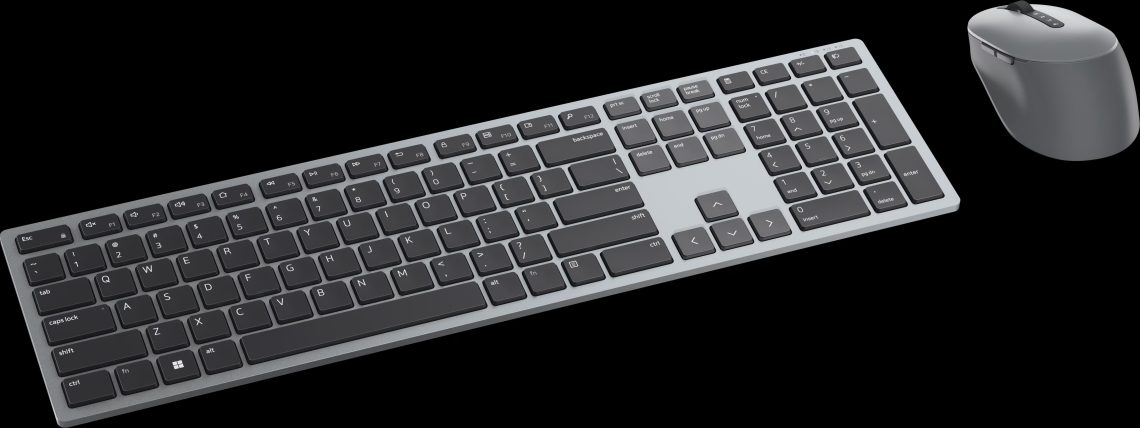
The Dell KM7321W has turned up to the desk in sensible shoes: familiar keyboard layout, multi-device switching and replaceable batteries. No light show, no grand entrance. It is almost annoyingly easy to understand the appeal of a keyboard-and-mouse combo that simply wants the workday to go smoothly.
Archive note — revised October 23, 2026: This revises the original April 2025 review. Typing impressions come from that review; no new hands-on tests or battery measurements have been performed. Old comparison prices have been removed.
A quieter kind of keyboard
The original review described quiet, low-profile typing, with less depth and feedback than the author’s mechanical Ducky keyboard. That points towards everyday office use. The Dell is not auditioning to provide the soundtrack to every email, which may be exactly the small kindness a shared workspace needs.
Three devices, one set of peripherals
Dell’s KM7321W product listing describes multi-device wireless connectivity and advertises up to 36 months of battery life. That is Dell’s estimate; this review did not measure it. Check your local keyboard layout and package before getting attached. A useful combo still needs the right keys in the right places.
One tiny desk complication first. The USB receiver uses USB-A. A USB-C-only laptop may need an adapter, or Bluetooth may suit you better. It is worth settling that before the beautifully tidy desk reveals its secret dependency on a tiny dongle hiding somewhere under a receipt.
Replaceable batteries have a useful job
The keyboard takes two AAA batteries and the mouse one AA. A fresh set can get you working again without a charging break. Keep in mind that replaceable batteries still run down, can leak and need proper disposal. Handy, yes. An excuse to forget about them indefinitely, unfortunately no.
Then look at what is missing. There is no keyboard backlight, and the straight layout is not a split ergonomic design. Compare those trade-offs with the exact alternative you are considering. Different Logitech generations use different receivers and features, so this is a moment to be fussy about model names.
DeviceCritique’s take
The original review made a clear case around everyday typing, device switching and the included mouse. Current local pricing decides how attractive that package is now. I can appreciate a peripheral that knows its job and gets on with it. Even if it refuses to make answering emails look like a dramatic spaceship manoeuvre.
Keep reading: Lenovo’s next ThinkVision monitors combine video calls and USB-C docking. Find more computing coverage.


You May Also Like
MSI Prestige N16 Flip puts RTX Spark in a pen-ready convertible