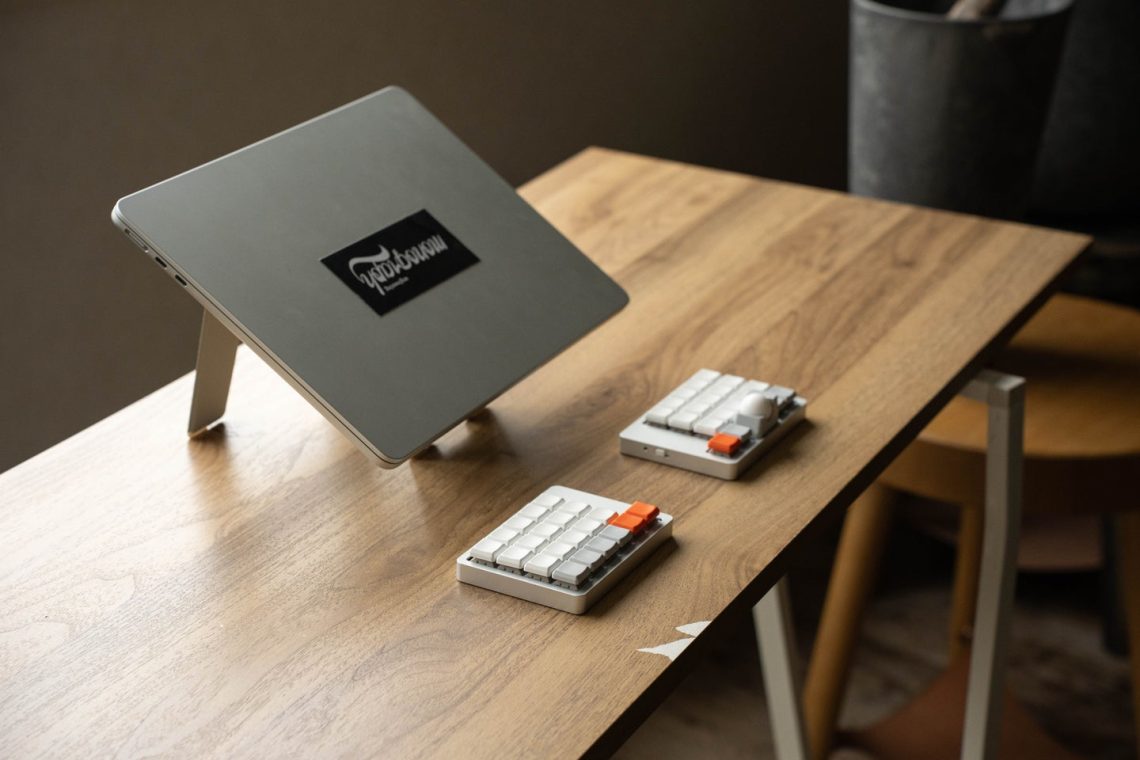
Conductor’s 40-key split keyboard puts a trackball under your hand
Your mouse might need a new job. The Conductor split keyboard puts a tiny trackball on its right half, close to the keys you use to type. Sanyo LLC says its DIGIART shop opened sales in Japan on November 24 at 8 p.m. local time, with dispatch starting the following day. DIGIART lists it at ¥36,800 including tax. Check stock for the exact version before you plan a desk makeover.
Count the shortcuts you actually use
Designer Hidekatsu Horiguchi of monograph gives the Conductor 40 keys across two aluminium halves, with keys in straight columns and rows. Its 17mm key pitch makes for a compact layout, and the two halves weigh 322g together, according to the issuer’s November 25 press release. Choose the US or Japanese JIS variant based on the layout you actually use. The keyboard you know by feel gets a surprisingly loud vote here.
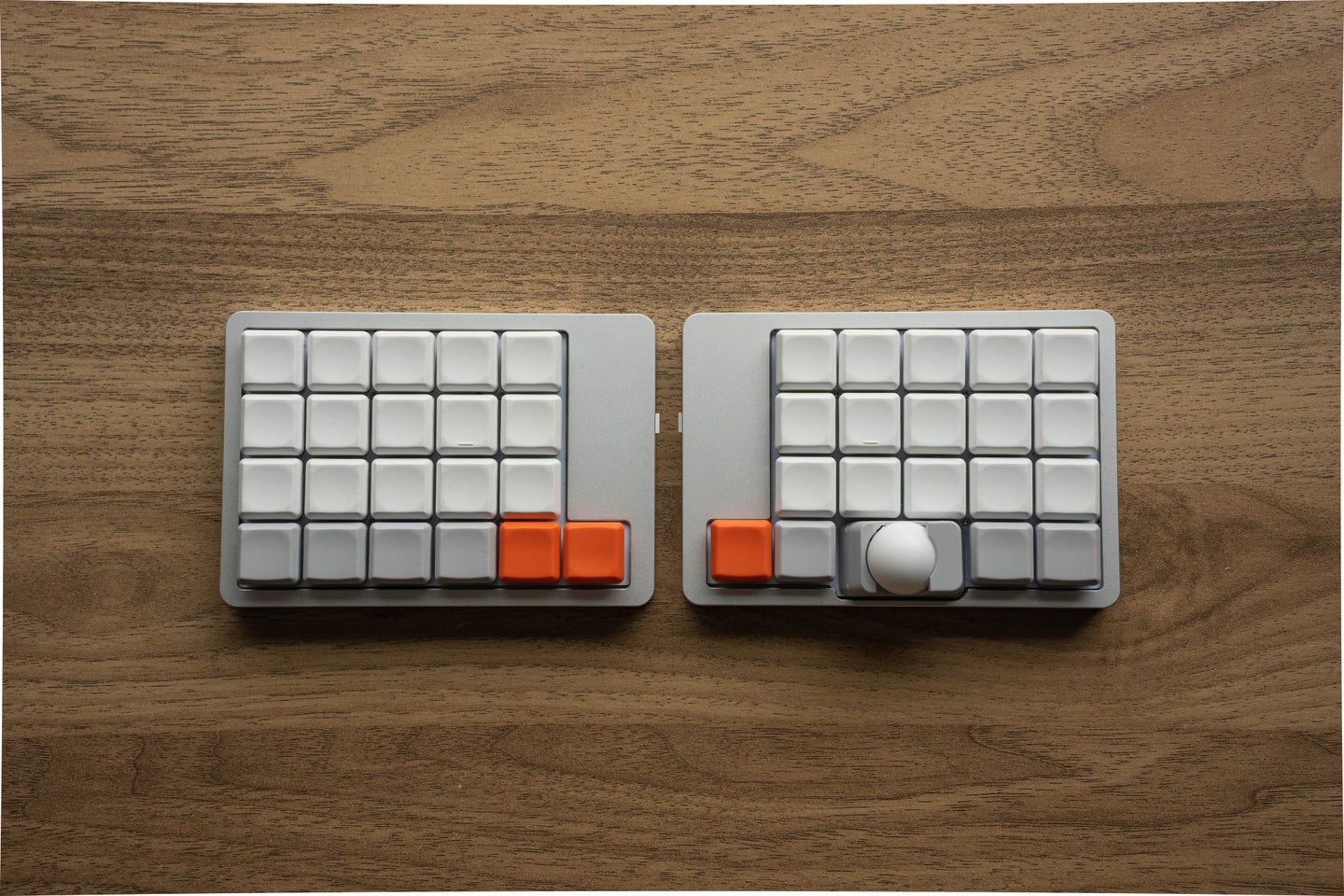
The base layer handles letters. Numbers and symbols call for a thumb layer key, and a light on the left half indicates the active layer. Left click has its own key in the default layout, so it stays available without switching layers. Before you buy, try mapping a handful of your everyday shortcuts on paper. Think spreadsheet numbers, screenshot commands, brackets or the keys your editor treats as sacred. If all five need new chords, budget a few evenings to learn them.
Check what can move with you
The 19mm trackball can move the pointer, scroll and switch to a precision mode. The Conductor Studio 2.0 web app can change keymaps, layers, combinations and trackball behaviour. There’s also a macOS desktop app. The host can connect over USB-C or Bluetooth, while the two halves communicate over Bluetooth. Sanyo lists up to five Bluetooth pairings, along with Windows and macOS support in its specifications. If you use a managed computer, check whether it allows the configuration app and the chosen connection before making this your only keyboard.
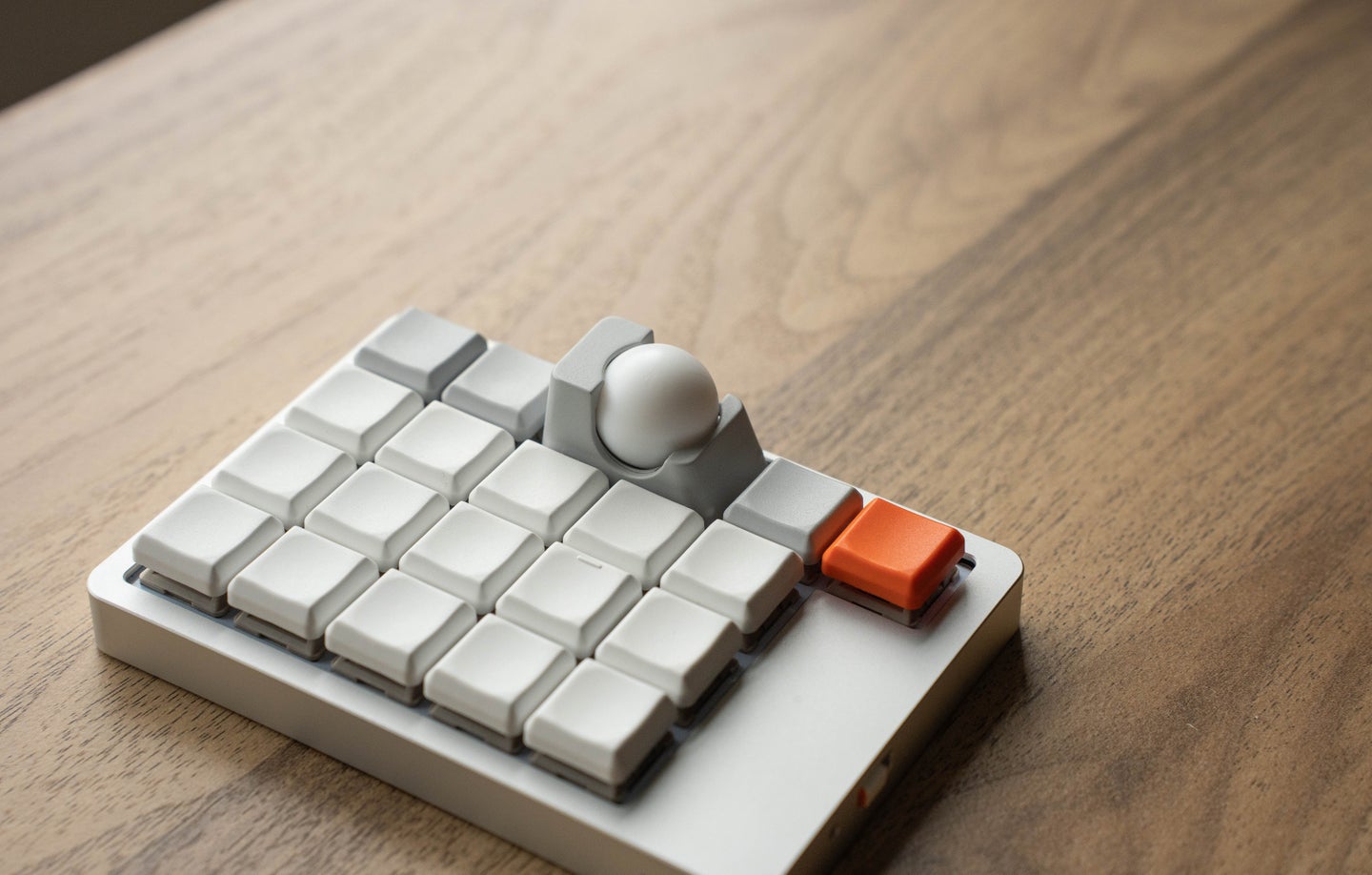
The magnets on the underside let the two halves attach for packing. That’s handy for moving between desks, but it’s the layout that decides whether the Conductor fits your day. Keep the existing keyboard nearby while you learn, and start by making the handful of commands you use every hour easy to reach. Our Computing desk follows other desk upgrades. For a separate piece of the setup, our audio comparison tool includes compact powered speakers and headphones.
Featured image: Sanyo LLC / DIGIART. Press image source.


You May Also Like
Razer’s EVA-01 collection gives the gaming desk a purple-and-green makeover
ASUS Bulwark DG310 dock brings 4K 144Hz output to the Ally desk