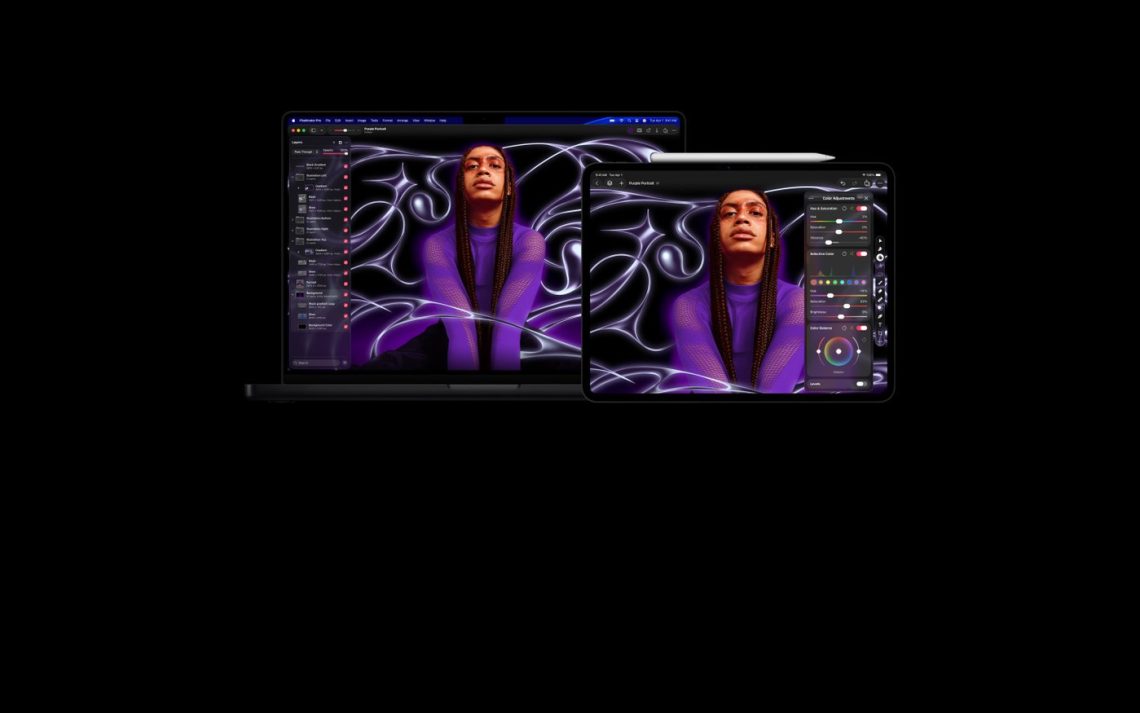
Apple brings finer selection controls to Pixelmator Pro on iPad
A lovely photo, a new background… and one tiny fringe refusing to cooperate. Pixelmator Pro’s iPad update is aiming at that particularly fiddly nuisance. In its September 29, 2026 Creator Studio announcement, Apple introduced Select and Mask for iPad, with controls to refine selections around hair, fur and other complicated edges. Fine, Apple. Help the stray hairs and we’ll listen.
Here’s why a small edge can be a big deal.
Why the edge controls matter
Move a roughly selected subject to a new background and the leftover outline can give the game away. Suddenly the portrait has a tiny glowing hat nobody ordered. More precise masking tools could make the iPad more useful for product images, portraits and promotional artwork without sending that stage of the job to a computer.

That is a useful possibility, not a promise that every difficult edit becomes effortless on a touchscreen. The real questions are how the controls cope with an awkward image and how comfortable they remain through a longer editing session. A polished demo gets our curiosity; stubborn little edges get the final vote.
There’s a second part to the update, too.
Templates are also part of the update
Apple says Pixelmator Pro on Mac and iPad gains template collections for sports and new creative or business projects, plus a Podcasts category with cover-art layouts. The wider announcement includes new templates and themes for Creator Studio subscribers using Keynote, Pages and Numbers. Useful starting points, especially when a blank page is being unusually smug.

Looking at the Android side of the desk? Our Galaxy Tab S12 announcement report covers the hardware pitch. The tablet news section follows the apps that give these screens something useful to do.
DeviceCritique’s take
The appealing part is finishing a fussy edit on the device already in your hands. Having to move a file to another computer for one little cleanup rather spoils the comfortable tablet idea. Check the installed app version and account requirements before depending on an announced feature. We have not independently tested the new selection tools. For now, we’re interested—with a particularly untidy strand of hair waiting for its audition.
Featured image: Apple. Image source.


You May Also Like

ASUS Bulwark DG310 dock brings 4K 144Hz output to the Ally desk

iPhone Duo goes on sale: Apple’s foldable reaches stores