
Amp adds cloud Macs for iOS and Mac app work
An app project can look wonderfully portable until the next step needs a Mac. At that point the cloud-development dream pauses to ask where you keep Xcode. Amp’s latest answer is to attach a temporary Mac to the coding thread, rather than move the whole project’s working life onto one.
Amp’s October 29 macOS Satellites launch is a waitlisted beta. A Linux-hosted coding thread can start a cloud Mac with Xcode and simulators to build, run and test Apple-platform apps.
The useful distinction is where each job happens
That arrangement makes the question more specific than “can an agent build an app?” Which machine edits the files, which one performs the build and where can you inspect the result? Knowing those boundaries helps when something goes wrong. Otherwise a missing dependency can send everyone searching the wrong computer with an impressive amount of confidence.
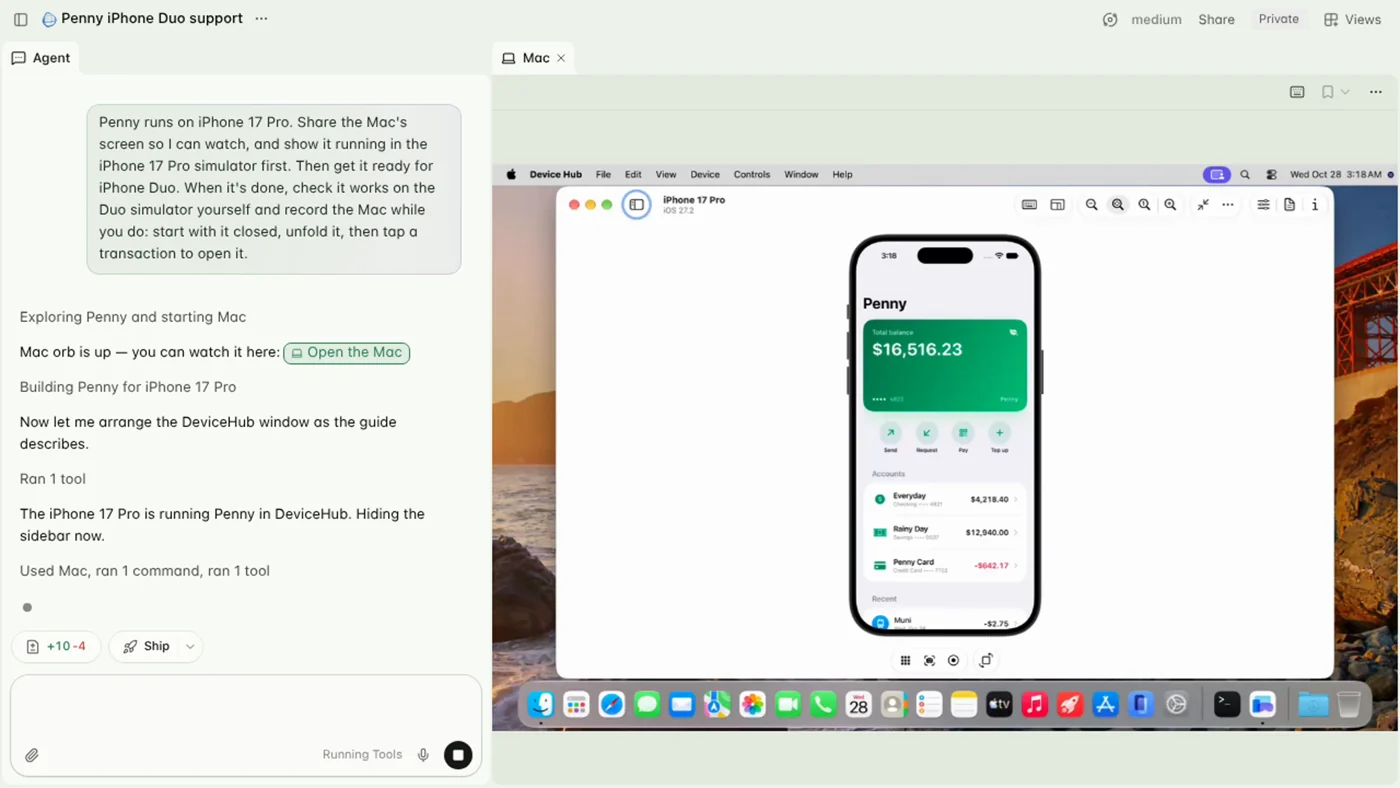
The official documentation says Mac files are not persistent; Git-ignored files stay on the Linux orb. Screenshots, logs and build output return to the thread.
Before relying on the workflow, choose a small project you can independently check. Ask for a particular change, establish what a correct result looks like and inspect both the change and the evidence returned. A screen recording is useful context, but it does not automatically answer every question about the application or the code behind it.
A temporary Mac needs a deliberate stopping point
Rates are US $2/hour for mac.medium or $4/hour for mac.large, charged against included orb usage, then credits. A Mac stays running for 20 minutes after use before deletion. Keeping its screen tab open also counts as use.
Plan where the work should finish and what must be retained before the temporary machine disappears. Keep the source changes and the information needed to reproduce the result somewhere appropriate for the project. A successful session should leave more than the comforting memory of a simulator behaving nicely for a moment.
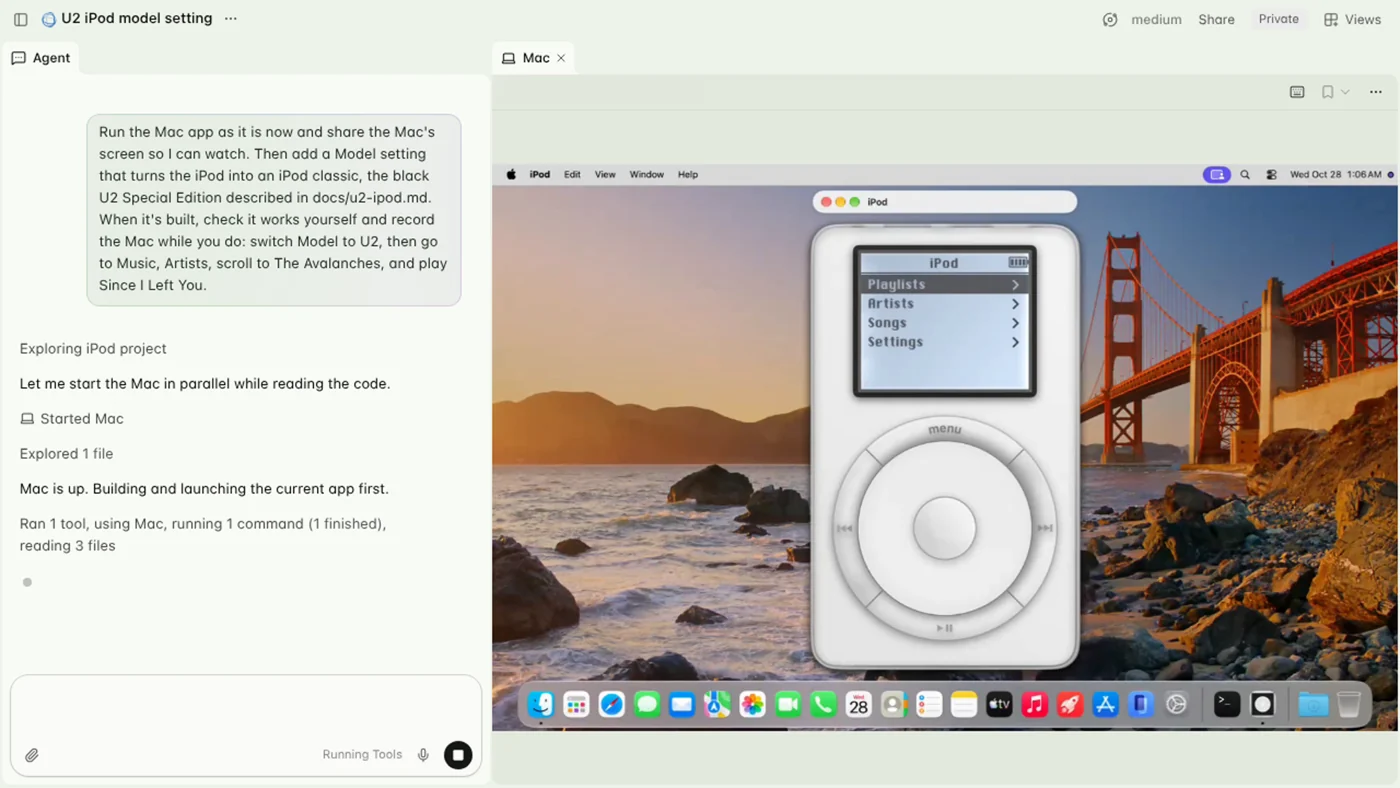
Likewise, include the review time in your usage expectations. Watching a remote screen is part of the working arrangement, so understand when a resource is still active and how to stop it. The moment you finish admiring a build is an excellent moment to check what is still running. Tiny cloud computers do not necessarily clock themselves out when you make tea.
Beta access comes before a production promise
Our Software & Services desk follows other development tools and their rollout limits. If you are choosing the hardware around your work, the computing desk provides broader workstation context. Neither an invitation queue nor an attractive demonstration establishes that this beta is ready for every project.
The takeaway is a new way for admitted Amp users to add macOS build and test work to a cloud coding thread, with a temporary machine and metered usage to manage. We have not tested its performance or reliability. Start with an inspectable task, retain the result and understand the stop conditions. The satellite metaphor is charming; the project still deserves a sensible flight plan.

You May Also Like
ASUS Bulwark DG310 dock brings 4K 144Hz output to the Ally desk
1Password for Agents offers approved sign-ins without password handoffs