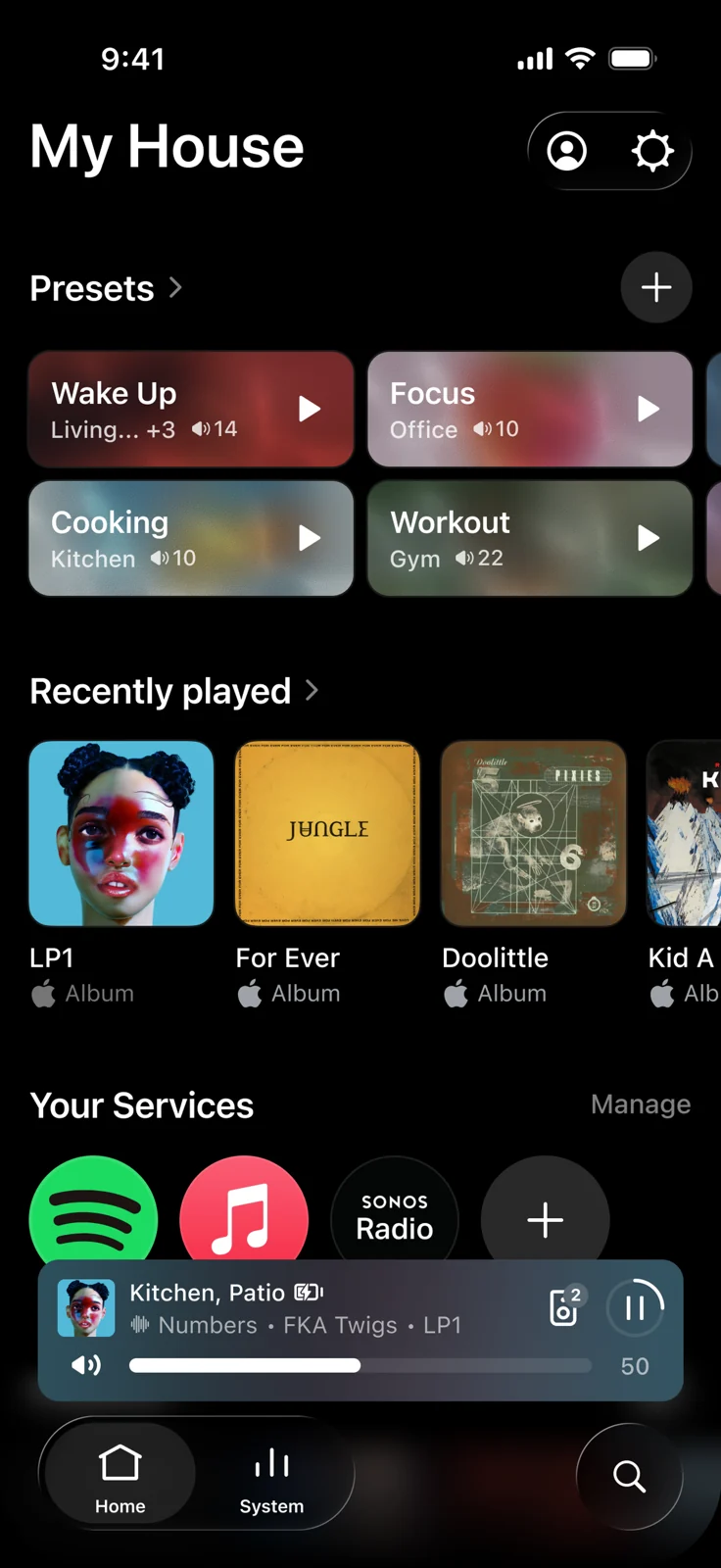
Sonos 27.3 adds playback presets—and a health check for your speaker family
The ideal multiroom music routine is extremely short: choose a mood, press one thing, carry on making dinner. The less ideal version involves finding the playlist, selecting the rooms and discovering that yesterday’s enthusiastic volume setting has opinions about your evening.
Sonos’s November 3 Sonos 27.3 announcement introduces playback Presets alongside System Health on iOS. The release lists app versions 91.00.41 for iOS and 91.00.33 for Android. Sonos warns that rollout can take days or weeks, so a missing feature does not automatically mean your installation has staged a tiny rebellion.
Presets remember the little playback decisions
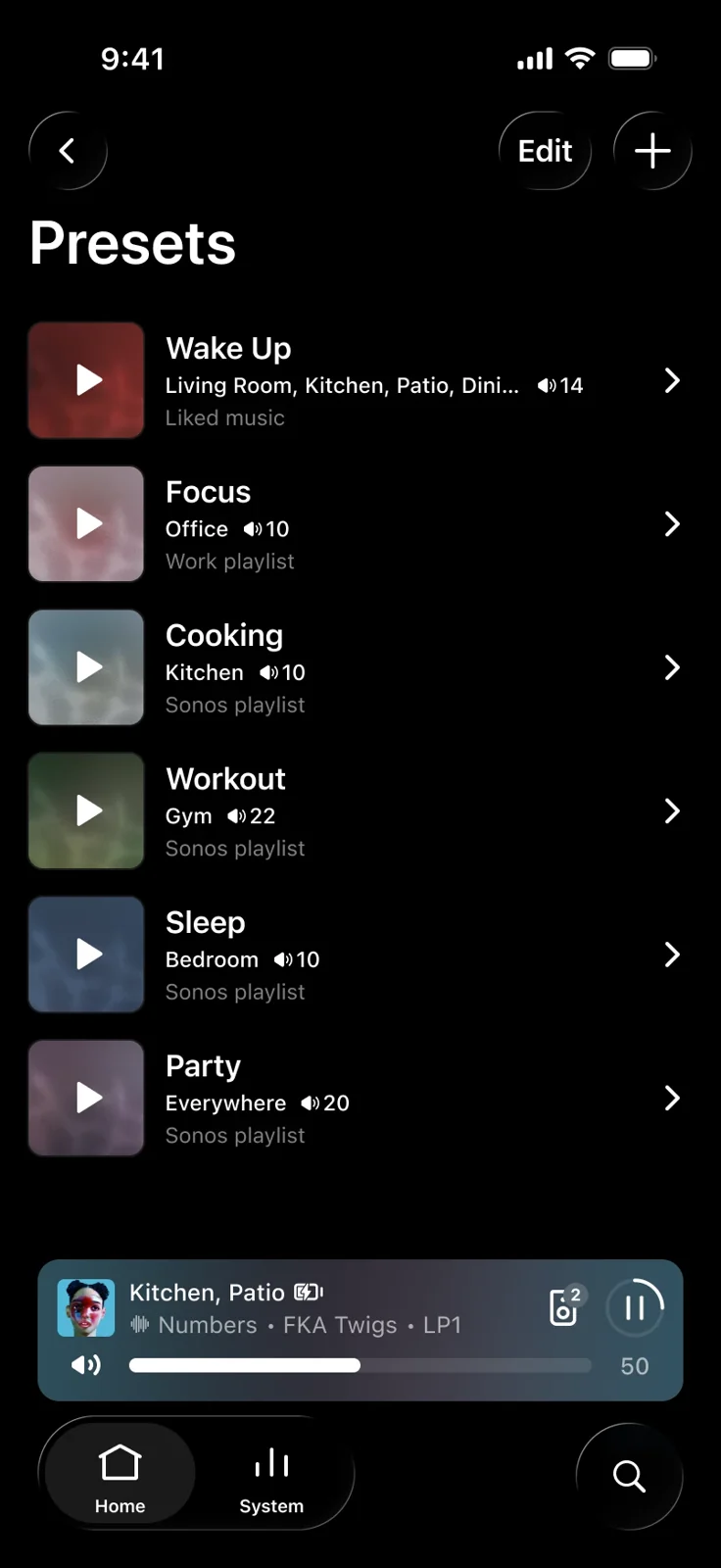
According to Sonos’s Presets instructions, a preset saves content, rooms and volume. You can keep up to 50 on your Sonos account. These are playback shortcuts, rather than a promise of new sound-quality settings.
To make one, open Home, find Presets and choose the plus button or “Create a preset.” Give it a name, choose content, select a room or group and set the volume before saving. Sonos currently supports starting presets in the app, not through voice commands or the web app.
Start with one routine you repeat. A quiet kitchen station or an evening playlist is easier to judge than a grand plan involving every speaker you own. Name it so that future-you can understand it while distracted. “Dinner” probably survives that test better than “Perfect Atmospheric Audio Scenario Number Seven.”
System Health gives you somewhere useful to look
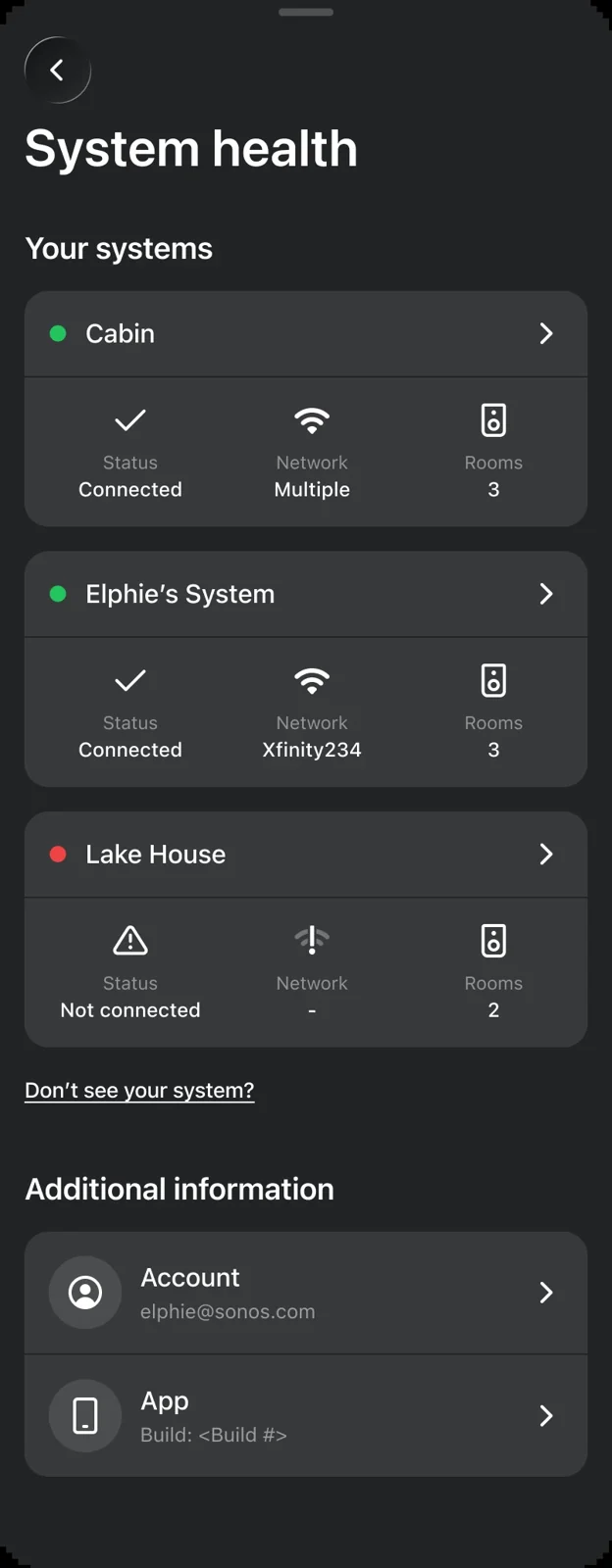
In its separate November 3 explanation, Sonos says System Health is available on iOS first, with Android coming later. It lives under Settings → Help Center → System health, and requires signing into your Sonos account.
The tool retrieves information through the cloud, including when you are away from home. It shows connection status and product details such as signal strength, Wi-Fi channel, software version and Trueplay status. This is diagnostic information, not a guarantee that it will repair a problem or prove how good a system sounds.
That distinction makes it more useful, not less. If a room goes quiet, note the actual status before changing several things at once. A specific observation gives troubleshooting a starting point. Randomly unplugging half the living room can feel productive, but the lamp rarely deserves to be involved.
Update first, then keep the experiment small
The wider 27.3 release also includes changes such as swiping to skip tracks in Now Playing and improvements to favourites organisation. Check the official release notes for your platform rather than assuming every feature arrives together.
Existing owners can begin with a single preset and check whether System Health has appeared. If you are shopping instead, our audio buying guide helps frame the hardware decision, while the Audio desk follows ongoing updates.
The takeaway: this release aims to make everyday playback less fiddly. Save one useful routine, give it a sensible starting volume, and let the music be the dramatic part of dinner.

You May Also Like

Kinoko-no-Yama Pro earbuds seek a crowdfunding comeback

ADAM Audio’s H715 Reference wants your desk to become a listening room