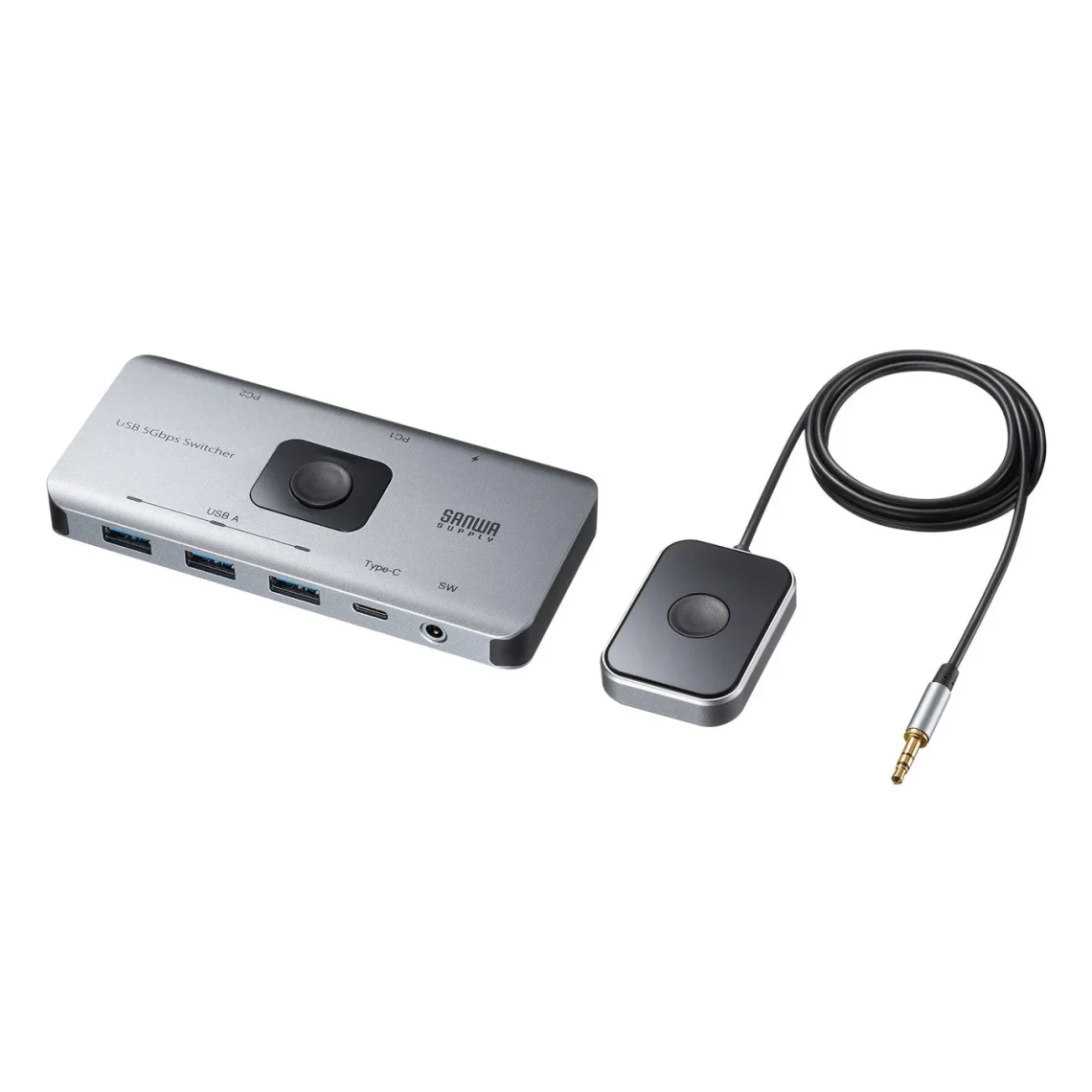
Sanwa SW-USS24 shares four USB devices between two computers
Sanwa Supply has launched the SW-USS24 in Japan, a USB 5Gbps switch for sharing four peripherals between two computers. Its announced standard price is ¥7,920 including tax.
Two computers can turn one desk into a surprisingly petty negotiation. The keyboard belongs to this machine, the webcam belongs to that one, and the mouse has apparently chosen a side. A small sharing switch is an appealing answer when the daily irritation is reconnecting the same accessories.
It switches peripherals, so plan the display separately
The peripheral connections are three USB-A ports and one USB-C port. Selection works through a button on the unit or an included wired desk switch. This is USB peripheral sharing, with no video-switching connection.
That distinction is the first thing to put on the shopping list. If you want a monitor to change computers as well, work out that part of the setup separately. A USB-C socket by itself is not an instruction to retire every other cable on the desk. The cable drawer is getting rather ambitious.
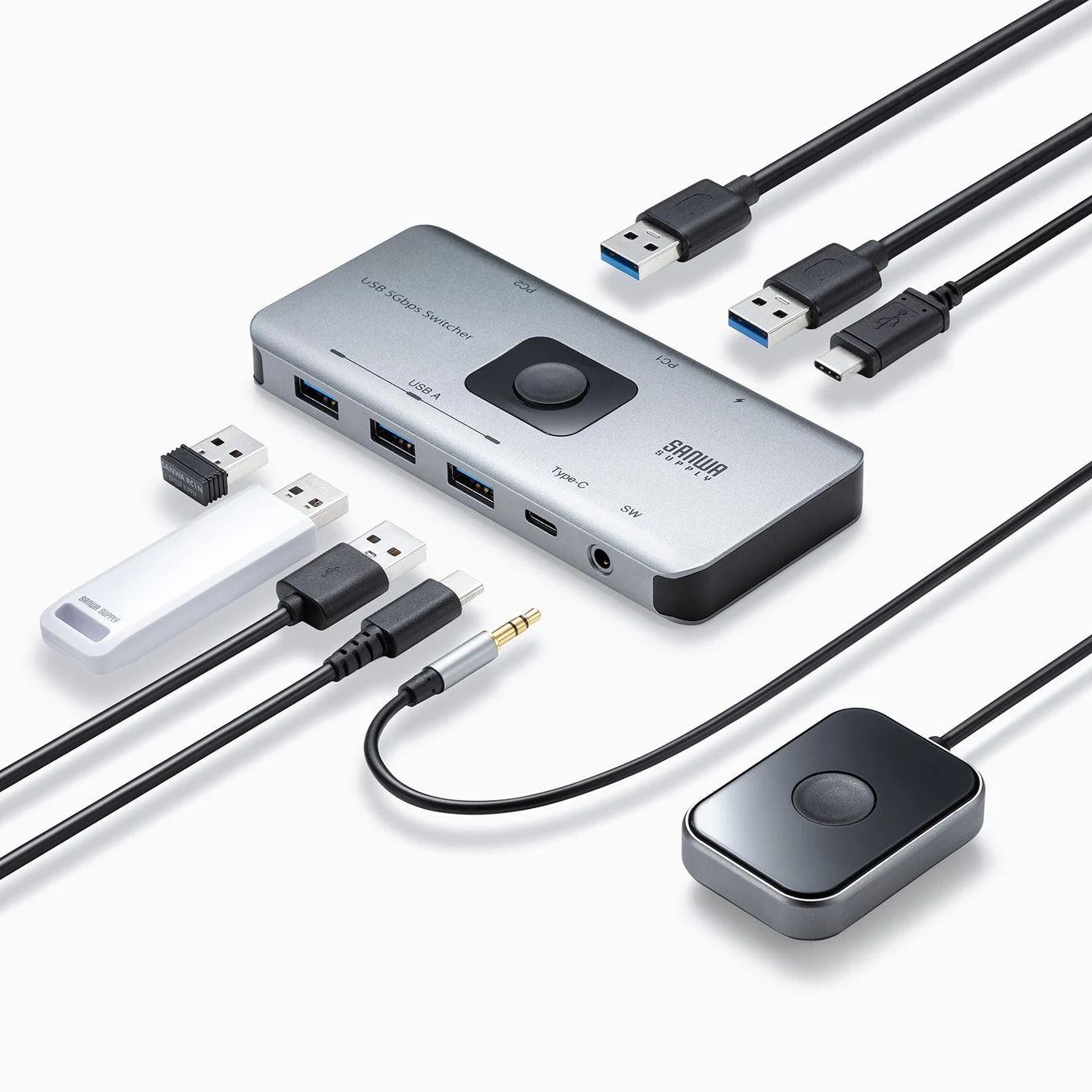
The product specifications identify two USB-A computer-side connections and a separate USB-C power input. Additional power can be supplied when needed; the power cable and charger are sold separately. That input powers the switch, rather than serving as a laptop-charging feature.
Before buying, trace the complete route from each computer to the accessories. Check the connectors you actually have and allow room for the supplied leads. Our ThinkVision docking-monitor coverage explores a different way of gathering desk connections into one place.
Check the operating-system list, not just the logo
Sanwa lists Windows 11 and earlier Windows versions, and macOS versions through 26 on its current compatibility page. It cautions that some computer and USB-device combinations may not work. The 5Gbps figure is a theoretical interface rate.
If you have moved to a newer operating system, ask for confirmation for that version and your specific peripherals. Treat a shared webcam, printer or storage device as something to verify together, rather than assuming that every accessory will behave exactly like a basic mouse.
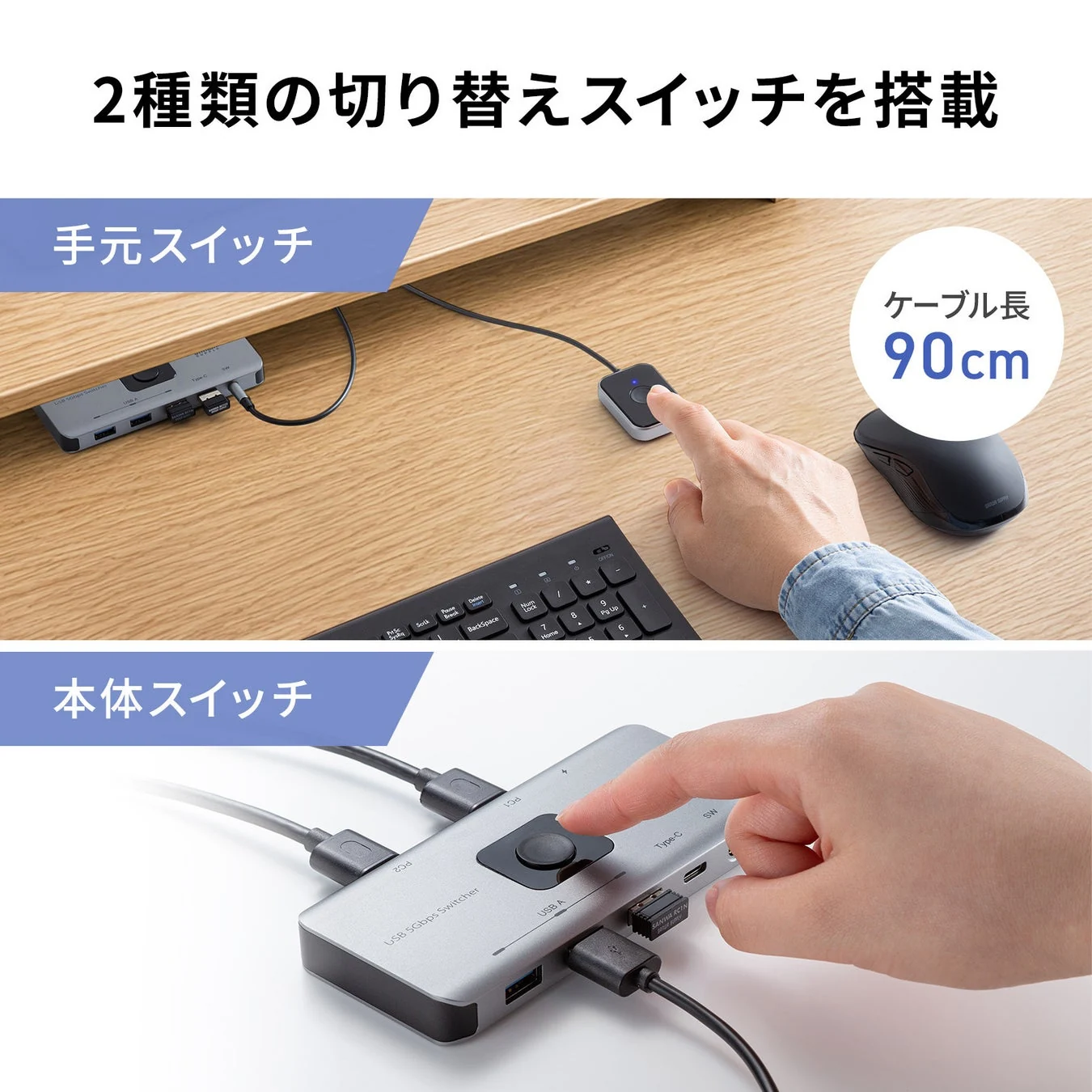
Think through the handover as well. Finish what the peripheral is doing before switching it away, and make the active computer obvious to whoever uses the desk. A useful button is one you can reach without interrupting the work or wondering why the keyboard has suddenly become philosophical.
A small purchase should solve a specific nuisance
Our Dell KM7321W coverage offers another angle on everyday keyboard-and-mouse convenience. Decide whether you need to share several existing accessories or whether the problem is limited to your input devices.
The SW-USS24 makes sense as a candidate when reconnecting USB gear is the recurring chore. Check compatibility, power needs and the rest of the desk before ordering. Less fiddling is the goal. Buying a clever little box that introduces a different daily ritual would be a very elaborate way to annoy yourself.


You May Also Like
ASUS Bulwark DG310 dock brings 4K 144Hz output to the Ally desk
Apple’s M6 iMac starts at CAD $2,099, with configuration catches