Firefox 160 adds Mini Window and Picture-in-Picture speed controls
A browser tab is a very good place to put something you plan to look at again and a surprisingly good place to lose it. Firefox 160 gives part of a page its own little window, so the thing you’re following can stay in sight while you get on with something else. Yes, the timer can supervise while you answer email.
Mozilla began offering Firefox 160 to desktop users on November 10. Its release notes introduce an early version of Mini Window and add a separate speed control to the video player. Both keep something on screen while you switch tasks, but they’re useful in different situations.
Mini Window gives a reference its own space
Mini Window can move a whole tab or a selected part of a page into a small window that stays above what you’re browsing. Mozilla’s example shows a travel plan alongside a map, a timer and a reference excerpt. The appeal is easiest to see when the bit you need is short. A few lines of instructions can sit beside the form you’re filling out, saving a round trip to the tab where they live.
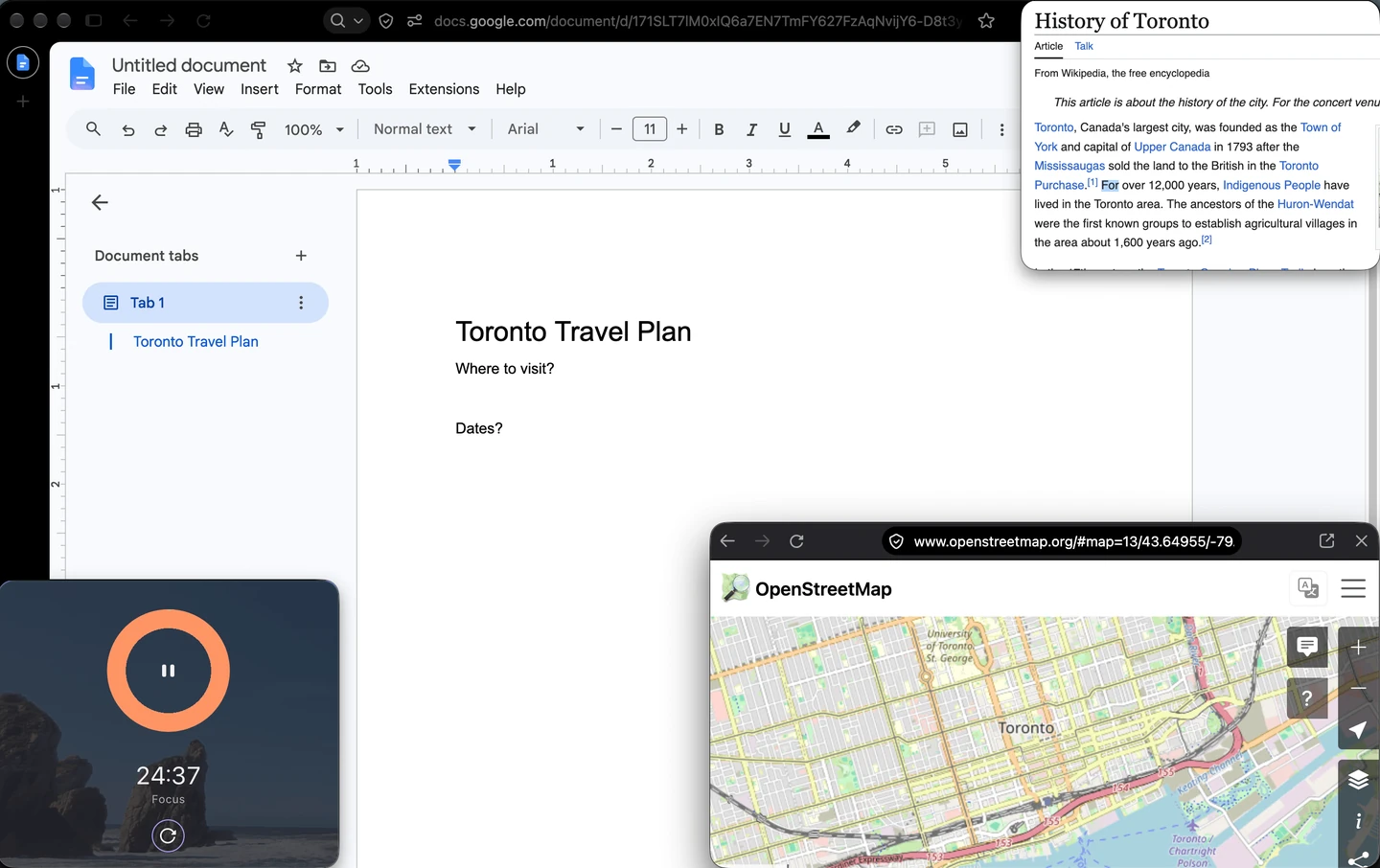
Try it first with something you’ve already caught yourself switching back to twice. That gives the little window a clear job. On a compact laptop screen, start with a small selection and put it in a corner that leaves the main task visible. An always-on-top window will follow that instruction very enthusiastically, including when it’s sitting over the button you want.
Speed up a video in Picture-in-Picture
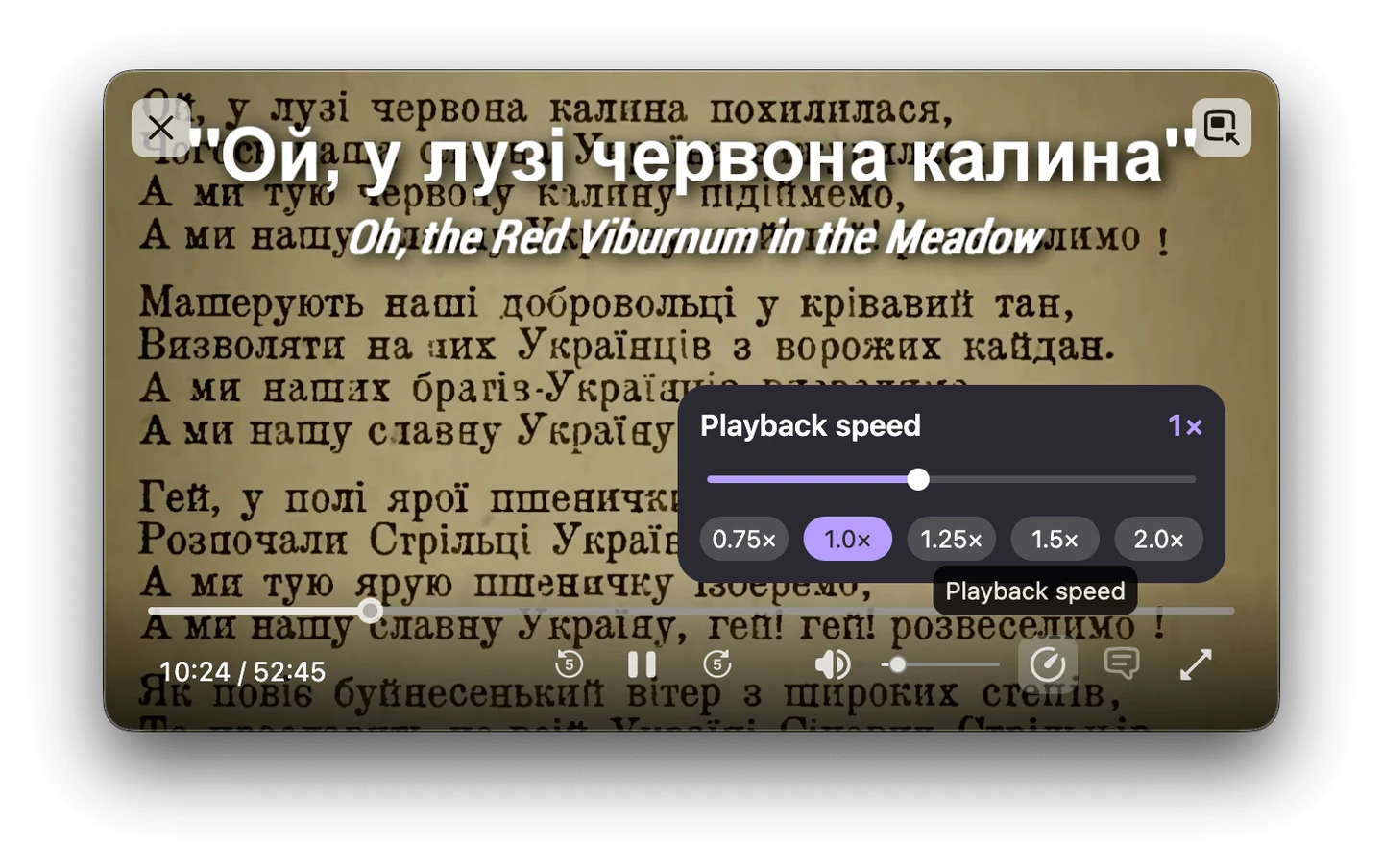
The separate Picture-in-Picture video player now offers playback speeds from 0.25× to 2×. Mozilla says the control appears when the floating player is medium-sized or larger. If the control seems to be missing, enlarge the player before digging through settings. Slowing down a fiddly tutorial step can be just as useful as getting through the introduction at double speed.
There’s a quieter change for saved video, too. The browser can play MKV files with FLAC, MP3 or PCM audio. MKV can carry different kinds of audio, so the file extension alone won’t tell you whether yours is covered.
Firefox 160 also includes security fixes. For more browser coverage, see how Edge handles repeat scam notifications or browse Software & Services. After updating, give Mini Window one reference and Picture-in-Picture one video. If the rest of your tabs still resemble a drawer full of mystery cables, that can be tomorrow’s project.
Firefox and the Firefox logo are trademarks of the Mozilla Foundation in the US and other countries.


You May Also Like
Fitbit Edge arrives October 27 with a screen and replaceable battery
Open-ear earbuds are growing. Should you switch from ANC?