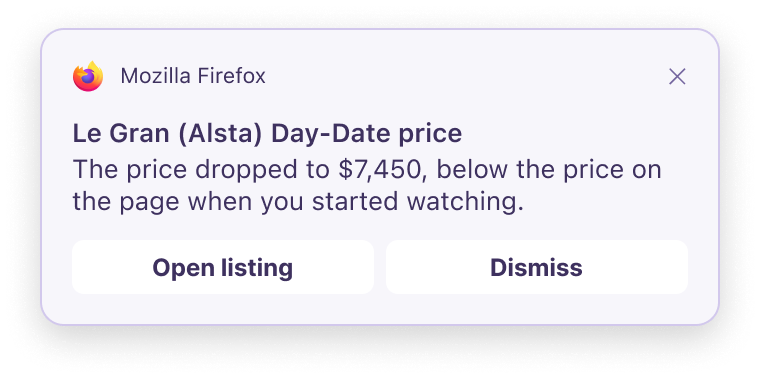
Firefox 159 starts watching pages, with rollout limits
Firefox 159 arrived on October 27 with page-watching tasks in Smart Window. Type /watch to set one up; a matching change triggers a desktop notification. Mozilla is rolling this feature out progressively.
There is a particular little ritual involved in waiting for a restock: open the tab, refresh, pretend that refreshing again immediately might help. A browser doing some of that watching for you is an appealing idea. The sensible next step is to check who gets the feature, then give it a clear job.
Check your access first
Smart Window is an optional desktop window type with an AI assistant and requires a Mozilla account. Mozilla still describes it as an early beta. Ordinary Classic windows remain an option.
The task-specific help page limits availability to English locales in the U.S. and Canada. It documents 15 active tasks, with up to five webpages per task. Tasks use Qwen even if another assistant model is selected.
So an updated browser alone does not guarantee the new button will appear. If you do have access, begin with a page and condition that are easy to check. A particular product returning in your size is a clearer assignment than “tell me when something good happens.” Even a very eager assistant deserves a better brief than that, sweetheart.
Give it a specific condition
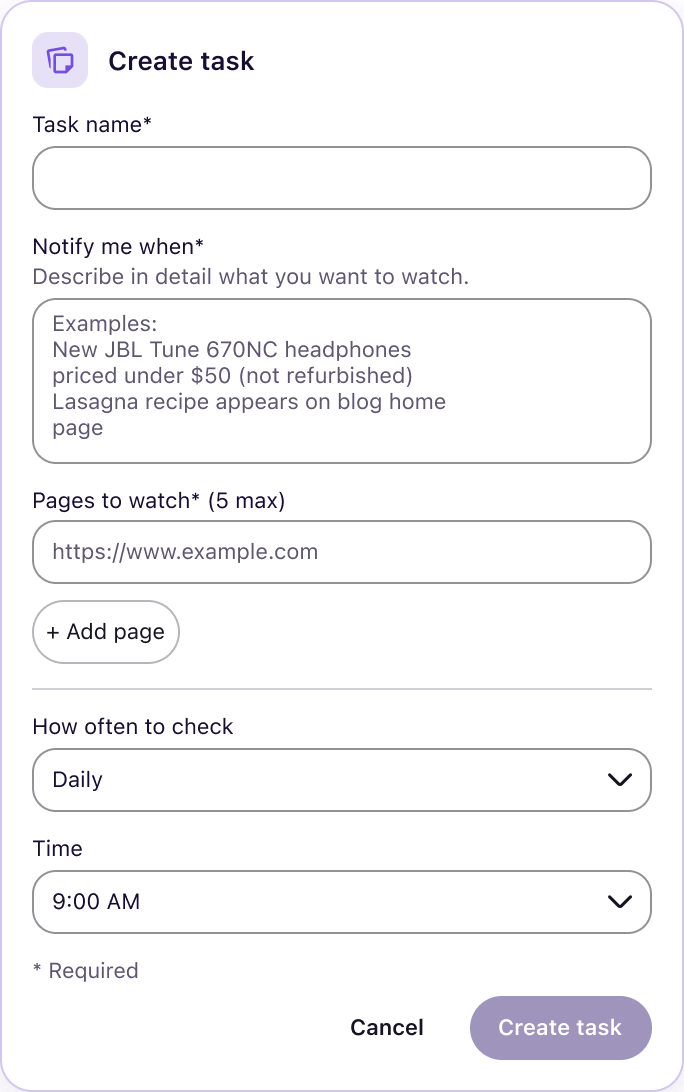
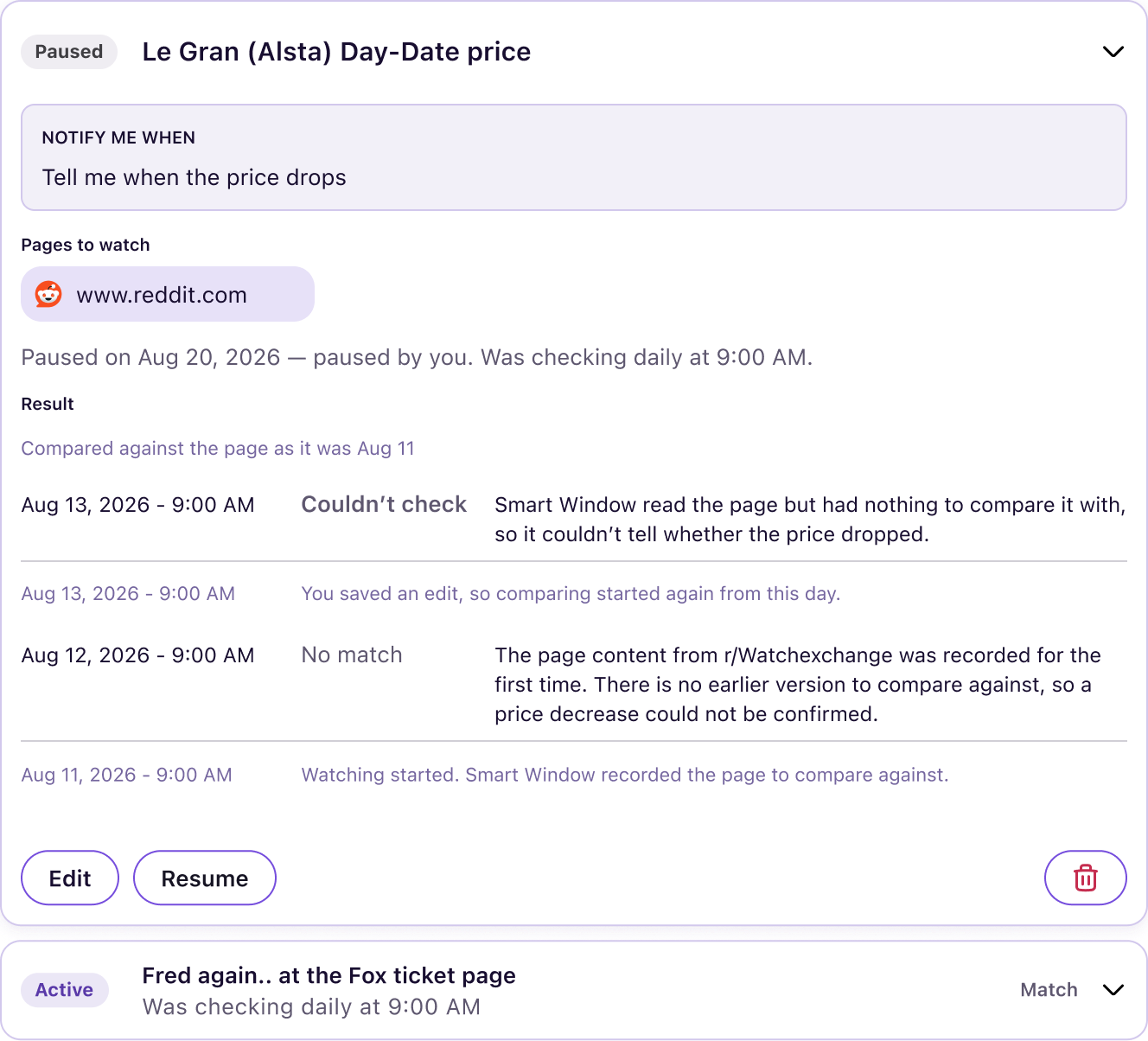
You can name a task, describe the change, add pages and choose the checking schedule. Manage, edit, pause or delete tasks from the Tasks interface. Tasks pause after 60 days without a match; all pause 90 days after creation.
For shopping, decide what you actually want before creating the alert. Our open-ear versus ANC buying guide is an example of the questions that should come before a price target: fit, listening environment and the job the product needs to do. A cheaper version of the wrong thing remains the wrong thing, with a slightly smug discount sticker.
There are useful ordinary changes too
Firefox 159 also puts saved passwords in the sidebar by default and adds open-tab search through Ctrl+Shift+A on Windows/Linux or Cmd+Shift+A on Mac.
Those smaller changes may be the ones you notice every day. For page watching, treat a notification as a prompt to revisit the source, check the current information and make your own decision. It is a convenience to try with a modest, verifiable task. Keep our Software & Services coverage nearby for the next rollout changes; your refresh key might finally get a quiet afternoon.
Firefox is a trademark of the Mozilla Foundation in the U.S. and other countries.


You May Also Like
Surface Pro 12-inch gets Snapdragon X2 Plus and a brighter screen
Apple TV 4K adds hands-free Siri and four-speaker surround