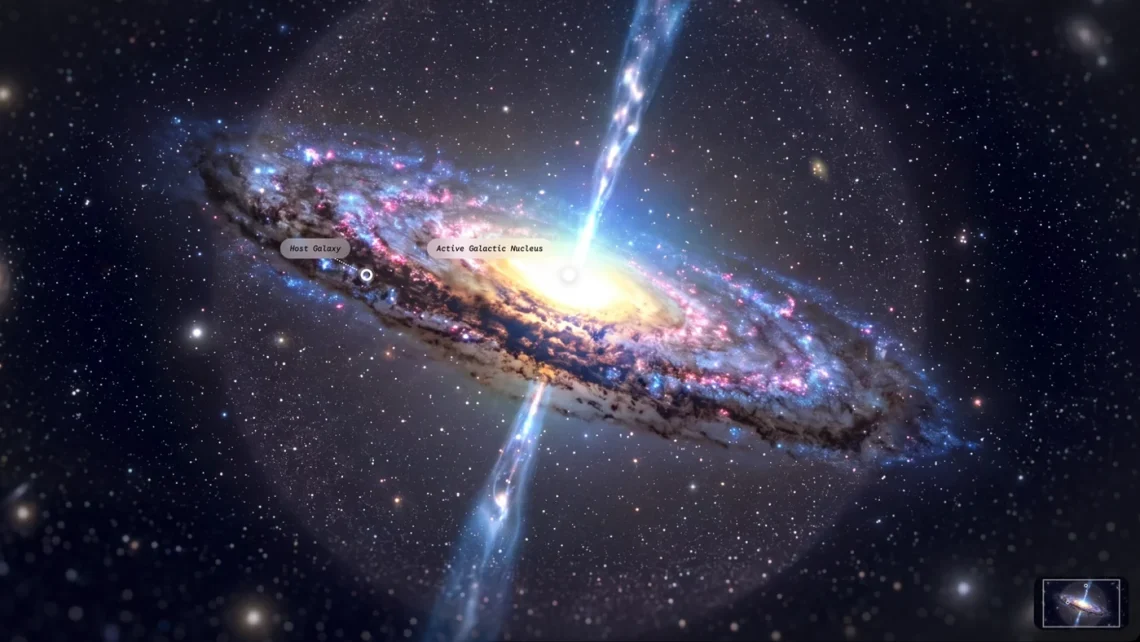
Gemini adds immersive explorations for visual learning
A diagram can explain a topic, but sometimes the brain would prefer to wander around inside it and poke the interesting label. Gemini’s new learning library leans into that impulse. The invitation is less “please admire this wall of text” and more “come closer, there is another layer here.” A reasonable offer to a curious attention span.
Google added an immersive-explorations library to Gemini on October 28. Open the student hub and choose “Try immersive explorations”; labelled scenes let learners explore topics layer by layer. Direct access within chat and audio narration are still forthcoming.
Make the scene answer one question
The useful starting point is a question you can actually investigate. Choose something narrow, such as how two parts of a system relate, then explore with that question in mind. Otherwise an attractive interactive scene can become a very sophisticated way to spend fifteen minutes discovering that you have not decided what you are learning yet.

Try a small learning loop: predict what the next layer might show, open it, and describe the relationship in your own words. Then return to the wider view and see whether the explanation still makes sense. That suggestion is our study approach, rather than a measured result from testing this particular feature.
The practical entry point and language matter
Google lists availability for all users in English, Indonesian, Hindi, Brazilian Portuguese, French and simplified Chinese. Other languages currently receive English. The release does not announce a new hardware requirement or a separate headset purchase.
Use the available entry point rather than expecting an unreleased route to appear in an ordinary conversation. For a classroom or family learning session, open the experience beforehand and check that the language suits the learner. A wonderful illustration is less helpful if the person meant to enjoy it has to translate the instructions before touching anything.
Visual detail also deserves thoughtful handling. Ask what the scene is representing, what it leaves out and which parts are simplified. A memorable picture can make an idea easier to discuss without becoming the last word on that idea. Keep a trusted textbook, course resource or original reference nearby when accuracy matters for the work you are doing.
An invitation to explore, rather than a finished lesson plan
For independent study, finish with something small you can show: a short explanation, a labelled sketch or a question you still cannot answer. That turns browsing into a useful stopping point. Your brain gets a souvenir, and the browser does not quietly become the custodian of everything you nearly understood.
Our Genie 4 coverage concerns a different interactive-world technology with its own access limits; this story is about a learning library in Gemini. You can follow related tools through the Software & Services desk. The takeaway is to try the visual library with a purpose, check the current language and access route, and keep coming-soon narration separate from what is offered today. Curiosity is welcome. It simply benefits from bringing one question along.


You May Also Like
iFixit gives iPhone Duo a provisional 5/10, with hinge questions still open
NEC’s LAVIE Tab T12N includes a pen and keyboard