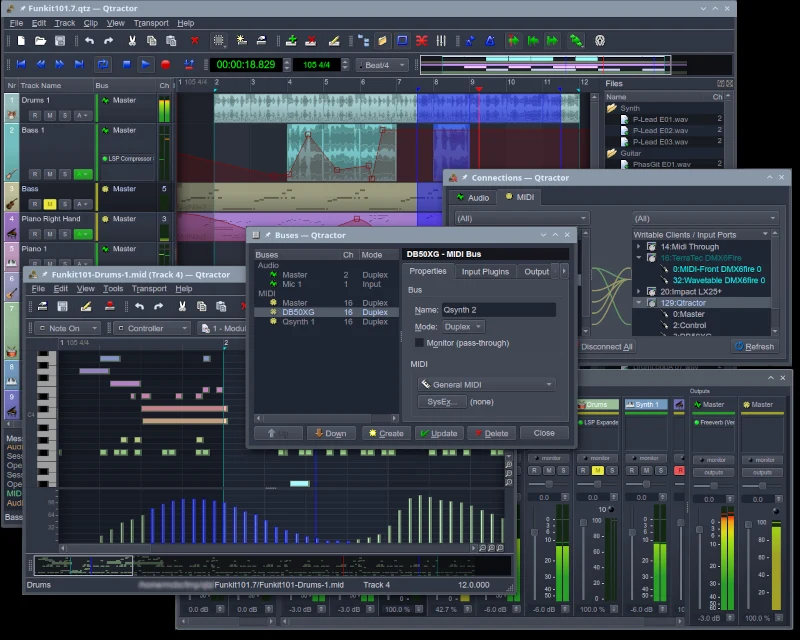
Qtractor 1.6.5 tidies up the Linux recording session
Some Halloween releases arrive wearing a cape. Qtractor 1.6.5 has turned up with plug-in fixes and better window management, which is arguably a more useful costume when your chorus is hiding behind three floating panels.
Developer Rui Nuno Capela published the release announcement on October 31. Qtractor is a free, open-source audio/MIDI sequencer for Linux. This update is chiefly about the working session: the slightly unglamorous machinery between having an idea and actually keeping it.
What changes in Qtractor 1.6.5?
The release adds a dockable session overview and maximize/minimize zoom actions across main windows. It also makes audio-track plug-in chains process regardless of the input-monitoring state. That last change deserves attention if monitoring switches are part of your recording routine.
CLAP and VST3 receive fixes, including VST3 transport-context handling and revised resizing constraints. Existing LV2 time-related parameters are updated when an LV2 plug-in is inserted. These are developer-reported changes; we have not run compatibility tests or measured performance.
Here’s where the small print becomes useful: a maintenance release is a reason to check your particular session, rather than assume every third-party instrument now behaves perfectly. Keep an untouched project copy and try a familiar arrangement before moving an important recording across.
A related sampler update, with its own date
There is also a companion development worth knowing about. The developer released Vee One Suite 1.5.1 on October 29, two days earlier. Its four instruments cover subtractive synthesis, sampling, drum sampling and additive synthesis; they are not four new Qtractor features.
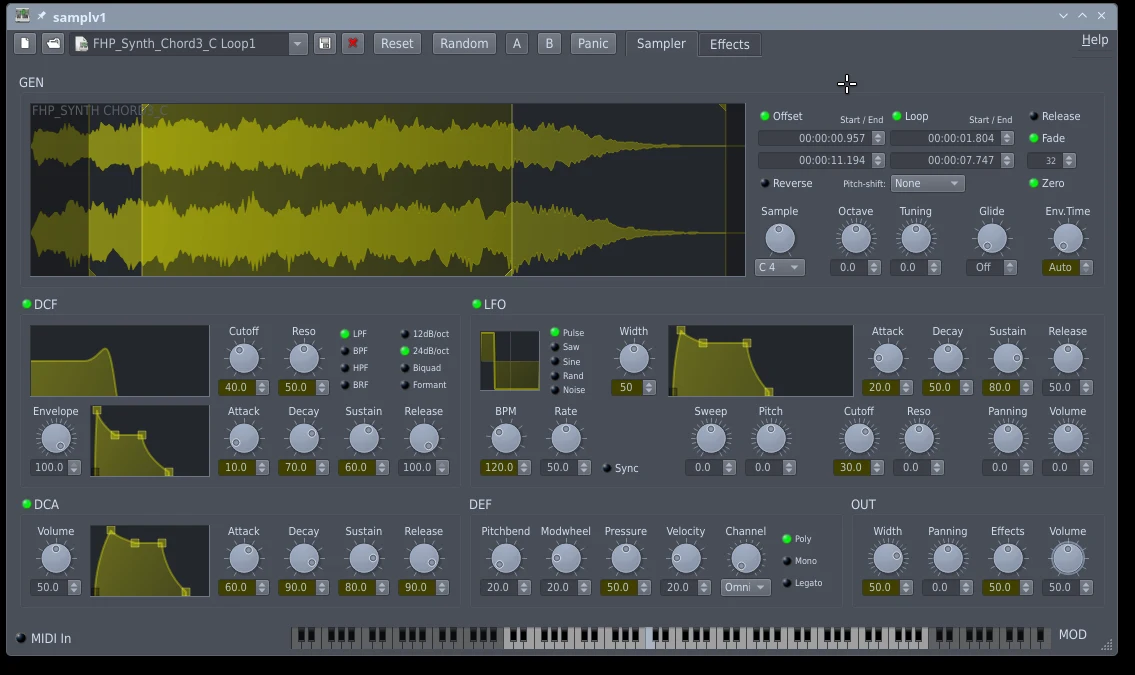
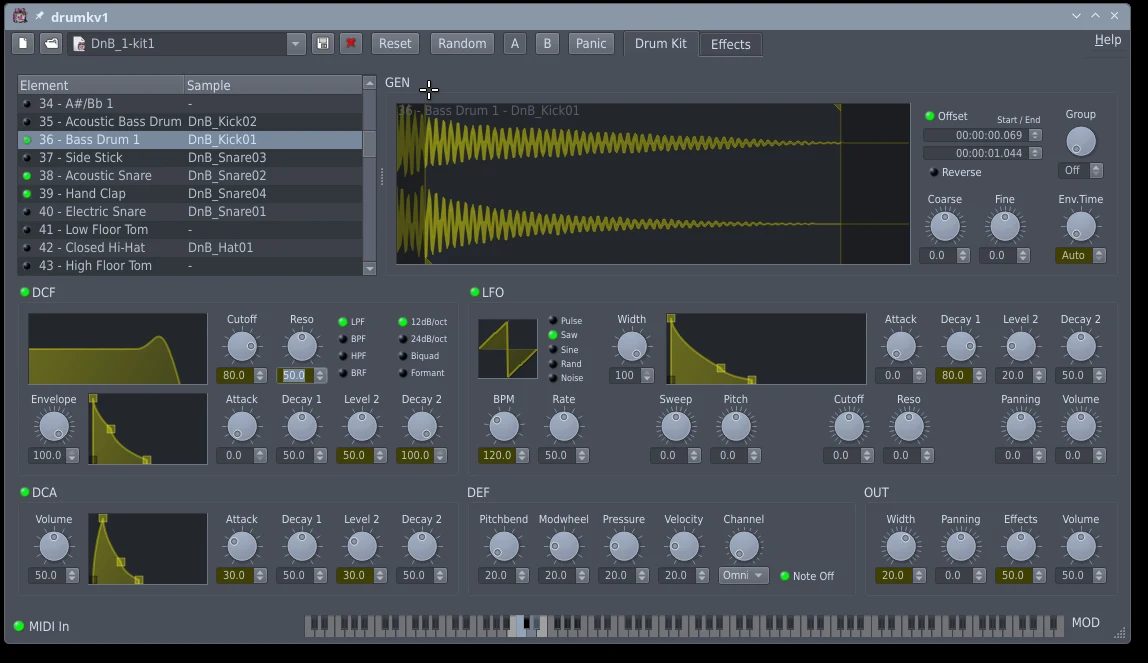
In that suite, samplv1 and drumkv1 gain Crop/Uncrop View and visual gradients for DCA1 envelope times. Both also offer standalone JACK and LV2 plug-in forms. That gives Linux music makers a separate instrument update to investigate alongside the sequencer.
Think of a sampler as a place to turn recorded material into something playable. A drum-kit sampler organizes that idea around percussion. Before collecting another dozen instruments, ask which musical job is missing. The folder called “essential tools” does not, unfortunately, write the bridge.
Is this a sensible place to start?
Qtractor’s official requirements center on Linux, JACK audio and ALSA MIDI. Check those platform requirements before treating a download button as a promise that your existing setup is ready. The application is distributed under GPL version 2 or later; that describes its software licence, not a guarantee about every plug-in you might load.
Our DAW and MIDI comparison helps frame the bigger workflow decision, while the music-creation guide puts controllers and instruments in context.
The useful next step: existing Qtractor users can check 1.6.5 against one representative project. Newcomers should first confirm the Linux audio setup fits them. Then make something small and finish it. An eight-bar idea that exists beats an imaginary album with a magnificent plug-in collection.


You May Also Like

LINE’s scrolling previews move to Premium in Japan

SIMGOT sets Japanese release for SuperMix 5 and EG280